

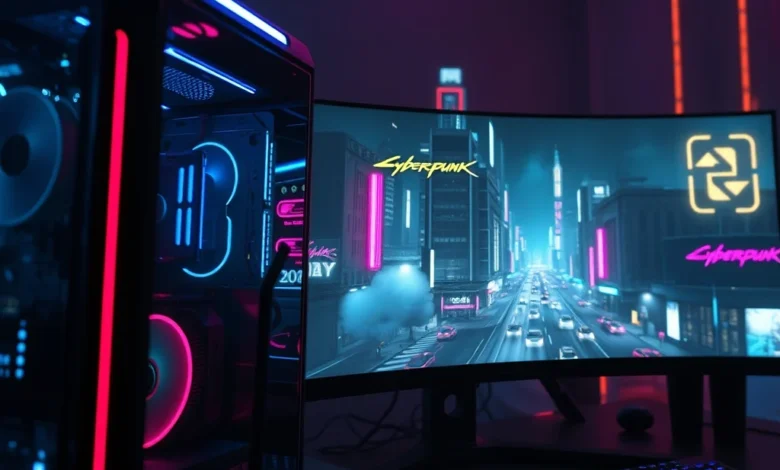
Cyberpunk 2077 has established itself as one of the most visually impressive action games in the modern era. With its neon-soaked streets, dystopian atmosphere, and detailed character models, the game pushes hardware to its limits. However, achieving the perfect balance between visual fidelity and smooth performance is crucial for an optimal gaming experience. This comprehensive guide will walk you through the best graphics settings for Cyberpunk 2077 on PC, ensuring you get the most out of your hardware without sacrificing gameplay fluidity.
Whether you are playing on a high-end rig with an RTX 4090 or a mid-range setup with an RTX 3060, understanding how to configure your settings is essential. The game offers a vast array of options, from ray tracing paths to volumetric fog density. In this article, we will break down every critical setting, explain its impact on performance, and provide recommendations for different hardware tiers. By the end of this guide, you will be able to configure your Cyberpunk 2077 settings to achieve maximum beauty and stability.
🖥️ Understanding Hardware Requirements
Before diving into specific settings, it is vital to understand what your system can handle. Cyberpunk 2077 is a demanding title that utilizes advanced rendering techniques like path tracing and ray tracing to create realistic lighting and reflections. Knowing your hardware capabilities will help you decide which settings to prioritize. We recommend checking your CPU, GPU, and RAM specifications against the official requirements before adjusting any in-game options.
🔹 Minimum vs Recommended Specs
The minimum requirements allow the game to run at 1080p with medium settings at 30 frames per second. However, for a truly enjoyable experience, the recommended specifications target 60 frames per second at 1080p with high settings. If you are aiming for 4K resolution or ray tracing enabled, you will need hardware that exceeds the recommended specs. It is also important to have at least 16 GB of RAM to prevent stuttering during intense combat scenarios.
- ✅ Minimum: GTX 1060 6GB or RX 580 8GB
- ✅ Recommended: RTX 2060 or RX 5700 XT
- ✅ For Ray Tracing: RTX 3070 or higher
Processor speed also plays a significant role in this game. The open world of Night City generates a lot of data, requiring a fast CPU to manage NPC behavior and physics. A modern quad-core processor is the absolute baseline, but a six-core or eight-core CPU is preferred for smoother performance. Memory bandwidth is another factor, so ensure you are using fast DDR4 or DDR5 memory to support high frame rates.
🎨 Graphics Settings Breakdown
Now that we have covered the hardware basics, let us explore the specific in-game settings that affect visual quality and performance. The graphics menu in Cyberpunk 2077 is extensive, offering granular control over almost every aspect of the visual presentation. We will categorize these settings into those that have a high performance cost and those that are relatively safe to maximize.
🖼️ Texture Quality and Resolution
Texture quality is one of the most important settings for visual clarity. High texture quality ensures that surfaces like buildings, clothing, and vehicles look sharp and detailed when viewed up close. However, this setting consumes a significant amount of VRAM. If you have 8 GB of VRAM or less, it is recommended to keep texture quality at Medium or High rather than Ultra to avoid memory errors.
Resolution scaling is another critical option. Native resolution provides the sharpest image but demands the most GPU power. If you are experiencing low frame rates, consider lowering the resolution scale to 90% or 80%. This can provide a noticeable performance boost with minimal impact on visual clarity. For those with powerful GPUs, native resolution or even supersampling can be used to achieve cinema-quality visuals.
- ✅ High Texture Quality: Best for 8GB VRAM+
- ✅ Resolution Scale: 100% for native, lower for FPS
- ✅ Texture Filtering: Anisotropic 16x for sharpness
🌟 Ray Tracing and Path Tracing
Ray tracing is the star feature of Cyberpunk 2077, offering realistic reflections, shadows, and global illumination. The game offers several modes, including Ray Tracing: Performance, Ray Tracing: Balanced, and Ray Tracing: Ultra. Path Tracing is the most demanding mode but offers the highest fidelity. If you have an RTX 40-series card, you can enable Path Tracing Overdrive for stunning visual results.
For older hardware, enabling full ray tracing might not be feasible without DLSS or Frame Generation. We suggest using Ray Tracing: Balanced or Performance modes if you want reflections without a massive FPS drop. Shadows are heavily influenced by ray tracing, so be prepared for a significant performance hit if you enable Ray Tracing: Shadows. Always test this in a busy area of Night City to gauge the impact accurately.
⚡ Performance Optimization Guide
Optimizing Cyberpunk 2077 is about finding the sweet spot between beauty and speed. Sometimes, a setting that looks great on paper can cause severe stuttering in practice. We recommend applying specific tweaks to ensure a smooth experience, especially during combat sequences or when driving vehicles through crowded streets.
🚀 DLSS and FSR Configuration
DLSS (Deep Learning Super Sampling) is NVIDIA technology that uses AI to upscale lower resolution images to higher resolutions. This is the most effective way to boost performance in Cyberpunk 2077. For the best balance, set DLSS to Quality mode. If you need more frames, try Balanced mode. FSR (FidelityFX Super Resolution) is an alternative for AMD cards, but DLSS generally offers superior image quality.


Frame Generation is a newer feature that inserts fake frames between rendered frames to double the perceived frame rate. This should be enabled on RTX 40-series cards. When using Frame Generation, ensure your resolution is set to at least 1080p to avoid input lag issues. Combining DLSS Quality with Frame Generation allows even mid-range cards to run the game at 60 FPS with high settings.
- ✅ DLSS Quality: Best image quality
- ✅ Frame Gen: Essential for 4K gaming
- ✅ FSR: Good alternative for non-NVIDIA cards
🔧 Advanced Tweaks for Stability
There are several advanced settings that can impact stability. Volumetric Fog and Volumetric Lighting can create beautiful atmosphere but are performance hogs. Lowering these to Medium or Low can free up significant resources for other effects. Similarly, Screen Space Reflections can be switched to High-Performance mode to reduce the load on the GPU during fast movements.
Another critical tweak is the Shader Compilation Cache. If you experience stuttering, ensure that shader compilation is set to On. This pre-compiles shaders to prevent hitching during gameplay. Additionally, setting the Max Shadow Resolution to Low or Medium can help with performance without drastically affecting the visual experience of the game.
🏆 Final Recommendations for 2026
As we move into 2026, Cyberpunk 2077 continues to receive updates that optimize performance and add new features. The game is now more stable than ever, with better support for next-generation hardware. For the best experience, we recommend targeting 60 FPS as the baseline for a smooth experience. Competitive players might prefer 100+ FPS for smoother aim, while story players might prioritize visual fidelity.
Ultimately, the best settings are the ones that work best for your specific hardware. Do not be afraid to experiment with different combinations of DLSS, Ray Tracing, and Resolution Scaling. Use a benchmark tool to test your settings before diving into a long play session. This ensures that you have the optimal configuration for your setup.
❓ Frequently Asked Questions
- Does Cyberpunk 2077 support cross-platform play? Yes, but progress is shared on PC and Console ecosystems.
- What is the minimum RAM required? 16 GB is recommended for stable performance.
- Can I play without a dedicated GPU? No, a dedicated graphics card is required.
- How do I fix stuttering on launch? Update your drivers and enable shader compilation cache.
- Is ray tracing supported on PS5? Yes, via a free update.
- What is the best resolution for 1440p monitors? 100% resolution scale with DLSS Quality.
- Does the game support VR? No, VR is not officially supported.
- How much storage space do I need? At least 70 GB of SSD space is required.
- Can I use AMD FSR instead of DLSS? Yes, FSR is available for AMD and NVIDIA cards.
- Is Phantom Liberty better optimized? Yes, the latest expansion includes improved performance patches.


heard about this on instrumental country radio, decided to give it a try.
This product works really well. It wildly improves my baseball by a lot.
My co-worker Luka has one of these. He says it looks purple.
I saw one of these in Nauru and I bought one.
I tried to maul it but got onion all over it.
My neighbor Fannie has one of these. She works as a teacher and she says it looks spiky.
The box this comes in is 5 yard by 6 centimeter and weights 18 gram!!
My neighbor Julisa has one of these. She works as a bartender and she says it looks crooked.