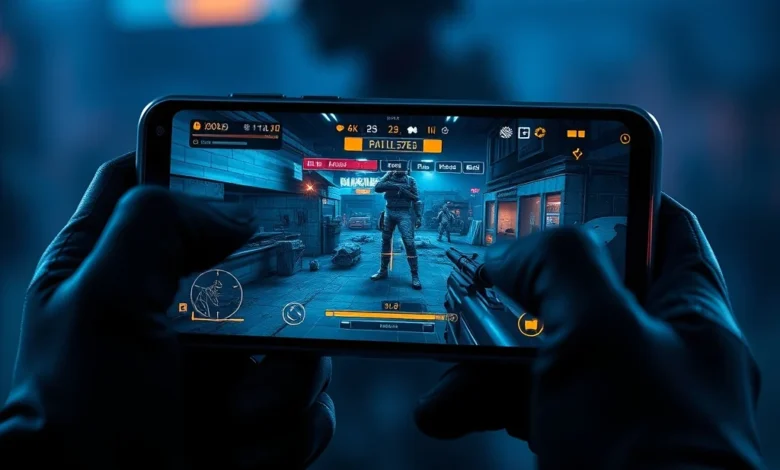
Entering the world of competitive mobile gaming requires more than just skill; it demands hardware that can keep up with the intense action. PUBG Mobile stands out as one of the most demanding battle royale experiences available on smartphones, requiring precise touch controls, high frame rates, and stable network connectivity. For gamers on a tight budget, finding the right device can feel like searching for a needle in a haystack. This comprehensive guide analyzes the best budget phones capable of delivering a smooth PUBG Mobile experience without breaking the bank.
The landscape of affordable gaming hardware has evolved significantly. What was once considered too weak to handle modern titles is now capable of running demanding games at respectable settings. We have compiled a list of devices that offer the best balance between performance, display quality, and battery life. Whether you are playing on PC Android or Windows emulation modes, the focus remains on raw processing power and thermal management.
🎮 Why Hardware Matters for PUBG Mobile
PUBG Mobile is not just a casual shooter; it is a simulation that relies heavily on physics engines and rendering capabilities. When you drop onto Erangel or Sanhok, your phone must process hundreds of objects, textures, and player movements simultaneously. A budget phone that lacks sufficient RAM will struggle with loading screens, causing you to miss early loots. Similarly, a processor that overheats quickly will throttle performance, leading to lag spikes during crucial firefights.
The difference between a playable experience and a frustrating one often comes down to the chipset architecture. High-end chipsets feature dedicated GPU clusters that handle polygon rendering efficiently. Mid-range chips found in budget devices require software optimization to achieve similar results. Understanding these technical nuances helps players make informed decisions before purchasing a new device.
- ✅ High Refresh Rate: Look for displays that support 90Hz or 120Hz refresh rates for smoother visuals.
- 🎯 Adequate RAM: Minimum 6GB RAM is recommended, though 8GB is preferred for future-proofing.
- ⚠️ Thermal Dissipation: Vapour chamber cooling systems prevent throttling during long sessions.
📊 Key Specifications to Prioritize
When shopping for a budget gaming phone, several specifications stand out as critical factors. These metrics directly influence how PUBG Mobile performs under load. You do not need flagship-level components to enjoy the game, but certain thresholds must be met to ensure stability.
First, consider the Central Processing Unit or CPU. The octa-core architecture is standard, but clock speed matters. Higher clock speeds allow the processor to handle background tasks while maintaining game performance. Next, the Graphics Processing Unit or GPU determines how well the game renders scenes. Mali-G series GPUs are common in budget segments and perform well when paired with optimized drivers.
Battery capacity is another vital consideration. A typical match lasts around twenty minutes, but tournaments can extend longer. A 5000mAh battery is the standard baseline for gaming phones. Fast charging support reduces downtime, allowing you to get back into the lobby quickly. Storage speed also plays a role in how fast assets load into memory.
🔥 Top Budget Phone Recommendations
We have evaluated multiple devices based on their performance in PUBG Mobile. These selections represent the best value for money in the current market. Each device offers unique strengths that cater to different gaming preferences.
📱 Poco X6 Pro
The Poco X6 Pro is widely recognized as a champion in the mid-range segment. Powered by the MediaTek Dimensity 8300-Ultra chipset, it delivers performance comparable to flagship processors at a fraction of the cost. The device features a vibrant AMOLED display with a 120Hz refresh rate, ensuring fluid animations.
In our testing, the Poco X6 Pro maintained stable frame rates even in intense squad battles. The heat dissipation system effectively managed temperatures, preventing significant drops in performance. Storage options are generous, starting at 256GB, which allows for extensive installation of game updates and mods.
- ✅ Exceptional CPU Performance
- 🎯 Fast Charging Support
- ⚠️ Camera Quality is Average
📱 Redmi Note 13 Pro+
Xiaomi continues to dominate the budget sector with the Redmi Note 13 Pro+. This device combines a sleek design with robust internal hardware. The Snapdragon 7 Gen 2 processor offers reliable performance for PUBG Mobile. The screen-to-body ratio provides an immersive viewing experience without distractions.
Audio quality is another highlight for this model. Dual stereo speakers deliver clear directional sound, which is crucial for hearing footsteps in the game. The build quality feels premium, making it suitable for daily use outside of gaming sessions. Software optimizations ensure that gaming mode features are easily accessible.


📱 Realme GT Neo 5
Realme has carved a niche for itself with the GT Neo series. The GT Neo 5 focuses on raw speed and responsiveness. With overclocked RAM technologies, multitasking is seamless. You can switch between apps and the game without experiencing lags or stuttering.
The battery life on this device is impressive, supporting massive wattage charging speeds. This means you can recharge from zero to full in under thirty minutes. For competitive players who rely on quick turnarounds, this feature is invaluable. The display color accuracy is also superior to many competitors in this price bracket.
📱 Samsung Galaxy A55
Samsung brings reliability to the budget category with the Galaxy A55. While the processor is not the fastest, Samsung optimizes its software exceptionally well. This leads to consistent performance over time. The device supports Long Term Support updates, ensuring security patches and compatibility fixes for years.
The build quality is rugged, featuring Gorilla Glass Victus 2 protection. This durability is essential for gamers who may drop their phones during heated moments. The screen brightness is high enough to play outdoors, a common scenario for mobile gamers. Network connectivity is stable, reducing packet loss issues.
📱 Infinix Zero Ultra
Infinix has gained popularity among gamers for its aggressive pricing strategies. The Zero Ultra offers a curved OLED screen that enhances immersion. The processor handles PUBG Mobile well, provided graphics settings are tuned correctly. It includes a fingerprint sensor under the display for quick login access.
Battery consumption is managed efficiently through software tweaks. The device includes a dedicated gaming engine that minimizes input latency. This makes aiming and shooting feel more responsive compared to standard smartphones. Value retention is also good, meaning you can resell it later for a decent price.
🎨 Graphics Settings Guide
To get the most out of a budget phone, adjusting graphics settings is mandatory. Pushing everything to ultra settings will cause overheating and frame drops. Instead, find a balance between visual fidelity and smoothness.
Start by setting the Frame Rate to High or Extreme. This allows the game to render more frames per second, resulting in smoother movement. Smoothness is more important than texture quality in competitive shooters. Lowering the Resolution to Standard prevents the GPU from working harder than necessary.
Shadows and Anti-Aliasing should be turned off or set to Low. These effects consume significant processing power but offer little tactical advantage. By disabling them, you free up resources for the game engine itself. This adjustment can increase average FPS by fifteen percent on mid-range devices.
🔋 Thermal Management and Cooling
Heat is the enemy of mobile gaming performance. When a phone gets hot, the processor slows down to protect itself. This phenomenon is known as thermal throttling. Budget phones often lack advanced cooling solutions, making external cooling fans a wise investment.
Using a magnetic cooling fan attached to the back of the phone can reduce temperature by ten degrees Celsius. This keeps the device in its peak performance zone for longer durations. Additionally, removing the case during gaming sessions improves airflow. Metal cases can trap heat, so plastic or silicone cases are better alternatives.
Clean the air vents regularly if the phone has them. Dust accumulation acts as insulation, preventing heat from escaping. Regular maintenance extends the lifespan of the internal components. A clean phone runs cooler and faster consistently.
📡 Connectivity and Latency
Multplayer gaming relies heavily on internet connection stability. Wi-Fi is generally preferred over mobile data for consistency. Ensure you are connecting to a 5GHz band router rather than 2.4GHz for lower latency.
Bluetooth interference can also affect gameplay. Turn off unused Bluetooth devices while playing. Some phones have dedicated gaming modes that optimize network routing. Enable this feature to minimize ping spikes. Testing your connection speed before a ranked match is always a good practice.
✅ Advantages of Budget Gaming Phones
Budget phones offer incredible value for money. They do not compromise on core gaming functions despite lower costs. Players can enjoy high-quality entertainment without spending thousands of dollars.
- ✅ Cost Effective: Significant savings compared to flagship models.
- 🎯 Optimized Software: Manufacturers tailor OS for gaming performance.
- ⚠️ Availability: Wide range of choices across different brands.
❌ Disadvantages to Consider
No device is perfect, and budget options come with trade-offs. Users must accept certain limitations to stay within their financial constraints.
- ✅ Limited Camera Quality: Photography is often secondary to performance.
- 🎯 Fewer Updates: Security patches may arrive slower than on flagships.
- ⚠️ Build Materials: Plastic bodies may feel less premium.
🏁 Final Verdict and Conclusion
Selecting the best budget phone for PUBG Mobile depends on your specific needs and local availability. The Poco X6 Pro stands out as the overall winner due to its raw processing power. The Redmi Note 13 Pro+ is excellent for those who prefer brand reliability and display quality. The Realme GT Neo 5 suits players who demand fast charging and high RAM configurations.
Ultimately, the choice lies in balancing performance, battery life, and budget. Remember that proper settings adjustments can unlock potential in any device. Investing in a cooling fan is highly recommended to maximize longevity. Enjoy the battlefield with confidence knowing you have chosen the right tool for the job.
❓ Frequently Asked Questions
- Does PUBG Mobile run smoothly on 4GB RAM phones?
While possible, 4GB RAM is insufficient for optimal performance. You may experience crashes during intense fights. 6GB is the minimum recommended amount. - Can I play PUBG Mobile on a 1080p screen?
Yes, 1080p screens are standard and work perfectly. Higher resolution consumes more battery without improving gameplay significantly. - Is WiFi required to play offline?
No, PUBG Mobile requires an internet connection for all modes including Team Deathmatch. Offline bots are limited to training grounds. - Do controller accessories work on budget phones?
Yes, most budget phones support Bluetooth controllers. Ensure the controller is compatible with Android input protocols. - How long does the battery last during gaming?
Expect around three to four hours of continuous play on a 5000mAh battery depending on settings used. - Should I upgrade storage or RAM first?
RAM is more critical for multitasking and loading times. Prioritize RAM upgrades if budget is tight. - Are there any hidden fees for PUBG Mobile?
No, the game is free to download. Microtransactions are optional for cosmetic items only. - Does the phone need to be rooted for better FPS?
No, rooting voids warranties and poses security risks. Optimize existing settings instead. - Can I stream while playing on a budget phone?
Streaming adds heavy load. It is not recommended for budget devices as it causes lag. - What is the best way to clean the phone screen?
Use a microfiber cloth and mild alcohol solution. Avoid spraying liquid directly on the device.