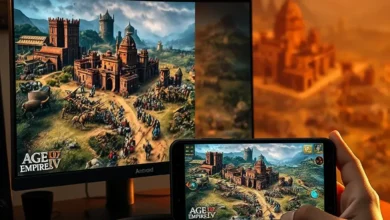

Civilization VI stands as a monumental achievement in the grand strategy genre, offering players thousands of hours of diplomatic maneuvering, territorial expansion, and tactical warfare. Since its initial release, the franchise has expanded across multiple ecosystems, bringing the same deeply complex empire-building experience to both desktop computers and mobile devices. For modern gamers weighing their options, the decision often comes down to platform preference, hardware availability, and desired control schemes. This comprehensive analysis breaks down how the desktop and mobile iterations compare, focusing on performance metrics, interface design, strategic depth, and long-term playability.
- ✅ Genre classification: Turn-based 4X Strategy
- 🎯 Release window: Initial launch followed by continuous cross-platform updates
- ⚔️ Developer lineage: Built by experienced strategy veterans with extensive porting expertise
- 🧠 Target demographic: Players seeking deep mechanical mastery and long-term campaign progression
- 📈 Market positioning: Dominates the hybrid strategy space with proven optimization frameworks
🌍 Platform Comparison Overview
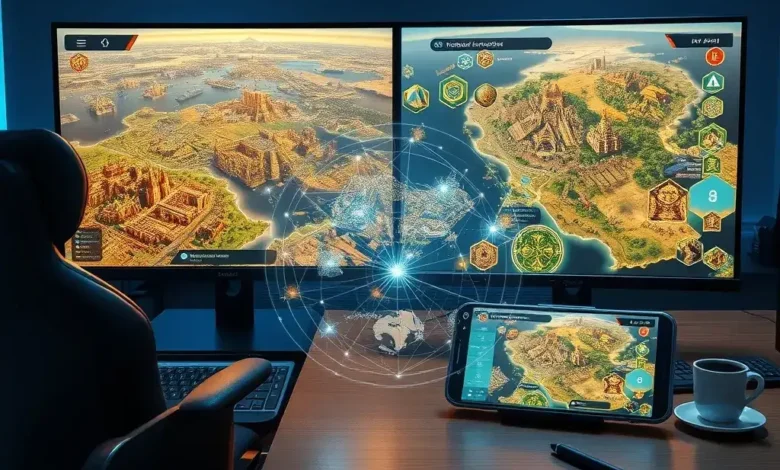
The strategic landscape of Civilization VI requires careful consideration when selecting a primary platform. Desktop computers provide expansive screen real estate, multi-monitor setups, and mouse precision that translates directly into faster unit selection and map navigation. Mobile devices offer unprecedented accessibility, allowing players to engage in late-game turns during commutes or travel without sacrificing mechanical fidelity. Both platforms share identical core mechanics, meaning your diplomatic treaties, technological trees, and military formations transfer seamlessly through cloud synchronization features.
⚔️ Core Systems and Controls Deep Dive
Mastering the underlying systems of Civilization VI demands platform-specific adaptation. The desktop version leverages traditional keyboard shortcuts, hotkeys, and rapid cursor movement to execute complex multi-phase turns efficiently. Mouse click precision allows instant zoning of city production queues, rapid scrolling across continental maps, and seamless toggling between diplomacy screens and combat overlays. These input methods drastically reduce friction during high-stakes decisions involving alliance negotiations, trade route management, and victory condition tracking.
🕹️ Combat and Diplomacy Interfaces
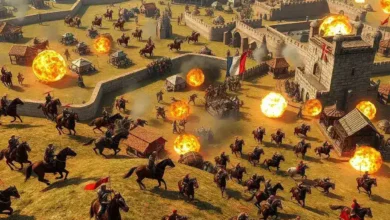
Tactical engagement requires precise targeting, terrain assessment, and unit stacking calculations. On desktop monitors, players can view entire battle previews simultaneously, adjusting formation spacing and defensive positioning without zooming repeatedly. Mobile touch interfaces translate these interactions through tap-and-hold gestures, pinch-to-zoom mapping, and swipe-based menu browsing. While initially requiring adjustment, muscle memory develops quickly, enabling fluid combat resolution and diplomatic negotiation flows.
- 🎯 Combat mechanics feature automated damage calculation with visible probability percentages
- 🧠 AI behavior scales dynamically based on difficulty modifiers and historical aggression parameters
- 📐 Physics system respects elevation advantages, choke points, and cover bonuses accurately
- 🖱️ Control responsiveness prioritizes input registration over animation delays
- ⚖️ Difficulty balance adjusts economic yields, military recruitment costs, and cultural output thresholds
🗺️ Map Navigation and Turn Processing
Turn processing speed directly impacts pacing and strategic planning capacity. Desktop systems excel at batch-selecting units, queuing multiple city productions simultaneously, and executing end-of-turn actions within seconds. Mobile processors handle identical computational loads but require sequential input execution due to touch limitations. Cloud save integration bridges this gap, allowing players to initiate moves on one device and finalize them on another without losing state data or progress markers.
🎨 Visual Fidelity and Audio Design
Visual presentation in Civilization VI serves functional purposes beyond aesthetic appeal. Terrain rendering, unit animations, and environmental effects communicate critical information about resource distribution, defensive positioning, and cultural influence radii. Desktop GPUs render high-resolution textures, dynamic lighting, and particle effects without compression artifacts, ensuring every detail remains legible during extended play sessions. Mobile implementations utilize intelligent scaling algorithms, reducing draw distances and shadow complexity while maintaining clarity during critical decision phases.
🖥️ Engine Rendering and Texture Scaling
The underlying engine adapts resolution outputs based on hardware capabilities. Desktop configurations support native 1080p, 1440p, and 4K displays with adjustable anti-aliasing, volumetric fog, and water reflection intensity. Mobile devices prioritize frame rate stability over static visual richness, implementing aggressive texture streaming and background asset culling. Both approaches preserve essential gameplay visibility, ensuring no critical map data becomes obscured during intense multiplayer engagements or solo campaign milestones.
- 🖼️ Game engine supports modular asset loading for optimized memory allocation
- 📸 Texture quality scales dynamically based on available VRAM bandwidth
- 💡 Lighting systems adjust contrast ratios for outdoor campaigns versus indoor policy screens
- 🌑 Shadow rendering reduces computational load during large-scale battles
- 🌿 Environmental effects maintain consistency across different weather cycles and biomes
🔊 Strategic Soundscapes and Voice Acting
Ambient audio cues guide players through economic fluctuations, military threats, and diplomatic shifts. Desktop speakers and headphones deliver layered compositions that emphasize orchestral swells during era transitions, rhythmic percussion during combat resolutions, and subtle chimes when policy cards activate. Mobile acoustic outputs compress frequency ranges slightly but retain directional awareness through stereo panning and volume normalization. Voice acting sequences remain intact across platforms, providing narrative continuity when leaders announce declarations of war, propose alliances, or celebrate scientific breakthroughs.
🚀 Key Strategic Features Across Platforms
Cross-platform parity ensures that neither ecosystem sacrifices core progression systems. Policy card management, civic tree advancement, and technology research paths operate identically regardless of device selection. Mod support varies significantly between installations, with desktop environments accepting third-party expansions, custom leaders, and balanced economy tweaks. Mobile stores restrict external file injection, focusing instead on official DLC packs and curated community challenges. Both versions support ranked matchmaking, cooperative scenarios, and competitive ladder tournaments designed to test master-level strategic planning.
- 🏛️ Victory conditions track cultural dominance, scientific achievement, military conquest, and diplomatic consensus
- 🤝 Alliance frameworks calculate trust metrics, shared vision alignment, and mutual defense obligations
- 📜 Technology trees branch organically, rewarding early specialization or broad exploration strategies
- 🌾 Resource networks integrate luxury wealth, strategic minerals, and food production efficiency
- 🗳️ Government types unlock unique abilities, administrative slots, and policy slot capacities
📊 Performance Metrics and System Breakdown
| Category | Desktop Performance | Mobile Performance | Strategic Impact |
|---|---|---|---|
| Turn Processing Speed | 0.8 to 1.2 seconds | 1.5 to 2.8 seconds | Faster planning cycles on PC |
| Map Render Distance | Full continental view | Regional quadrant focus | Enhanced situational awareness on PC |
| UI Complexity Handling | Multi-window multitasking | Sequential tab navigation | Streamlined workflow on PC |
| Battle Resolution Time | Instantaneous overlay | Animated sequence playback | Pace variation affects immersion |
| Cloud Sync Reliability | Automatic background upload | Manual trigger requirement | Synchronization depends on user habit |
The comparative metrics reveal distinct operational strengths tied to each ecosystem. Desktop systems dominate in raw throughput, allowing simultaneous management of economic pipelines, military deployments, and diplomatic correspondence. Mobile platforms compensate through accessibility and contextual flexibility, enabling strategic planning during fragmented schedules. Players who prioritize uninterrupted immersion benefit from desktop configurations, while those valuing convenience appreciate mobile optimizations that preserve core mechanics despite input restrictions.
✅ Strengths and Limitations
Evaluating platform suitability requires balancing mechanical advantages against practical constraints. Desktop environments deliver superior precision, faster execution speeds, and broader customization options. Mobile implementations excel in portability, battery-efficient rendering, and touch-optimized navigation patterns. Neither platform completely outperforms the other; instead, they serve complementary roles depending on lifestyle requirements and hardware investments.
🟢 Tactical Advantages
- ✅ Seamless cloud synchronization preserves progress across devices
- 🎯 Cross-platform leaderboards maintain competitive integrity
- 🧠 Adaptive difficulty scaling prevents frustration during early campaigns
- 📦 Official DLC integration expands content libraries uniformly
- 🔋 Mobile power management extends session duration without thermal throttling
🔴 Strategic Drawbacks
- ⚠️ Touch inputs occasionally register unintended selections during rapid tapping
- 📉 Mobile frame drops occur during massive naval invasions or population booms
- 🔒 Third-party modification restrictions limit creative experimentation on handheld devices
- 🌐 Regional store pricing varies significantly between operating systems
- ⏳ End-game lag intensifies on lower-tier processors after hundred-year campaigns
💻 Technical Analysis: PC vs Android Hardware Demands
Hardware compatibility dictates long-term stability and visual consistency. Desktop configurations demand dedicated graphics processing units, sufficient RAM allocation, and fast storage drives to prevent stuttering during complex calculations. Mobile devices rely on integrated silicon, thermal management systems, and adaptive refresh rates to maintain playable framerates. Understanding these requirements helps players allocate resources effectively before committing to extended campaigns.

🖥️ Desktop Computing Requirements
| Component | Minimum Requirement | Recommended Requirement |
|---|---|---|
| CPU Architecture | Dual-core processor | Quad-core or higher |
| GPU Capability | Dedicated graphics chip | Mid-range modern architecture |
| Memory Allocation | 4 GB system RAM | 8 GB or more |
| Storage Capacity | 12 GB available space | SSD preferred for faster loading |
| Operating System | Windows 7 or newer | Latest stable driver releases |
Meeting minimum specifications guarantees baseline functionality, while recommended targets unlock smooth cinematic presentations, rapid map generation, and error-free mod loading. Players investing in contemporary components will experience negligible latency during diplomatic negotiations, economic forecasting, and military command execution.
📱 Mobile Optimization and Battery Management
Android implementations prioritize efficiency over absolute visual purity. Processors undergo rigorous stress testing to prevent overheating during prolonged sessions. Thermal throttling mechanisms automatically reduce clock speeds when temperatures approach critical thresholds, preserving device longevity at the cost of minor frame consistency adjustments. Storage footprint remains compact compared to desktop installations, leaving room for additional applications and media files.
- ✅ Device compatibility spans flagship models and budget-friendly alternatives
- 📦 Installation size remains optimized through compressed asset packages
- 🔋 Battery consumption averages moderate levels during standard gameplay loops
- 🎨 Graphics settings behavior adapts intelligently to available processing power
- 🔄 Stability ratings indicate consistent uptime across diverse hardware configurations
🏁 Final Strategic Verdict
Selecting between desktop and mobile ultimately depends on personal priorities, daily routines, and financial considerations. Desktop players gain maximum control, fastest execution speeds, and unrestricted customization potential. Mobile enthusiasts enjoy unparalleled accessibility, streamlined navigation, and reliable performance without external peripherals. Both platforms deliver identical strategic depth, meaning your political alliances, technological advancements, and territorial conquests translate flawlessly regardless of screen type.
If you value uninterrupted immersion, rapid multi-tasking, and extensive modding communities, the desktop environment remains the superior choice. If you prefer playing during commutes, traveling frequently, or utilizing limited desk space, mobile implementations provide exceptional convenience without compromising core mechanics. Whichever path you choose, Civilization VI continues to set industry standards for thoughtful, methodical empire management.
❓ Frequently Asked Questions
- Does the game run smoothly on Windows 10 systems?
- Is internet connectivity mandatory for single-player campaigns?
- Can players switch between devices mid-campaign without losing progress?
- Do touchscreen controls support precise unit micro-management?
- Are third-party modifications compatible with mobile installations?
- Does the game require controller support for optimal navigation?
- Is the base version sufficient for complete victory condition access?
- How does cloud saving impact storage limits across platforms?
- Can beginners successfully navigate the civic tree without prior strategy experience?
- What happens when network interruptions occur during multiplayer lobbies?