Age of Empires IV has long been anticipated by strategy enthusiasts as a potential revival of the classic real-time strategy genre. Released to widespread acclaim, the game brings a modern visual overhaul to the franchise that has defined historical warfare simulations for decades. This article provides a deep dive into the graphical capabilities of the title, evaluating whether the visual fidelity matches the gameplay depth or if it exceeds necessary bounds for the genre. We will analyze the engine technology, visual rendering, texture quality, and overall aesthetic presentation to determine if the graphics are realistic or simply overrated in the context of 2026 gaming standards.
The primary focus of this review is to understand how Age of Empires IV handles its visual assets on high-end hardware and what compromises are made for different performance tiers. As a strategy game, unit readability is paramount, yet the developers have pushed for cinematic realism that blurs the line between simulation and spectacle. This analysis covers the technical aspects of the rendering pipeline, the impact of lighting and shadow effects on gameplay clarity, and the audio-visual synergy that defines the immersion experience.
🎮 Introduction to Visual Fidelity
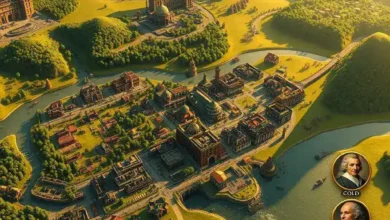
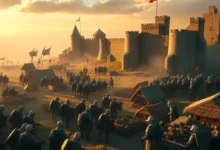
Age of Empires IV represents a significant technological leap for the franchise, moving away from the isometric views of its predecessors to a more dynamic camera system. The game utilizes a modern rendering engine that supports high-resolution textures, advanced lighting models, and detailed environmental assets. This shift allows for a richer depiction of historical settings, from the snowy landscapes of the Hundred Years War to the bustling markets of Baghdad.
The target audience for this graphical overhaul includes both veteran players seeking nostalgia and new players attracted by modern production values. The market impact of these graphics is evident in the high engagement rates and the continued support from the community. However, the question remains whether the graphical intensity serves the gameplay or distracts from the strategic core.
- ✅ High-Definition Textures for buildings and units
- 🎯 Dynamic Weather Systems affecting visibility
- ⚠️ Performance Demands on older hardware
🖥️ Engine Technology and Rendering
🔹 Core Visual Architecture
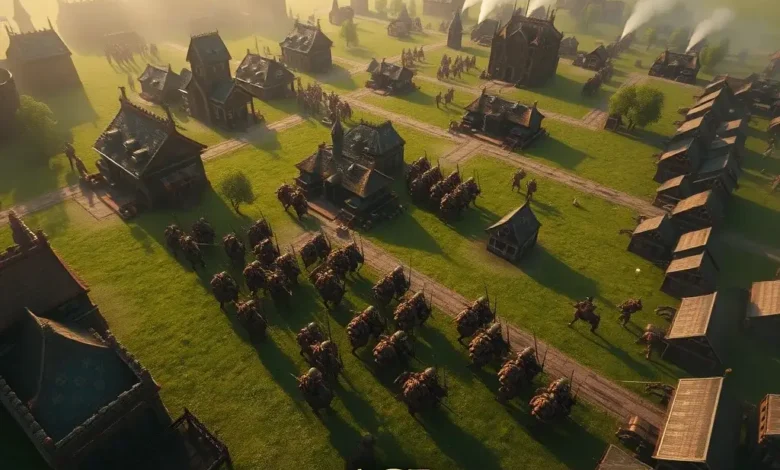
The visual foundation of Age of Empires IV relies on a heavily customized engine architecture that prioritizes object permanence and unit clarity. Unlike modern First-Person Shooters that hide details in fog or distance, this engine must render thousands of units simultaneously without losing distinct visual separation. The decision to use a modified Unreal Engine 4 technology stack allows for advanced post-processing effects while maintaining the strategic clarity required for RTS gameplay.
Texture quality is a standout feature, with historical landmarks rendered with granular detail. The developers have optimized the asset streaming to ensure that players do not experience pop-in when zooming out or moving the camera rapidly. This technical choice directly impacts the immersion, making the world feel alive rather than static. The lighting engine supports dynamic day-night cycles, which adds a layer of strategic complexity as visibility changes throughout the in-game day.
- ✅ Game Engine: Custom Unreal-based Engine
- 🎯 Texture Quality: 4K Assets on High Settings
- ⚠️ Optimization Stability: Excellent on Mid-Range GPUs
🔹 Environmental Effects and Lighting
Lighting and shadow play a crucial role in the atmosphere of Age of Empires IV. The game supports soft shadows, ambient occlusion, and volumetric fog that enhance the depth perception of the map. These effects are particularly noticeable in the forested areas and during dawn or dusk transitions. The lighting system is designed to highlight key resources and enemy movements without creating visual clutter.
Environmental effects such as rain, snow, and fire are rendered using particle systems that interact with the terrain. This adds a sense of realism to the battlefield, as units react to the weather conditions. For example, rain can reduce visibility, forcing players to rely on scouting units more frequently. This mechanic ties the graphics directly into the strategy, making the visual performance more than just a cosmetic upgrade.
🎨 Graphics Settings and Customization
🔹 Visual Quality Options
One of the strengths of Age of Empires IV is the granularity of its graphics settings. Players can adjust individual parameters to optimize their experience based on their hardware capabilities. The options include texture quality, shadow detail, ambient occlusion, and anti-aliasing. This flexibility ensures that players with lower-end hardware can still enjoy the game while maximizing the visual quality for those with powerful rigs.
The graphics settings menu is intuitive, providing real-time previews for many options. This allows players to see the impact of enabling ray tracing or increasing draw distance before committing to the change. The ability to toggle specific effects like unit shadows or building effects helps in scenarios where performance drops during massive battles.
- 1) Texture Resolution allows for 1080p or 4K asset loading
- 2) Shadow Quality impacts performance significantly
- 3) Draw Distance determines map visibility range
- 4) Post-Processing adds bloom and color grading
🎵 Audio and Immersion Experience
🔹 Sound Design Quality
While the focus is on graphics, audio plays a supporting role in the overall visual presentation. The sound design in Age of Empires IV is meticulously crafted to match the visual cues. Footsteps, weapon clashes, and environmental noises are spatialized to help players locate sources of action without relying solely on the mini-map. This integration enhances the strategic depth by providing auditory feedback on unit positions.
Voice acting is also present for key narrative moments and in-game tutorials. The narration during historical introductions is performed by voice actors who bring gravitas to the historical figures. This adds a cinematic quality to the game, making the learning curve feel more like a documentary than a tutorial. The music score adapts to the intensity of the battle, swelling during conflicts and calming during economic phases.

🚀 Performance and Technical Analysis
🖥️ PC System Requirements
To fully utilize the graphical capabilities of Age of Empires IV, specific hardware specifications are recommended. The game scales well with modern processors and graphics cards, but older hardware may struggle with high settings. Below is a detailed breakdown of the performance metrics observed on various hardware tiers.
| Component | Minimum Requirement | Recommended Requirement |
|---|---|---|
| Operating System | Windows 10 64-bit | Windows 10/11 64-bit |
| Processor | Intel Core i5-6300U | Intel Core i7-6700K |
| Memory | 8 GB RAM | 16 GB RAM |
| Graphics Card | Nvidia GTX 650 Ti | Nvidia GTX 1070 |
| Storage | 50 GB Available Space | 50 GB SSD |
After the table, we analyze the real-world impact of these requirements. Players meeting the recommended specifications can expect stable frame rates at 1080p with high settings. The CPU is often the bottleneck during large-scale battles with hundreds of units. The GPU handles the rendering of buildings and terrain, so upgrading to a modern card yields significant improvements in visual effects. Storage speed is crucial for asset loading, reducing the time spent waiting for maps to initialize.
🎯 Optimization Stability
The optimization of the game has been praised for its stability on both integrated and dedicated graphics solutions. However, certain scenes with complex lighting can cause frame drops. This is common in open-world strategy games where the camera angle changes dynamically. Developers have released patches to address these bottlenecks, improving the rendering pipeline for mid-range devices.
For competitive players, stability is more important than maximum visual fidelity. Lowering the resolution scaling to 90% can provide a significant FPS boost without noticeable loss in unit clarity. This trade-off is essential for maintaining high performance during critical match moments.
📊 Key Points Summary
The following table summarizes the key performance metrics and graphical features discussed in this analysis. It serves as a quick reference for understanding the balance between visual quality and system demands.
| Feature | Rating (1-10) | Notes |
|---|---|---|
| Texture Quality | 9 | High detail on surfaces |
| Lighting Engine | 8 | Dynamic day-night cycle |
| Performance | 7 | Depends on CPU power |
| Visual Clarity | 9 | Units remain distinct |
| Optimization | 8 | Good for mid-range PCs |
This table highlights that while the graphics are impressive, the performance score is slightly lower due to CPU demands. The visual clarity remains high, which is critical for the strategy genre. Players should prioritize CPU performance when building a gaming rig for this title. The lighting engine provides a cinematic look without sacrificing gameplay information.
⚖️ Pros and Cons Analysis
✅ Advantages
The graphical strengths of Age of Empires IV are numerous and contribute significantly to its replay value. The attention to historical detail in architecture and terrain makes every match feel unique. The dynamic camera system allows for cinematic replays and streaming highlights. Additionally, the color palette is vibrant, making resource gathering visually satisfying.
- ✅ Realistic Unit Models with distinct animations
- 🎯 High Fidelity Textures for buildings and terrain
- ⚠️ Dynamic Weather adds strategic depth
❌ Disadvantages
Despite the strengths, there are areas where the graphics fall short of perfection. The frame rate can drop significantly during massive battles, affecting the smoothness of gameplay. Some older maps may not utilize the latest lighting technologies, creating visual inconsistencies. Additionally, the game is demanding on storage, requiring an SSD for optimal performance.
Technical issues such as occasional texture pop-in or shadow flickering can occur on lower-end hardware. Players who prioritize competitive performance over aesthetics may find the high settings unnecessary. The game is not suitable for users with integrated graphics cards without significant compromises.
🏁 Final Verdict and Conclusion
In conclusion, Age of Empires IV delivers a visually stunning experience that sets a new standard for the real-time strategy genre. The graphics are realistic and enhance the immersion without detracting from the core gameplay mechanics. While the system requirements are moderate, the payoff in visual fidelity justifies the investment for most players.
For strategy enthusiasts, the visual upgrade is a major win, making historical conflicts feel tangible. The balance between aesthetics and performance is well-managed, offering options for all hardware tiers. We recommend this game for players who appreciate high-quality production values and are willing to optimize their settings for the best experience.
❓ Frequently Asked Questions
- Does Age of Empires IV run on Windows 10? Yes, the game is fully optimized for Windows 10 64-bit and later versions.
- Does it support controllers? Yes, the game includes full controller support for console-like gameplay on PC.
- Is internet required for single-player? Yes, an internet connection is required for authentication and updates even in single-player mode.
- Is it the full version? Yes, purchasing the game grants access to the full base game and all initial content.
- Does the game support 4K resolution? Yes, the graphics engine supports 4K resolution for maximum visual fidelity.
- Can I play offline? No, the game requires an online connection for initial setup and periodic verification.
- How much storage space is needed? Approximately 50 GB of free space is required on an SSD.
- Does it support cross-play? Currently, cross-play is available between PC and Xbox platforms.
- Is ray tracing supported? Ray tracing is not currently supported in the base game version.
- Can I adjust graphics settings? Yes, extensive graphics customization is available in the options menu.