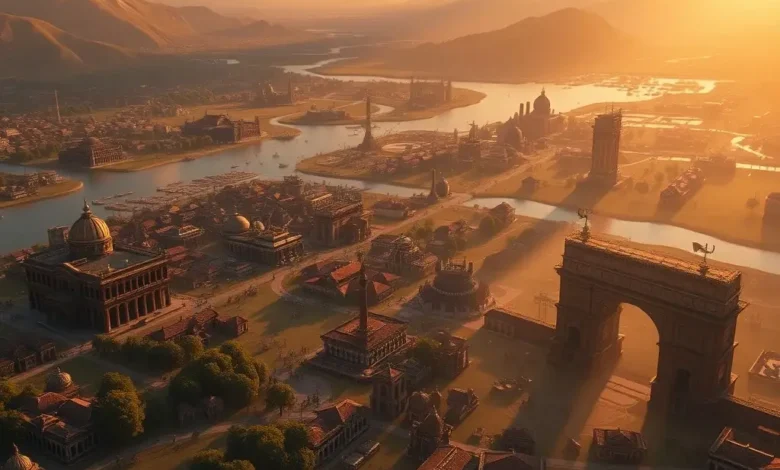
Sid Meier’s Civilization VI remains one of the most beloved turn-based strategy games of all time, celebrated for its deep gameplay and intricate mechanics. However, a critical aspect that often sparks debate among players is its graphics and visual design. Released in 2016 by Firaxis Games and published by 2K, Civilization VI pushed the boundaries of visual storytelling in a genre that has traditionally prioritized gameplay over aesthetics. With a blend of modern art direction, detailed environments, and dynamic lighting, the game presents a world that feels both familiar and fresh. But does it live up to the standard of realism expected in 2026, or does it fall into the trap of being overrated in its visual presentation?
This in-depth analysis will dissect the graphics and visual quality of Civilization VI, examining its strengths, weaknesses, and how it compares to its predecessors and competitors. We’ll explore the game’s art style, engine capabilities, and how well it captures the essence of historical civilizations. Additionally, we’ll evaluate its performance across different platforms, including PC and mobile devices, to determine whether the visuals enhance or hinder the player experience. By the end of this review, you’ll have a comprehensive understanding of whether Civilization VI’s graphics are a testament to its artistic vision or merely a superficial layer that doesn’t justify the hype.
🎨 The Art Style: A Blend of Realism and Simplicity
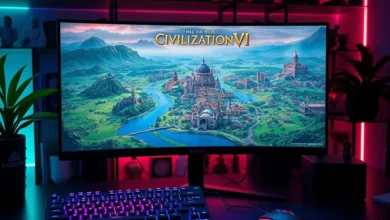
Civilization VI adopts a semi-realistic art style that strikes a delicate balance between historical accuracy and stylized design. Unlike hyper-realistic strategy games that aim for cinematic detail, Civilization VI opts for a more cartoonish yet polished aesthetic. This choice allows the game to maintain clarity and readability, which is crucial for a turn-based strategy game where players must constantly monitor multiple elements on the screen. The art style is reminiscent of classic board games, with a modern twist that keeps it visually engaging throughout long play sessions.
The game’s visual design is heavily influenced by the Unity engine, which Firaxis Games used to develop Civilization VI. While Unity is not typically associated with the most graphically intensive games, Firaxis managed to optimize it effectively to deliver a cohesive and immersive experience. The developers focused on creating a consistent visual language that aligns with the game’s turn-based nature, ensuring that each unit, city, and terrain feature is easily distinguishable. This approach is particularly beneficial for players who rely on quick visual cues to make strategic decisions.
🖌️ Character and Unit Design
The character and unit designs in Civilization VI are a mixed bag. On one hand, the game excels in creating a diverse and recognizable cast of leaders, each with unique visual styles that reflect their historical personas. For example, Cleopatra is depicted with iconic Egyptian attire and golden accessories, while Genghis Khan is shown in traditional Mongolian armor. These designs not only enhance immersion but also serve as a visual reminder of the game’s historical theme. On the other hand, the unit animations can feel stiff and repetitive, especially during battles. Units often move in robotic, predefined patterns, which detracts from the realism and can make combat feel less dynamic.
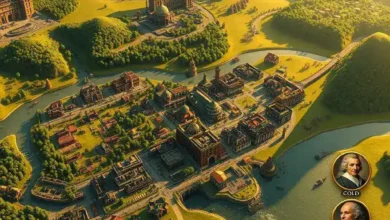
Another notable aspect of unit design is the district system, which is a hallmark of Civilization VI. Districts are visually distinct and strategically placed, allowing players to expand their cities in a more organic and historical manner. The game’s art team did an excellent job of differentiating each district type, from the industrial-looking Industrial Zone to the serene Campus. This level of detail not only adds depth to the gameplay but also reinforces the game’s commitment to historical authenticity. However, the terrain textures can sometimes feel overly repetitive, particularly when playing on larger maps where the same grass or desert textures repeat endlessly.
🌍 Environmental and Terrain Design
One of the standout features of Civilization VI’s graphics is its environmental design. The game world is filled with lush forests, towering mountains, and winding rivers, each rendered in a way that feels both beautiful and functional. The developers went to great lengths to ensure that the terrain not only looks good but also plays a critical role in gameplay. For instance, forests provide defensive bonuses to units, while rivers act as natural barriers that can influence city placement decisions. This integration of visual design and gameplay mechanics is a testament to the thoughtfulness behind Civilization VI’s development.
However, the environmental design is not without its flaws. The game’s textures can appear blurry or low-resolution, especially when viewed up close. This is particularly noticeable in the game’s wonder models, such as the Great Pyramid or the Colosseum, which can look pixelated and lack the fine details expected from a modern game. Additionally, the game’s day-night cycle and seasonal changes are visually underwhelming. While the game does feature a dynamic day-night cycle, the lighting effects are often subtle and fail to create a truly immersive atmosphere. Similarly, seasonal changes are limited to minor visual adjustments, such as snow appearing on mountains, but they lack the depth and impact seen in other strategy games.
🖥️ Visual Quality and Engine Performance
The visual quality of Civilization VI is heavily dependent on the Unity engine and the game’s optimization. While the engine provides a solid foundation for the game’s graphics, it also imposes certain limitations that become apparent in specific scenarios. For example, the game’s draw distance is relatively short, causing distant objects to disappear or become blurry as the camera moves. This can be frustrating for players who enjoy exploring large maps, as it reduces the sense of scale and immersion. Additionally, the game’s shadow rendering is inconsistent, with some shadows appearing soft and realistic while others look jagged and artificial.
Another area where Civilization VI’s graphics fall short is in the user interface (UI) design. While the game’s UI is functional and easy to navigate, it lacks the polish and modern aesthetic found in other contemporary strategy games. The menus and buttons can feel outdated, and the text can sometimes be difficult to read, especially on smaller screens. This is particularly noticeable when compared to games like Crusader Kings III or Age of Empires IV, which feature more visually appealing and intuitive interfaces. However, the UI’s simplicity is a double-edged sword: it ensures that the game remains accessible to players of all skill levels, but it also detracts from the overall visual experience.
🎮 Graphics Settings and Customization
Civilization VI offers a range of graphics settings that allow players to tailor the visual experience to their preferences and hardware capabilities. The game’s settings menu includes options for texture quality, shadow resolution, anti-aliasing, and view distance, among others. While these settings provide some level of customization, they are not as comprehensive as those found in other strategy games. For example, there are no options to adjust the level of detail for specific assets, such as units or districts, which can limit the effectiveness of the settings menu for players with high-end PCs.
One of the most impactful graphics settings in Civilization VI is the fullscreen anti-aliasing (FSAA) option, which helps to reduce jagged edges and improve overall image quality. However, enabling this setting can also introduce input lag, which can be detrimental to the gameplay experience, especially in competitive or multiplayer scenarios. Players should experiment with different settings to find the right balance between visual fidelity and performance, particularly if they are playing on a mid-range or low-end device.

🔊 Sound Effects and Music: Immersion Through Audio
While graphics often take center stage in discussions about a game’s visual appeal, the role of sound design and music in creating an immersive experience cannot be overstated. Civilization VI features a rich and varied soundtrack composed by Geoff Knorr, Roland Rizzo, and Griffin Cohen, which draws inspiration from different historical periods and cultures. The music dynamically adjusts based on the player’s progress, shifting from serene and introspective melodies during peaceful turns to intense and dramatic scores during wartime. This adaptive approach to soundtrack composition enhances the game’s emotional depth and keeps players engaged throughout long play sessions.
The game’s sound effects are equally impressive, with each unit and district featuring unique audio cues that reflect their purpose and function. For example, the sound of a catapult launching a projectile is distinct from the clang of swords during a melee battle, adding a layer of realism to the gameplay. However, the sound design is not without its flaws. Some of the game’s ambient noises, such as the sound of wind or rain, can become repetitive and distracting over time. Additionally, the game’s voice acting is hit-or-miss, with some leaders delivering memorable and historically accurate lines, while others sound robotic or uninspired.
🎵 Music and Atmosphere
The music in Civilization VI is one of its strongest assets, with tracks that evoke a sense of grandeur and historical significance. The game’s soundtrack spans multiple eras, from the medieval period to the modern age, and features instruments and melodies that reflect the cultural themes of each civilization. For example, the Chinese theme incorporates traditional instruments like the guzheng and erhu, while the American theme features a more orchestral and cinematic style. This attention to detail not only enhances the game’s authenticity but also creates a more immersive and emotionally resonant experience for players.
However, the game’s music can also feel repetitive, particularly during long play sessions. The same tracks repeat frequently, and there is limited variation in the music’s intensity or tempo. This can make the soundtrack feel less dynamic and engaging over time. To mitigate this issue, players can enable the “Dynamic Music” setting, which adjusts the music based on the game’s state. While this feature helps to break the monotony, it is not a perfect solution, and some players may still find the music to be a minor annoyance.
🔇 Sound Effects and Gameplay Feedback
The sound effects in Civilization VI play a crucial role in providing feedback to the player, particularly during combat and city management. Each unit type features unique attack and movement sounds, which help players distinguish between different types of units and actions. For example, the sound of a cavalry charge is distinct from the sound of an archer firing an arrow, allowing players to quickly assess the outcome of battles. Additionally, the game’s city notification sounds are effective in alerting players to important events, such as the completion of a building or the discovery of a new resource.
However, the game’s sound effects are not without their issues. Some of the game’s ambient noises, such as the sound of workers chopping down trees or settlers founding new cities, can become repetitive and distracting over time. Additionally, the game’s voice acting for the advisors and leaders can feel inconsistent, with some lines sounding natural and engaging, while others feel forced or uninspired. This inconsistency detracts from the overall audio experience and can break the immersion for players who are particularly sensitive to voice acting quality.
🚀 Key Features: What Sets Civilization VI’s Graphics Apart
Civilization VI stands out in the strategy genre due to its unique blend of historical authenticity and modern visual design. While many turn-based strategy games prioritize gameplay over aesthetics, Civilization VI manages to strike a balance between the two, creating a visually appealing experience that enhances the overall gameplay. One of the game’s most notable features is its district system, which not only adds depth to the city-building mechanics but also provides a visually distinct and immersive environment. Each district type is designed to reflect its historical counterpart, from the industrial-looking Industrial Zone to the serene Campus, creating a sense of progression and expansion as players develop their civilizations.
Another key feature of Civilization VI’s graphics is its dynamic weather and lighting system. The game features a day-night cycle that affects the game’s lighting and atmosphere, creating a more immersive and visually dynamic experience. While the day-night cycle is not as dramatic as in open-world games, it adds a subtle layer of realism to the gameplay. Additionally, the game’s terrain deformation system allows for natural-looking changes to the landscape, such as rivers carving paths through mountains or forests spreading over time. These features contribute to the game’s overall visual appeal and make the world feel more alive and dynamic.
Below is a breakdown of Civilization VI’s key visual features:
- ✅ District System: Visually distinct and historically themed districts that enhance gameplay and immersion.
- ✅ Dynamic Weather and Lighting: A day-night cycle and seasonal changes that add depth to the environment.
- ✅ Terrain Deformation: Natural-looking changes to the landscape that reflect the passage of time.
- ✅ Historical Accuracy: A blend of stylized and realistic designs that reflect the game’s historical themes.
- ✅ Adaptive Soundtrack: A dynamic soundtrack that adjusts based on the player’s progress and gameplay state.
- ✅ Customizable Graphics Settings: A range of settings that allow players to tailor the visual experience to their preferences.
📊 Graphics Quality Comparison: Civilization VI vs. Competitors
To determine whether Civilization VI’s graphics are realistic or overrated, it’s essential to compare them to those of its competitors. In the turn-based strategy genre, Civilization VI faces stiff competition from games like Crusader Kings III, Age of Empires IV, and Total War: Three Kingdoms. Each of these games offers a unique visual style and set of graphical features, making it difficult to definitively rank Civilization VI in terms of visual quality. However, a comparison can provide valuable insights into the game’s strengths and weaknesses.
The table below summarizes the key differences in graphics quality between Civilization VI and its competitors:
| Feature | Civilization VI | Crusader Kings III | Age of Empires IV | Total War: Three Kingdoms |
|---|---|---|---|---|
| Art Style | Semi-realistic, stylized | Hyper-realistic, detailed | Realistic, cinematic | Realistic, immersive |
| Engine | Unity | Unreal Engine 4 | Unreal Engine 4 | Epic Games Launcher |
| Terrain Quality | Good, but repetitive | Excellent, highly detailed | Excellent, dynamic | Excellent, immersive |
| Unit Animations | Stiff, repetitive | Fluid, realistic | Fluid, cinematic | Fluid, immersive |
| Lighting and Shadows | Inconsistent | Excellent, dynamic | Excellent, cinematic | Excellent, immersive |
| User Interface | Functional, outdated | Modern, intuitive | Modern, cinematic | Modern, immersive |
| Dynamic Weather | Limited | Excellent | Excellent | Excellent |
| Historical Accuracy | Good, stylized | Excellent | Excellent | Excellent |
| Visual Appeal | Good, but dated | Excellent | Excellent | Excellent |
This comparison highlights that Civilization VI’s graphics, while visually appealing, lag behind its competitors in terms of realism, fluidity, and dynamic lighting. Games like Crusader Kings III and Age of Empires IV feature more modern and immersive visuals, thanks to their use of the Unreal Engine 4. These games also benefit from more fluid animations and dynamic weather systems, which enhance the overall gameplay experience. However, Civilization VI’s art style, while less realistic, offers a unique and nostalgic charm that sets it apart from its competitors. The game’s visual design is heavily influenced by its turn-based nature, prioritizing clarity and functionality over cinematic realism.
📱 Performance on Different Platforms: PC vs. Mobile
Civilization VI is available on multiple platforms, including PC, macOS, Linux, Nintendo Switch, PlayStation 4, Xbox One, and mobile devices. While the game’s visuals are generally consistent across platforms, the performance and optimization can vary significantly depending on the device. On PC, the game’s performance is heavily dependent on the player’s hardware, with high-end systems capable of running the game at high graphics settings with smooth frame rates. However, players with mid-range or low-end PCs may experience performance issues, particularly when playing on larger maps or during intense battles.
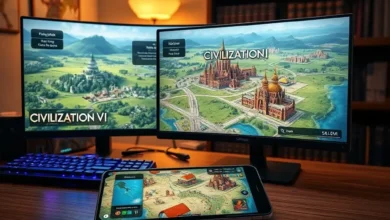
The game’s mobile version, while visually similar to the PC version, suffers from several limitations due to the hardware constraints of mobile devices. The mobile version features reduced texture quality and simplified animations to ensure smooth performance on smartphones and tablets. Additionally, the touch controls can feel clunky and unintuitive, making it difficult to manage complex strategies on smaller screens. While the mobile version is a convenient way to play Civilization VI on the go, it is not recommended for players who prioritize visual quality and performance.
🖥️ PC Performance and Optimization
On PC, Civilization VI offers a range of graphics settings that allow players to tailor the visual experience to their hardware capabilities. The game’s performance is heavily dependent on the player’s graphics card (GPU), CPU, and RAM. Players with high-end GPUs, such as the NVIDIA RTX 3080 or AMD Radeon RX 6800, can run the game at 1440p or 4K resolution with high graphics settings and still maintain smooth frame rates. However, players with mid-range GPUs, such as the NVIDIA GTX 1660 or AMD Radeon RX 5700, may need to lower the graphics settings to achieve a consistent 60 FPS.
The game’s CPU performance is also a critical factor, particularly during large battles or when managing multiple cities. Civilization VI is not particularly CPU-intensive, but players with older or weaker CPUs may experience stuttering or lag during intense gameplay scenarios. To mitigate these issues, players can enable the “Dynamic Resolution Scaling” option, which automatically adjusts the resolution to maintain a stable frame rate. Additionally, closing background applications and updating graphics drivers can significantly improve performance on PC.
📱 Mobile Performance and Limitations
The mobile version of Civilization VI is a convenient way to play the game on smartphones and tablets, but it comes with several limitations. The mobile version features reduced texture quality and simplified animations to ensure smooth performance on weaker hardware. Additionally, the game’s touch controls can feel unintuitive and cumbersome, particularly when managing complex strategies or navigating large maps. The mobile version also lacks some of the PC version’s features, such as mod support and custom graphics settings.
Despite these limitations, the mobile version of Civilization VI is still a fun and engaging experience, particularly for players who enjoy turn-based strategy games on the go. However, players who prioritize visual quality and performance should stick to the PC version. The mobile version is best suited for casual play sessions, while the PC version offers a more immersive and visually appealing experience.
✅ Advantages of Civilization VI’s Graphics
Despite its shortcomings, Civilization VI’s graphics offer several advantages that enhance the overall gameplay experience. One of the game’s strongest visual features is its district system, which not only adds depth to the city-building mechanics but also provides a visually distinct and immersive environment. Each district type is designed to reflect its historical counterpart, from the industrial-looking Industrial Zone to the serene Campus, creating a sense of progression and expansion as players develop their civilizations. This level of detail not only enhances the game’s visual appeal but also reinforces its commitment to historical authenticity.
Another advantage of Civilization VI’s graphics is its dynamic weather and lighting system. The game features a day-night cycle that affects the game’s lighting and atmosphere, creating a more immersive and visually dynamic experience. While the day-night cycle is not as dramatic as in open-world games, it adds a subtle layer of realism to the gameplay. Additionally, the game’s terrain deformation system allows for natural-looking changes to the landscape, such as rivers carving paths through mountains or forests spreading over time. These features contribute to the game’s overall visual appeal and make the world feel more alive and dynamic.
- ✅ Unique Art Style: A blend of historical authenticity and modern design that sets it apart from competitors.
- ✅ District System: Visually distinct and historically themed districts that enhance gameplay and immersion.
- ✅ Dynamic Weather and Lighting: A day-night cycle and seasonal changes that add depth to the environment.
- ✅ Historical Accuracy: A visual design that reflects the game’s historical themes and settings.
- ✅ Adaptive Soundtrack: A dynamic soundtrack that adjusts based on the player’s progress and gameplay state.
- ✅ Customizable Graphics Settings: A range of settings that allow players to tailor the visual experience to their preferences.
❌ Disadvantages of Civilization VI’s Graphics
While Civilization VI’s graphics offer several advantages, they also come with several notable drawbacks. One of the most significant issues is the game’s stiff and repetitive unit animations. Units often move in robotic, predefined patterns, which detracts from the realism and can make combat feel less dynamic. This issue is particularly noticeable during large battles, where the lack of fluid animations can make the gameplay feel stale and uninspired.
Another major disadvantage of Civilization VI’s graphics is its inconsistent lighting and shadow rendering. While some areas of the game feature soft and realistic shadows, others suffer from jagged and artificial lighting effects. This inconsistency detracts from the overall visual experience and can break the immersion for players who are particularly sensitive to graphical quality. Additionally, the game’s textures can appear blurry or low-resolution, particularly when viewed up close. This is particularly noticeable in the game’s wonder models, which can look pixelated and lack the fine details expected from a modern game.
- ❌ Stiff Unit Animations: Repetitive and robotic movements that detract from the realism.
- ❌ Inconsistent Lighting and Shadows: Jagged and artificial lighting effects that break immersion.
- ❌ Low-Quality Textures: Blurry and low-resolution textures that lack detail.
- ❌ Outdated User Interface: Functional but visually outdated menus and buttons.
- ❌ Limited Dynamic Weather: Subtle and repetitive weather effects that lack depth.
- ❌ Repetitive Terrain Textures: Overly repetitive grass and desert textures that feel uninspired.
🏁 Final Verdict: Is Civilization VI’s Graphics Realistic or Overrated?
Civilization VI’s graphics are a fascinating study in contrasts. On one hand, the game features a unique and nostalgic art style that sets it apart from its competitors. The district system, dynamic weather, and historical accuracy all contribute to a visually immersive experience that enhances the gameplay. The game’s semi-realistic approach strikes a balance between clarity and aesthetics, making it accessible to players of all skill levels while still feeling visually engaging. Additionally, the adaptive soundtrack and sound effects add depth to the overall experience, creating a sense of immersion that is rare in turn-based strategy games.
However, Civilization VI’s graphics also suffer from several notable flaws that prevent it from achieving true realism. The game’s stiff unit animations, inconsistent lighting, and low-quality textures detract from the overall visual appeal and can make the game feel dated compared to its competitors. While the game’s art style is charming and nostalgic, it lacks the polish and modern aesthetic found in other contemporary strategy games. This inconsistency makes it difficult to definitively classify Civilization VI’s graphics as realistic or overrated—they are neither fully realistic nor fully overrated, but rather a unique blend of both.
Ultimately, Civilization VI’s graphics are best suited for players who prioritize gameplay and historical authenticity over cutting-edge visuals. The game’s visual design is a testament to its commitment to clarity and functionality, making it an excellent choice for both casual and experienced strategy gamers. However, players who demand the highest level of graphical fidelity may find Civilization VI’s visuals lacking. For these players, games like Crusader Kings III or Age of Empires IV offer more immersive and realistic visuals, albeit at the cost of some accessibility and nostalgia.
If you’re a fan of turn-based strategy games and appreciate the unique art style of Civilization VI, the game’s graphics are more than enough to justify its purchase. However, if you’re a player who prioritizes visual realism and modern aesthetics, you may find Civilization VI’s graphics to be a letdown. Regardless of your preferences, Civilization VI remains a must-play title in the strategy genre, offering a rich and engaging experience that transcends its visual shortcomings.
❓ Frequently Asked Questions
-
Does Civilization VI support 4K resolution?
Yes, Civilization VI supports 4K resolution on PC, provided you have a high-end graphics card and monitor. However, achieving 4K with high graphics settings may require a powerful system, as the game can be demanding on older or mid-range hardware. Players with weaker systems may need to lower the resolution or graphics settings to maintain smooth performance.
-
Can I play Civilization VI on a low-end PC?
Yes, Civilization VI can run on low-end PCs, but you may need to lower the graphics settings significantly to achieve smooth frame rates. The game’s minimum system requirements include an Intel Core i3 processor, 4GB of RAM, and an Intel HD Graphics 4000 GPU. However, players with such hardware may experience lag and stuttering, particularly during large battles or when managing multiple cities.
-
Does Civilization VI have mod support?
Yes, Civilization VI supports mods, which can enhance the game’s visuals and gameplay. The Steam Workshop features a wide variety of mods, including graphics overhauls, unit reskins, and new civilization packs. However, some mods may impact performance or cause compatibility issues, so it’s important to research and read user reviews before installing them.
-
Is the mobile version of Civilization VI worth playing?
The mobile version of Civilization VI is a fun and convenient way to play the game on the go, but it suffers from several limitations. The mobile version features reduced texture quality, simplified animations, and clunky touch controls. Additionally, the game lacks some of the PC version’s features, such as mod support and custom graphics settings. While the mobile version is enjoyable for casual play sessions, players who prioritize visual quality and performance should stick to the PC version.
-
Does Civilization VI have a day-night cycle?
Yes, Civilization VI features a day-night cycle that affects the game’s lighting and atmosphere. The day-night cycle is dynamic and adjusts based on the player’s progress and the time of day in the game. However, the day-night cycle is not as dramatic as in open-world games, and the lighting effects are often subtle.
-
Can I customize the graphics settings in Civilization VI?
Yes, Civilization VI offers a range of graphics settings that allow players to tailor the visual experience to their preferences and hardware capabilities. The settings menu includes options for texture quality, shadow resolution, anti-aliasing, and view distance, among others. Players can experiment with these settings to find the right balance between visual fidelity and performance.
-
Does Civilization VI support cross-platform play?
No, Civilization VI does not support cross-platform play. Players on PC cannot play against or with players on consoles or mobile devices. The game is designed to be played within its own platform ecosystem, limiting multiplayer interactions to users on the same platform.
-
Is Civilization VI’s soundtrack dynamic?
Yes, Civilization VI features a dynamic soundtrack that adjusts based on the player’s progress and gameplay state. The music shifts from serene and introspective melodies during peaceful turns to intense and dramatic scores during wartime. This adaptive approach enhances the game’s emotional depth and keeps players engaged throughout long play sessions.
-
Does Civilization VI have a replay value?
Yes, Civilization VI offers a high level of replay value, thanks to its procedurally generated maps, diverse civilizations, and multiple victory conditions. Each playthrough offers a unique experience, with different civilizations, leaders, and strategic challenges. Additionally, the game’s mod support and DLC packs provide even more content and variety for players.
-
Is Civilization VI worth playing in 2026?
Civilization VI remains a must-play title in the strategy genre, even in 2026. While the game’s graphics may feel dated compared to more modern titles, its deep gameplay, historical authenticity, and replay value make it a timeless classic. Whether you’re a fan of turn-based strategy games or a history enthusiast, Civilization VI offers a rich and engaging experience that is well worth your time.