Drift Settings for Project Cars 3 – Optimal Car and Control Configurations Revealed

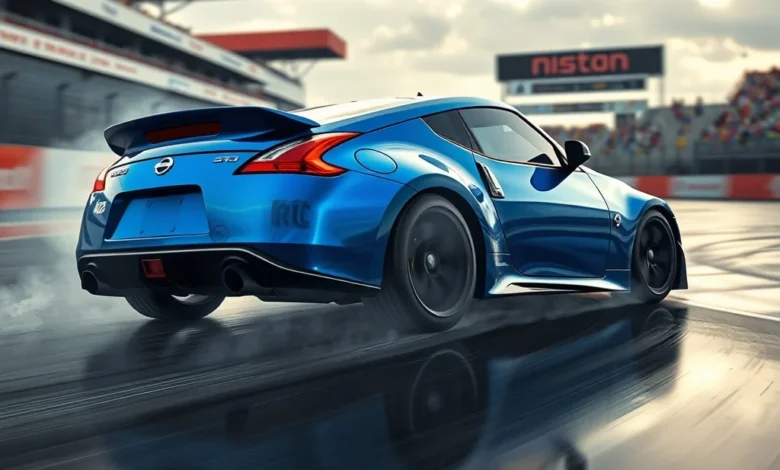
Drifting in Project Cars 3 is an exhilarating experience that blends precision, physics, and pure adrenaline. Whether you’re a seasoned veteran or a newcomer to the racing simulator genre, mastering the art of drifting requires more than just raw speed and reflexes—it demands a deep understanding of vehicle dynamics, control settings, and track conditions. The game’s advanced physics engine simulates real-world drifting mechanics, making it essential to tweak your car’s setup and controls to achieve those perfect slides and smoky trails. In this guide, we’ll break down everything you need to know about configuring your car and controls for optimal drifting in Project Cars 3. From suspension adjustments to tire pressure, and from control sensitivity to brake bias, we’ll cover the finest details that separate a good drift from an epic one.
🚗 Why Drifting in Project Cars 3 Feels So Real
Project Cars 3, developed by Slightly Mad Studios and published by Bandai Namco Entertainment, is renowned for its realistic driving physics and immersive racing experience. Unlike arcade-style racers where drifting feels loose and exaggerated, Project Cars 3 grounds its mechanics in real-world principles, making it a favorite among sim racing enthusiasts. The game’s physics engine takes into account factors like weight transfer, tire grip, and suspension geometry, which are critical for executing smooth and controlled drifts. When you’re behind the wheel of a rear-wheel-drive car, such as the Nissan 370Z or the Mazda RX-7, you’ll feel the weight shift as you lift off the throttle, and the tires will lose traction in a way that mimics real-world behavior. This realism is what makes drifting in Project Cars 3 so rewarding—once you get the settings right, the car responds intuitively, and your drifts become fluid rather than forced.
One of the most satisfying aspects of drifting in Project Cars 3 is the ability to maintain control while pushing the limits of traction. Unlike traditional racing where the goal is to stay glued to the track, drifting is all about breaking that grip and sliding sideways—whether for style, competition, or pure fun. The game’s Drift Mode, available in both career and multiplayer sessions, challenges players to hit specific angles, speeds, and trajectories while keeping the car from spinning out. To excel in this mode, you need to fine-tune your car’s setup to suit your driving style and the demands of each track. Whether you’re drifting through a tight hairpin or launching a 300-foot slide down a straightaway, the right settings can make the difference between a perfect run and a messy crash.
🎯 Key Factors That Affect Drifting Performance
Before diving into specific settings, it’s important to understand the key factors that influence drifting performance in Project Cars 3. These elements work together to determine how your car behaves during a slide, and tweaking them can dramatically improve your drifting experience. Below are the most critical components to consider:
- ✅ Weight Distribution: Rear-wheel-drive cars naturally have more weight over the front wheels, which can make them more prone to understeer. Adjusting your car’s balance by shifting weight toward the rear can help initiate and maintain drifts.
- 🎯 Tire Grip and Pressure: Tires are your car’s only point of contact with the road, and their grip levels directly affect how easily you can break traction and slide. Lower tire pressure increases grip but reduces the chance of initiating a drift, while higher pressure makes it easier to lose control.
- ⚙️ Suspension Settings: Stiffer suspension reduces body roll, which can help maintain a controlled drift, but it also makes the car more sensitive to weight transfer. Softer suspension allows for more weight shift, which is useful for initiating slides but can make the car feel less stable at high speeds.
- 🔥 Engine Power and Throttle Response: More horsepower makes it easier to break traction, but it also requires more finesse to control. Cars with turbocharged engines, like the Nissan 350Z, can provide explosive power for initiating powerful slides, but they also demand precise throttle input to avoid oversteer.
- 🛣️ Track Conditions: The type of surface you’re drifting on—whether it’s asphalt, concrete, or dirt—plays a huge role in how your car behaves. Softer surfaces like dirt provide more grip initially but are easier to oversteer on, while smoother surfaces like tarmac allow for longer slides but require more power to break traction.
- 🎮 Control Settings: Your controller or wheel’s sensitivity, deadzone, and force feedback settings can greatly impact your ability to drift. A high sensitivity setting makes it easier to make quick corrections, but it can also lead to overcorrection and spins. Similarly, force feedback should reflect the resistance and feedback you’d feel in a real car, which helps with precision.
🔥 Essential Drift Car Setups for Project Cars 3
Every car in Project Cars 3 has its own unique characteristics, and what works for one vehicle might not work for another. However, there are general setups that serve as a strong foundation for drifting across different car models. Below, we’ll cover recommended setups for three categories of drift cars: beginner-friendly, intermediate, and advanced. These setups are designed to balance ease of use with performance, allowing you to focus on technique rather than fighting the car.
🏁 Beginner-Friendly Drift Car Setups
If you’re just starting out, it’s best to choose a car that’s forgiving and responsive to input. These setups are designed to help you get the hang of drifting without requiring too much precision or power management. The Nissan Silvia S14 and Toyota AE86 Trueno are excellent choices for beginners due to their lightweight frames and responsive steering.
| Setting | Recommended Value | Notes |
|---|---|---|
| Aerodynamics | Low Front Wing, Low Rear Wing | Reduces drag and allows for higher top speeds, which is useful for building momentum before a drift. |
| Suspension | Medium Stiffness | Balances stability and weight transfer, making it easier to initiate drifts without excessive body roll. |
| Brakes | Brake Bias: 60% Front, 40% Rear | Shifts more braking force to the front wheels to help slow down the car while maintaining rear stability. |
| Tires | Pressure: 28 PSI (Front), 26 PSI (Rear) | Slightly lower rear tire pressure helps initiate rear-end slides more easily. |
| Gearing | Close-Ratio, Final Drive: 4.5 | Helps keep the engine in the power band during drifts, providing consistent power delivery. |
| Differential | Preload: 20%, Acceleration: 30%, Deceleration: 50% | Allows for smoother power delivery and better control during drifts. |
With these settings, the Nissan Silvia S14 should feel responsive and predictable. The low rear wing reduces drag, allowing you to build speed more easily, while the medium suspension stiffness balances stability and weight transfer. The brake bias is slightly front-heavy to help slow the car without causing the rear to step out unexpectedly. Tire pressure is set slightly lower in the rear to encourage the rear end to break loose, and the close-ratio gearing ensures you stay in the power band during drifts. The differential settings are tuned to provide smooth power delivery, which is crucial for maintaining control while sliding.
⚡ Intermediate Drift Car Setups
Once you’ve mastered the basics, you can move on to more powerful and challenging drift cars like the Mazda RX-7 FD3S or the BMW M3 E30. These cars have more horsepower and require finer control over throttle and steering input. The setups below are designed to help you harness the car’s power while maintaining stability during long slides.
| Setting | Recommended Value | Notes |
|---|---|---|
| Aerodynamics | Medium Front Wing, Low Rear Wing | Balances downforce and drag, providing stability at high speeds without sacrificing too much top speed. |
| Suspension | Medium-Firm Stiffness | Reduces body roll for better stability during high-speed drifts while still allowing some weight transfer. |
| Brakes | Brake Bias: 55% Front, 45% Rear | Slightly less front bias than beginner setups to allow the rear to step out more easily. |
| Tires | Pressure: 30 PSI (Front), 28 PSI (Rear) | Higher tire pressure improves grip for high-speed cornering but still allows for controlled slides. |
| Gearing | Close-Ratio, Final Drive: 4.3 | Keeps the engine in the power band during drifts, providing consistent power delivery. |
| Differential | Preload: 15%, Acceleration: 40%, Deceleration: 60% | More aggressive preload and acceleration settings to handle the increased power output. |
For the Mazda RX-7 FD3S, these settings strike a balance between power and control. The medium front wing and low rear wing provide enough downforce to stabilize the car at high speeds without creating excessive drag. The medium-firm suspension reduces body roll, which is essential for maintaining control during long drifts, while still allowing some weight transfer to initiate slides. The brake bias is slightly more rear-heavy to encourage the rear end to step out, and the tire pressure is higher to improve grip for high-speed cornering. The differential settings are tuned for more aggressive power delivery, which is necessary to handle the RX-7’s turbocharged engine.
🏎️ Advanced Drift Car Setups
For experienced drifters who want to push the limits of their car’s performance, advanced setups like the ones below are designed for maximum control and power. Cars like the Ford Mustang Boss 302 Laguna Seca or the Nissan Skyline GT-R R34 require precise input and a deep understanding of their handling characteristics. These setups are optimized for high-speed drifts, power slides, and competition-level performance.
| Setting | Recommended Value | Notes |
|---|---|---|
| Aerodynamics | High Front Wing, Medium Rear Wing | Provides maximum downforce for stability at high speeds, which is crucial for cars with high horsepower like the Mustang Boss 302. |
| Suspension | Firm Stiffness | Minimizes body roll and keeps the car planted during aggressive drifts, but requires precise input to avoid overcorrection. |
| Brakes | Brake Bias: 50% Front, 50% Rear | Balanced brake bias to allow for controlled rear-end slides without sacrificing too much stopping power. |
| Tires | Pressure: 32 PSI (Front), 30 PSI (Rear) | Higher tire pressure improves grip for high-speed stability, but it also reduces the chance of breaking traction. |
| Gearing | Close-Ratio, Final Drive: 4.1 | Optimized for high-speed drifts, keeping the engine in the power band for longer periods. |
| Differential | Preload: 10%, Acceleration: 50%, Deceleration: 70% | Aggressive settings to handle the car’s high power output and maintain control during extreme drifts. |
With the Ford Mustang Boss 302 Laguna Seca, these settings are designed for high-speed, high-power drifting. The high front wing and medium rear wing provide maximum downforce to stabilize the car at speeds over 100 mph, which is essential for maintaining control during aggressive drifts. The firm suspension minimizes body roll, but it requires precise input to avoid overcorrection and spins. The balanced brake bias allows for controlled rear-end slides, and the higher tire pressure improves grip for high-speed stability. The close-ratio gearing and final drive ratio of 4.1 keep the engine in the power band during drifts, providing consistent power delivery. The differential settings are optimized for the Mustang’s high horsepower, allowing for aggressive power slides while maintaining control.
🎛️ Control Settings for Perfect Drifting
While car setups are crucial for drifting, your control settings play an equally important role in how well you can execute slides and maintain control. Whether you’re using a controller or a wheel, the right settings can make the difference between a smooth drift and a messy crash. Below, we’ll cover the essential control configurations for both controllers and wheels, as well as the best practices for input techniques.


🎮 Controller Settings for Drifting
If you’re playing Project Cars 3 with a controller, you’ll need to fine-tune your settings to compensate for the lack of precision that comes with analog sticks. The key is to find a balance between sensitivity and control, allowing you to make quick adjustments without overcorrecting.
- ✅ Steering Sensitivity: Set to around 60-70%. This provides enough responsiveness for quick corrections while still allowing for precise inputs.
- 🎯 Deadzone: Keep it at 0-5%. A larger deadzone can make your inputs feel sluggish, while a smaller one ensures immediate response.
- ⚙️ Brake and Throttle Sensitivity: Set to 100% to ensure maximum responsiveness. This allows you to modulate your throttle input more effectively during drifts.
- 🔥 Force Feedback: Enable it but keep the intensity low (around 30-50%). This helps you feel the car’s behavior without overwhelming vibrations.
- 🛣️ Assist Settings: Disable traction control and stability control entirely. These assists will interfere with your ability to drift by automatically correcting understeer or oversteer.
With these settings, you should find that your controller inputs feel responsive and precise. The moderate steering sensitivity allows for quick corrections, while the low deadzone ensures that your inputs are registered immediately. The high brake and throttle sensitivity give you full control over your speed and power delivery, which is essential for maintaining a drift. Force feedback at a low intensity helps you feel the car’s behavior without being distracted by excessive vibrations. Finally, disabling traction and stability control is crucial for drifting, as these assists will automatically correct your slides and prevent you from learning the true feel of the car.
🕹️ Wheel Settings for Drifting
If you’re using a wheel, you’re in luck—Project Cars 3 is optimized for wheel input, and the game’s physics engine responds beautifully to the precision of a wheel. However, even with a wheel, you’ll need to tweak your settings to get the most out of your drifting experience. Below are the recommended settings for wheel users:
- ✅ Steering Sensitivity: Set to around 50-60%. This provides a good balance between responsiveness and control, allowing you to make quick adjustments without overcorrecting.
- 🎯 Deadzone: Keep it at 0-3%. A larger deadzone can make your inputs feel sluggish, especially during high-speed drifts.
- ⚙️ Brake and Throttle Sensitivity: Set to 100% to ensure maximum responsiveness. This allows you to modulate your throttle input more effectively during drifts.
- 🔥 Force Feedback: Enable it and set the intensity to around 60-80%. This provides immersive feedback that helps you feel the car’s behavior, including weight transfer, tire slip, and suspension movement.
- 🛣️ Assist Settings: Disable traction control and stability control entirely. These assists will interfere with your ability to drift by automatically correcting understeer or oversteer.
- 🎮 Pedal Configuration: If you’re using a pedal set, set the brake pedal to linear mode. This provides more consistent and predictable brake pressure, which is essential for modulating your speed during drifts.
With these wheel settings, you should find that your inputs feel precise and responsive. The moderate steering sensitivity allows for quick corrections without overcorrecting, while the low deadzone ensures that your inputs are registered immediately. The high brake and throttle sensitivity give you full control over your speed and power delivery, which is essential for maintaining a drift. Force feedback at a high intensity provides immersive feedback that helps you feel the car’s behavior, including weight transfer, tire slip, and suspension movement. Disabling traction and stability control is crucial for drifting, and setting the brake pedal to linear mode ensures consistent brake pressure during slides.
🌍 Fine-Tuning Your Drift Technique
Even with the perfect car setup and control settings, your drifting technique is what ultimately determines your success. Drifting is a skill that requires practice, patience, and a deep understanding of your car’s behavior. Below, we’ll cover the key techniques for initiating, maintaining, and exiting drifts, as well as tips for recovering from mistakes and adapting to different track conditions.
🔥 Initiating a Drift
The first step in a successful drift is initiating the slide. There are several techniques for breaking traction and getting the rear end to step out, and the best method depends on your car’s setup and the track conditions. Below are the most common techniques for initiating a drift:
- ✅ Power Slide: This is the most common technique for initiating a drift. Simply floor the throttle while steering into the corner. The excess power will break the rear tires loose, causing the car to slide sideways. This technique works best with cars that have high horsepower and rear-wheel drive.
- 🎯 E-Brake Slide: Pulling the handbrake while turning into a corner is another effective way to initiate a drift. The handbrake locks the rear wheels, causing the rear end to step out. This technique is useful for cars with less power or for initiating drifts at lower speeds.
- ⚙️ Lift-Off Oversteer: Lifting off the throttle while turning into a corner can cause the rear end to step out due to weight transfer. This technique works best with cars that have a high center of gravity or soft suspension.
- 🔥 Clutch Kick: Slipping the clutch while turning into a corner can break the rear tires loose by creating a sudden burst of power. This technique is useful for cars with manual transmissions and higher horsepower.
Each of these techniques has its own strengths and weaknesses, and the best method depends on your car’s setup and the track conditions. For example, the power slide technique works best with high-horsepower cars like the Ford Mustang Boss 302, while the E-brake slide is more versatile and can be used with almost any rear-wheel-drive car. The lift-off oversteer technique is useful for cars with soft suspension or a high center of gravity, while the clutch kick is best suited for cars with manual transmissions and higher horsepower.
🏁 Maintaining a Drift
Once you’ve initiated a drift, the next challenge is maintaining the slide. This requires precise control over your throttle, steering, and brake inputs to keep the car sliding at the desired angle and speed. Below are the key techniques for maintaining a drift:
- ✅ Throttle Control: The most important factor in maintaining a drift is your throttle input. You need to modulate the throttle to keep the rear tires breaking traction without spinning out. In general, you should feather the throttle—applying just enough power to keep the slide going without losing control.
- 🎯 Steering Input: Your steering input should be smooth and consistent. Oversteering can cause the car to spin out, while understeering can cause the car to straighten up and lose the drift. Aim for a consistent steering angle that matches the angle of your slide.
- ⚙️ Brake Input: Using the brake during a drift can help you slow down or adjust your angle, but it should be used sparingly. Braking too hard can cause the car to straighten up and lose the drift, while not braking enough can cause you to overshoot the corner.
- 🔥 Clutch and Gear Shifting: If you’re driving a manual car, you may need to shift gears during a drift to maintain power delivery. Shifting up too early can cause the engine to bog down and lose power, while shifting down too late can cause the wheels to spin. Practice shifting gears while drifting to find the right timing for your car.
Maintaining a drift is all about balance and finesse. You need to find the right balance between throttle, steering, and braking inputs to keep the car sliding at the desired angle and speed. It’s a skill that takes time to master, but with practice, you’ll develop an intuitive feel for how your car responds to your inputs. Start by practicing in wide, open corners where you have more room to make mistakes, and gradually move on to tighter corners and more challenging tracks.
🛣️ Exiting a Drift
Exiting a drift is just as important as initiating and maintaining one. A smooth exit ensures that you carry your speed through the corner and set yourself up for the next section of the track. Below are the key techniques for exiting a drift:
- ✅ Countersteering: As you approach the exit of the corner, you’ll need to countersteer to straighten out the car. This means turning the wheel in the opposite direction of the slide to bring the car back in line with the track. The amount of countersteer needed depends on the angle of your slide and the speed of the car.
- 🎯 Throttle Application: Gradually apply more throttle as you exit the drift to accelerate out of the corner. Be careful not to floor the throttle too early, as this can cause the rear end to step out and spin the car.
- ⚙️ Brake Release: If you were using the brake during the drift, gradually release it as you exit the corner to avoid locking up the rear wheels and causing a spin.
- 🔥 Gear Shifting: If you’re driving a manual car, shift up to the next gear as you exit the drift to maintain acceleration. Shifting too early can cause the engine to bog down, while shifting too late can cause you to lose momentum.
Exiting a drift smoothly requires careful coordination of your throttle, steering, and brake inputs. The key is to apply more throttle gradually as you exit the corner, while simultaneously countersteering to straighten out the car. This ensures that you carry your speed through the corner and set yourself up for the next section of the track. Practice exiting drifts in wide, open corners before moving on to tighter corners where precision is more critical.
🏆 Advanced Drifting Techniques
Once you’ve mastered the basics of drifting, you can start exploring more advanced techniques that add style, speed, and complexity to your runs. These techniques are commonly used in professional drifting competitions and can help you stand out in multiplayer sessions. Below, we’ll cover some of the most impressive and challenging drifting techniques you can try in Project Cars 3.
🔥 The Donut Drift
The donut drift is a classic drifting technique where you spin the car in a tight circle while maintaining control. It’s a great way to build speed for a corner or simply show off your car’s handling. To execute a donut drift:
- 🎯 Approach: Enter a wide section of the track where you have plenty of room to maneuver.
- ⚙️ Initiate: Turn the wheel sharply in one direction while flooring the throttle. The excess power will break the rear tires loose, causing the car to spin.
- 🔥 Maintain: Use the throttle and steering to keep the car spinning in a tight circle. Feather the throttle to maintain the slide without spinning out of control.
- ✅ Exit: Gradually straighten out the wheel and apply more throttle to accelerate out of the donut.
The donut drift is a fun and flashy technique, but it requires precise throttle control to maintain. If you floor the throttle too hard, the car will spin out of control, while too little power will cause the slide to fade. Practice this technique in wide sections of the track before attempting it in tighter areas.
🏁 The Scandanavian Flick
The Scandinavian flick is a drifting technique used to rotate the car quickly and set up for a tight corner. It involves a rapid flick of the steering wheel in the opposite direction of the turn, followed by a quick correction. To execute a Scandinavian flick:
- 🎯 Approach: Enter a straight section of the track leading up to a tight corner.
- ⚙️ Flick: Quickly turn the wheel in the opposite direction of the turn (e.g., if you’re turning left, flick the wheel sharply to the right).
- 🔥 Maintain: Immediately turn the wheel back in the direction of the turn to initiate the drift.
- ✅ Exit: Use the throttle and steering to maintain the drift through the corner.
The Scandinavian flick is a great way to rotate the car quickly and set up for a tight corner. It’s commonly used in rally racing but can also be applied to drifting in Project Cars 3. The key is timing—flick the wheel quickly but not too hard, and immediately correct back into the turn to initiate the drift. This technique works best with cars that have a high power-to-weight ratio, such as the Subaru Impreza WRX or the Mitsubishi Lancer Evolution.
🌪️ The Power Slide Combo
The power slide combo is a sequence of drifts performed in quick succession, allowing you to maintain speed and style through a series of corners. To execute a power slide combo:
- 🎯 Approach: Enter a series of corners where you can link drifts together.
- ⚙️ Initiate: Use the power slide technique to break traction and initiate the first drift.
- 🔥 Maintain: Feather the throttle and steer to maintain the drift through the first corner.
- ✅ Transition: As you exit the first corner, immediately initiate a drift in the opposite direction for the second corner.
- 🏁 Link: Continue linking drifts through the series of corners, maintaining speed and style.
The power slide combo is all about flow and rhythm. It requires precise throttle and steering control to maintain the drifts while linking them together. Practice this technique in wide, open corners before attempting it in tighter sections of the track. Cars with high horsepower and responsive steering, like the BMW M3 E30 or the Toyota Supra, are great choices for practicing power slide combos.
🎯 Common Drifting Mistakes to Avoid
Even experienced drifters make mistakes, and it’s all part of the learning process. However, some mistakes can be costly in terms of performance, style, and even safety. Below are some of the most common drifting mistakes to avoid in Project Cars 3.
- ❌ Overcorrecting: One of the most common mistakes is overcorrecting with the steering wheel. This can cause the car to spin out of control, especially at high speeds. Always aim for smooth and incremental steering inputs.
- ⚠️ Oversteering: Applying too much throttle during a drift can cause the rear end to step out too far, leading to a spin. Feather the throttle to maintain control and keep the slide at a manageable angle.
- ❌ Understeering: Not enough throttle during a drift can cause the car to straighten up and lose the slide. Maintain just enough power to keep the rear tires breaking traction.
- ⚠️ Braking Too Hard: Using the brake too aggressively during a drift can cause the car to straighten up and lose the slide. Use the brake sparingly, if at all, and focus on throttle and steering control.
- ❌ Ignoring Weight Transfer: Weight transfer plays a huge role in drifting, and ignoring it can lead to unpredictable handling. Pay attention to how weight shifts during acceleration, braking, and cornering, and adjust your inputs accordingly.
- ⚠️ Relying Too Much on Assists: Traction control and stability control are designed to keep you on the track, but they interfere with your ability to drift. Disable these assists entirely to get the full experience of drifting in Project Cars 3.
By avoiding these common mistakes, you’ll develop a smoother and more controlled drifting style. Remember, drifting is all about finesse and precision—focus on refining your technique rather than relying on brute force or assists. With practice, you’ll develop an intuitive feel for your car’s behavior and become a more confident and skilled drifter.
🏁 Final Verdict: Is Your Drift Setup Perfect?
After fine-tuning your car’s setup and control settings, and practicing your drifting technique, it’s time to put it all to the test. The true measure of a good drift setup is how well it allows you to execute slides with style, control, and speed. Whether you’re drifting for fun, competition, or just to show off your skills, the right setup can make all the difference. In Project Cars 3, the key to successful drifting lies in balancing power, control, and precision—elements that are deeply intertwined with the game’s realistic physics engine.
If your car feels sluggish or unresponsive, revisit your settings and make incremental adjustments. Small changes can have a big impact on how your car behaves during a drift, so don’t be afraid to experiment. Similarly, if your control settings feel off, tweak your wheel or controller configurations until they feel just right. Drifting is a skill that takes time to master, but with the right setup and technique, you’ll be sliding through corners like a pro in no time.
Ultimately, the best drift setup is the one that feels most natural to you. Every driver has their own preferences when it comes to car configurations, control settings, and drifting techniques, and what works for one person might not work for another. The key is to find a setup that allows you to express your driving style while maintaining control and precision. Whether you’re drifting in Project Cars 3 for the thrill of it or to compete in multiplayer sessions, the right setup will help you unlock the full potential of your car and take your drifting skills to the next level.
So, are you ready to take your drifting to the next level? Grab your wheel or controller, hop into your favorite drift car, and start experimenting with the setups and techniques in this guide. With practice and patience, you’ll be sliding through corners with style, speed, and confidence—just like the pros.
❓ Frequently Asked Questions about Drifting in Project Cars 3
-
Can I drift with any car in Project Cars 3?
While you can technically drift with any car in Project Cars 3, rear-wheel-drive cars are the most suitable due to their power delivery and handling characteristics. Front-wheel-drive and all-wheel-drive cars can drift, but they require more finesse and specific setups to make it work effectively.
-
Do I need a wheel to drift effectively in Project Cars 3?
A wheel is highly recommended for drifting, as it provides more precise control and better force feedback. However, you can still drift with a controller, especially if you tweak your control settings for responsiveness and sensitivity.
-
How do I enable Drift Mode in Project Cars 3?
Drift Mode is available in both the career and multiplayer sections of the game. In career mode, you can access Drift Mode through the main menu or by selecting it as a special event. In multiplayer, you can join or host a drift session through the online menu.
-
What’s the best car for beginners to start drifting?
The Nissan Silvia S14 and Toyota AE86 Trueno are excellent choices for beginners due to their lightweight frames, responsive steering, and moderate horsepower. These cars are forgiving and easy to control, making them ideal for learning the basics of drifting.
-
How do I adjust my car’s setup for different tracks?
Different tracks have unique characteristics, such as surface grip, corner types, and elevation changes. For tighter tracks with more corners, you might want to soften your suspension and reduce tire pressure to improve maneuverability. For high-speed tracks, stiffen your suspension and increase tire pressure for better stability.
-
Why does my car spin out during a drift?
Spinning out during a drift is usually caused by oversteering, overcorrecting, or applying too much throttle. Feather the throttle to maintain control, and avoid making sudden or excessive steering inputs. If your car is prone to spinning, try reducing your power output or adjusting your differential settings for smoother power delivery.
-
How do I link drifts together smoothly?
Linking drifts together requires precise throttle and steering control to maintain the slides while transitioning between corners. Focus on carrying your speed through each corner and initiating the next drift smoothly. Practice in wide, open sections of the track before attempting it in tighter areas.
-
What’s the best way to recover from a spin during a drift?
If your car spins out during a drift, immediately release the throttle and straighten out the steering wheel. Once the car is pointing in the right direction, gently apply the throttle to accelerate out of the spin. Avoid slamming the throttle or brakes, as this can cause further loss of control.
-
How do I improve my drifting score in Project Cars 3?
Your drifting score in Project Cars 3 is based on factors like angle, speed, style, and consistency. To improve your score, focus on maintaining a high drift angle, carrying speed through corners, and linking drifts smoothly. Practice in Drift Mode to get a feel for the scoring system and refine your technique.
-
Can I use traction control while drifting in Project Cars 3?
It’s not recommended to use traction control while drifting, as it interferes with your ability to break traction and maintain a slide. Disable traction control entirely to get the full experience of drifting in Project Cars 3.