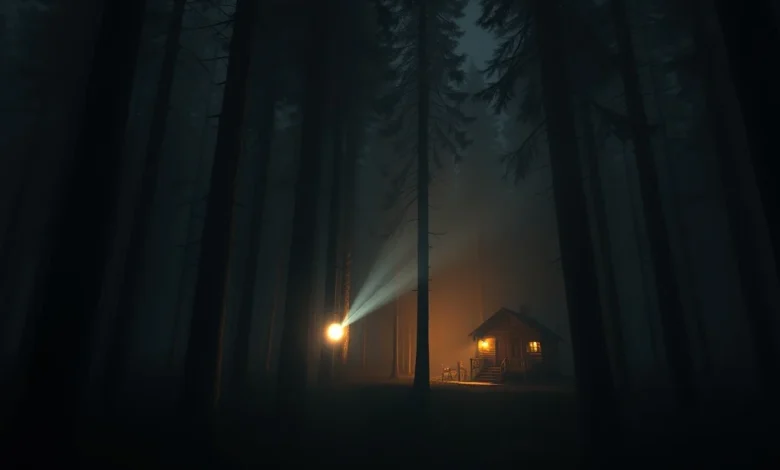
The world of survival horror has always relied heavily on atmosphere to keep players on the edge of their seats. Among the many titles that have carved a niche in this genre, The Forest stands out as a masterpiece of environmental storytelling and survival mechanics. However, to truly experience the terror intended by the developers, players must understand how graphics settings influence the overall mood. Visual fidelity is not just about pretty pictures; it is about creating shadows, fog, and lighting that hide threats and amplify fear.
In this comprehensive guide, we will explore the best graphics settings for The Forest on PC. We will delve into how specific configurations can enhance the horror atmosphere while maintaining smooth performance. Whether you are playing on a high-end gaming rig or a mid-range system, optimizing your visuals is crucial for immersion. This guide also touches upon the technical underpinnings of the game engine and how to tweak settings for maximum impact.
Survival horror is at its best when the environment feels alive and menacing. By adjusting shadows, texture quality, and draw distance, you can transform a standard survival experience into a visceral nightmare. We will provide detailed explanations for each setting, ensuring you understand why certain choices matter more than others. Let us begin this journey into the dark woods of The Forest.
🌲 Game Overview and Context
The Forest is a first-person survival horror game developed by Endnight Games. It was released in 2018 and has since gained a massive following among horror enthusiasts. The game tasks players with surviving on a mysterious island filled with cannibalistic mutants and harsh environmental conditions. The story begins after a plane crash, leaving you alone in a dense forest with only your wits to survive.
The game is available on PC and later ported to consoles. For the purpose of this graphics guide, we focus primarily on the PC version, as it offers the most granular control over visual settings. The game uses the Unity engine, which allows for significant customization. Understanding the engine capabilities is the first step toward optimizing your experience.
Why does this game still matter in 2026? The procedural generation of the island ensures that no two playthroughs are ever the same. This longevity keeps the community active and the demand for performance tweaks high. Players often seek ways to improve visuals without sacrificing the tension that defines the game.
🎨 Graphics Engine and Visual Potential
The visual fidelity of The Forest is driven by its lighting engine and texture mapping. While not the most graphically demanding game compared to modern AAA titles, it relies heavily on atmospheric effects to convey mood. The forest itself is a character, with dynamic weather, day-night cycles, and dense foliage that obscure vision.
🌑 Shadow Quality and Darkness
Shadows are the most critical element for horror games. In The Forest, shadows hide the cannibals and define the boundaries of safety. High shadow quality adds depth and realism, making the darkness feel more oppressive. However, setting this too high can impact performance significantly.
We recommend balancing shadow resolution with your hardware capabilities. Dynamic shadows allow for real-time changes as the sun moves or objects move, which is essential for the game’s atmosphere. If you prioritize immersion over frame rate, max out shadow quality. If you need smoother gameplay, lower it to medium.
🌫️ Atmospheric Lighting and Fog
Volume lighting and fog effects create that eerie, claustrophobic feeling in the forest. These settings scatter light through the environment, reducing visibility and increasing the fear of the unknown. Without proper fog settings, the game can look too clean and lose its horror edge.
Adjusting the density of the fog can change the entire feel of a scene. High fog settings make distant objects disappear, which is perfect for hiding enemy ambushes. This setting should be kept high for maximum horror impact, provided your system can handle the rendering load.
⚙️ Detailed Graphics Settings Breakdown
To achieve the best balance between performance and atmosphere, specific settings need fine-tuning. Below is a detailed analysis of each graphical parameter available in the options menu. Each setting has been evaluated for its impact on both visual quality and system performance.


🖥️ Resolution and Aspect Ratio
Resolution is the foundation of your visual experience. Setting your game to native monitor resolution ensures crisp textures and sharp edges. However, for lower-end systems, rendering at a lower resolution can maintain higher frame rates.
If you have a 4K monitor, running the game at native resolution will look stunning. For 1080p displays, ensure the windowed mode is disabled to avoid scaling artifacts. Aspect ratio should match your display to prevent stretching, which can distort character models and environments.
📐 Texture Quality and Detail
Texture quality determines the sharpness of surfaces like tree bark, skin, and ground cover. High texture settings require more VRAM. If you have 4GB or more of VRAM, you can set this to high or ultra without issues. Lower settings may cause textures to appear blurry, reducing immersion.
Detail level affects the complexity of objects in the world. High detail means more complex foliage and props. This setting is crucial for the forest feel, as low detail can make the trees look flat and lifeless. We recommend keeping this on high for the best visual experience.
🔍 Anti-Aliasing and Post-Processing
Anti-aliasing smooths out jagged edges on objects. The Forest supports various methods such as MSAA and FXAA. FXAA is more performant but can blur the image slightly. MSAA is sharper but more demanding. For horror games, clarity is key, so we recommend MSAA if performance allows.
Post-processing effects like bloom, motion blur, and color grading add a cinematic touch. Enabling motion blur can sometimes disorient players in intense combat situations, so consider disabling it. Bloom adds a glow to bright light sources, which is useful for fire and torches but can wash out details in dark areas.
🚀 Performance vs. Atmosphere Balance
Balancing performance and atmosphere is the core challenge of optimizing The Forest. High settings create a beautiful world but can cause stuttering, which breaks immersion. Stuttering in a horror game is dangerous as it can cause you to miss incoming attacks or lose track of enemies.
📉 Frame Rate Stability
Stable frame rates are more important than peak frame rates. A consistent 60 FPS is better than fluctuating between 90 and 40. To achieve this, prioritize settings that impact CPU usage, such as physics and draw distance, over GPU-heavy settings like shadows.
Lowering the physics quality can significantly reduce CPU load without drastically affecting visuals. This is particularly useful for players with older processors. Ensure your background applications are closed to free up system resources for the game.
🔧 Advanced Optimization Guide
Beyond in-game settings, system-level tweaks can improve performance. Updating graphics drivers is essential for the latest optimizations. Using a high-performance power plan in Windows can prevent thermal throttling during long sessions.
Additionally, adjusting the game’s launch options can help. Limiting the maximum frame rate to your monitor’s refresh rate can prevent unnecessary GPU strain. This trick helps reduce heat and power consumption while maintaining a smooth experience.
💻 PC System Requirements Analysis
Understanding your hardware is crucial for setting expectations. The Forest is optimized to run on a wide range of systems, but the graphics settings you choose depend entirely on your specifications.
🖥️ Minimum vs. Recommended Specs
The minimum requirements allow the game to run at 720p with low settings. This is sufficient for gameplay but lacks the atmospheric depth. The recommended specs target 1080p at 60 FPS with medium-to-high settings.
For 1440p or 4K gaming, you will need a dedicated GPU with at least 6GB of VRAM. Intel Core i5 or AMD Ryzen 5 processors are recommended for smooth physics and AI calculations. RAM should be 8GB minimum, though 16GB is preferred for multitasking.
| Component | Minimum Requirement | Recommended Requirement |
|---|---|---|
| OS | Windows 7 or later | Windows 10 |
| CPU | Intel Core i5-2300 | Intel Core i7-4770K |
| RAM | 4 GB | 8 GB |
| GPU | GeForce GTX 460 | GeForce GTX 970 |
| VRAM | 1 GB | 4 GB |
The table above summarizes the hardware thresholds. Players with hardware below the recommended tier should focus on lowering shadow quality and draw distance to maintain stability. Those above can experiment with ultra settings and mods.
👻 Advanced Graphics for Horror
To truly enhance the horror atmosphere, specific settings must be adjusted to maximize tension. This involves sacrificing some performance or realism for psychological impact. The goal is to make the environment feel threatening and unpredictable.
🌑 Increasing Darkness
Lowering the ambient light levels or increasing exposure compensation can make night scenes darker than intended. This forces players to rely on light sources like flashlights or fire, which is central to the survival mechanic.
Be careful not to make it too dark to see your own character. This can lead to frustration rather than fear. The sweet spot is visibility just enough to navigate, but not enough to see threats approaching until it is too late.
🔊 Audio-Visual Synchronization
While not a graphics setting, audio quality complements visual settings. Ensure your sound settings match your graphics fidelity. Low graphics can make the game feel cheap, but high audio makes it feel immersive. Use a headset with good spatial audio to hear footsteps and environmental cues.
📱 Mobile and Cloud Gaming Considerations
While the primary platform is PC, some players access the game via cloud gaming services or emulators. In these scenarios, graphics settings are often managed by the service provider. However, network latency becomes the primary concern.
If playing on mobile devices through emulation, expect reduced texture quality and lower resolution. The lack of physical cooling can also lead to thermal throttling. Adjust settings to prioritize stability over visual quality in these environments.
🏁 Final Verdict and Conclusion
The Forest remains a pinnacle of survival horror when played with the correct visual settings. By optimizing shadows, fog, and texture quality, you can create an experience that is both challenging and visually stunning. The game rewards players who take the time to tune their systems for maximum immersion.
We recommend starting with the recommended hardware settings and adjusting based on your specific performance needs. Always remember that a stable frame rate contributes more to the horror experience than ultra-high textures. Enjoy the dark woods, and stay alive.
This guide serves as a definitive resource for players seeking to improve their experience in 2026. Whether you are a veteran survivor or a new player, these settings will help you navigate the island with confidence and fear.
🔍 Key Takeaways
- ✅ Shadow quality is critical for horror atmosphere
- 🎯 Texture quality should match your VRAM capacity
- ⚠️ Frame rate stability is more important than high settings
- 🔧 Update drivers regularly for optimal performance
- 🌫️ Fog settings enhance the sense of isolation
❓ Frequently Asked Questions
- Does The Forest require a high-end GPU? No, the game runs on mid-range GPUs like the GTX 970, but ultra settings require higher specs.
- Can I run The Forest on integrated graphics? Yes, but you must lower all settings to minimum for playable frame rates.
- Does graphics quality affect gameplay? Yes, higher settings can hide enemies better, increasing difficulty.
- Is 4K support available? Yes, the game supports 4K resolutions if your hardware is powerful enough.
- How do I fix stuttering? Lower shadow quality and limit frame rate to match your monitor refresh rate.
- Does the game support VR? No, native VR support is not available, but mods exist for some versions.
- What is the best resolution for performance? 1080p is the sweet spot for most systems balancing quality and speed.
- Can I use mods for better graphics? Yes, but ensure they are compatible with your current version to avoid crashes.
- Does The Forest support controller input? Yes, it supports both keyboard/mouse and gamepad controllers.
- Is internet required to play? No, the single-player mode is fully offline and does not require an internet connection.
By following these guidelines, you can ensure that your journey through The Forest is as terrifying and immersive as possible. Remember, the best settings are the ones that keep you playing without frustration while maintaining the chilling atmosphere that defines the game. Happy surviving.