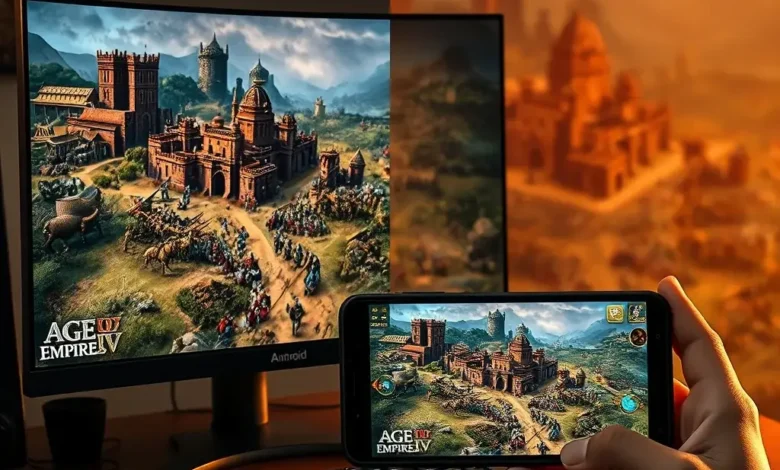
Age of Empires IV is one of the most iconic real-time strategy (RTS) games ever created, blending deep historical warfare, intricate resource management, and expansive empire-building mechanics. Since its release, it has captivated millions of players worldwide, offering both a nostalgic return to the classic Age of Empires formula and fresh innovations that appeal to modern gamers. With the rise of mobile gaming, many classic titles have found their way onto Android devices, raising an important question: Is the Android version of Age of Empires IV worth playing, or does the PC version offer a superior experience?
This comprehensive comparison will dissect both versions of Age of Empires IV, covering everything from graphics and controls to performance and multiplayer. Whether you’re a seasoned RTS veteran or a newcomer looking to dive into the world of empire-building, this guide will help you decide which platform best suits your playstyle and preferences. By the end, you’ll have a clear understanding of the strengths and weaknesses of each version, allowing you to make an informed decision.
The debate between PC and Android versions of strategy games often comes down to precision, accessibility, and immersion. Age of Empires IV, in particular, is a game where micro-management and split-second decisions can mean the difference between victory and defeat. While the Android version brings the experience to your fingertips, the PC version retains the full depth of the original, with superior controls and performance. However, the mobile version isn’t without its merits—it excels in certain areas, such as convenience and on-the-go gameplay. To determine which version is right for you, we’ll need to evaluate several key factors:
- ✅ Graphics and visual fidelity
- 🎮 Controls and user interface
- 🔧 Performance and optimization
- 🌍 Game modes and multiplayer
- 💰 Pricing and value
- 📱 Portability and convenience
By the end of this analysis, you’ll know exactly which version of Age of Empires IV aligns with your gaming habits and expectations. Let’s begin by exploring the origins of the game and why it has become a staple in the RTS genre.
🎮 Overview of Age of Empires IV: A Brief History and its Impact on Gaming
Age of Empires IV is the latest installment in the legendary Age of Empires franchise, which began in 1997 with the release of the original game. Developed by Relic Entertainment and published by Xbox Game Studios, Age of Empires IV was released on October 28, 2021, for PC and later made its way to Android in 2023. The game builds upon the foundation of its predecessors while introducing modern innovations to keep the experience fresh and engaging.
The franchise is renowned for its historical accuracy, blending real-world civilizations, units, and technologies into a compelling RTS experience. Age of Empires IV continues this tradition, allowing players to command armies from the Dark Ages through the Renaissance, with each civilization offering unique units, bonuses, and playstyles. The game also introduces a new campaign mode, where players relive pivotal historical moments, such as the Battle of Hastings or the Hundred Years’ War, adding a narrative-driven layer to the strategy gameplay.
Since its release, Age of Empires IV has received widespread acclaim for its graphics, historical depth, and multiplayer balance. It has also carved out a niche in the competitive RTS scene, with a dedicated esports community and regular updates from the developers. The game’s success on PC laid the groundwork for its expansion to mobile platforms, where it continues to attract a growing audience of strategy enthusiasts.
🌍 Why Age of Empires IV Stands Out in the RTS Genre
The RTS genre has evolved significantly over the years, with many modern titles prioritizing flashy graphics and simplified mechanics over deep strategic gameplay. Age of Empires IV, however, remains true to the classic RTS formula, offering a challenging and rewarding experience for players who enjoy tactical depth. Here are some key reasons why Age of Empires IV stands out:
- Historical authenticity: The game features eight playable civilizations, each with unique units, technologies, and bonuses that reflect their real-world counterparts. From the Franks’ superior cavalry to the Chinese’ advanced siege weapons, every civilization offers distinct strategies and playstyles.
- Dynamic campaign: Unlike many RTS games that rely solely on multiplayer or skirmish modes, Age of Empires IV includes a story-driven campaign with cinematic storytelling and historical events. Players can experience key moments in medieval history while learning the game’s mechanics in a structured environment.
- Modern multiplayer: The game’s multiplayer mode is highly polished, with a robust ranking system, custom lobbies, and balanced matchmaking. Whether you prefer 1v1 ranked matches or large-scale team battles, Age of Empires IV delivers a competitive experience that rewards skill and strategy.
- Expansive modding community: The PC version supports mods, allowing players to customize their experience with new civilizations, units, and gameplay mechanics. This has extended the game’s lifespan and added even more replay value for dedicated fans.
Given these strengths, it’s no surprise that Age of Empires IV has become a benchmark for RTS games in the 21st century. But how does the mobile version compare? To answer that, we’ll need to dive into the specifics of each platform, starting with the PC version’s superior controls and depth.
🕹️ Age of Empires IV on PC: The Ultimate RTS Experience
When it comes to real-time strategy games, the PC platform has always been the gold standard. Age of Empires IV is no exception, offering a complete and immersive experience that leverages the power of desktop hardware and precision input devices. The PC version is the definitive way to play the game, providing the best graphics, controls, and performance available. If you’re a serious RTS player or someone who values depth and customization, the PC version is the clear choice.
🖥️ PC Performance: Power and Precision
The PC version of Age of Empires IV is optimized for high-end and mid-range systems, delivering smooth gameplay even in the most demanding scenarios. The game supports both DirectX 12 and Vulkan, ensuring compatibility with a wide range of GPUs and reducing input lag for competitive play. Here’s a breakdown of the system requirements and performance expectations:
| Component | Minimum Requirement | Recommended Requirement |
|---|---|---|
| OS | Windows 10 (64-bit) | Windows 10/11 (64-bit) |
| CPU | Intel Core i5-2500K or AMD FX-8350 | Intel Core i7-6700K or AMD Ryzen 5 3600 |
| RAM | 8 GB | 16 GB |
| GPU | NVIDIA GTX 660 2GB or AMD Radeon HD 7870 | NVIDIA GTX 1060 6GB or AMD Radeon RX 5700 |
| Storage | 50 GB HDD | 50 GB SSD |
| Resolution | 1024×768 | 1920×1080 or higher |
The PC version of Age of Empires IV can run at 60+ FPS on high settings on most modern mid-range systems, with high-end GPUs achieving even smoother performance. The game also supports NVIDIA Reflex, which reduces input lag for competitive players, giving the PC version a significant advantage in fast-paced matches. Additionally, the PC version allows for custom graphics settings, including dynamic resolution scaling, anti-aliasing, and texture quality adjustments, ensuring that players can optimize their experience based on their hardware.


One of the most significant advantages of the PC version is its modding support. The Steam Workshop hosts a plethora of custom maps, civilizations, and gameplay modifications created by the community. This not only extends the game’s longevity but also allows players to tailor their experience to their preferences. Whether you want to add new historical factions or experiment with unconventional strategies, the PC version offers unparalleled flexibility.
🎯 PC Controls: The Gold Standard for RTS Games
In a real-time strategy game, precision and responsiveness are paramount. The PC version of Age of Empires IV excels in this area, thanks to its mouse and keyboard controls, which provide the most intuitive and efficient way to manage your empire. Here’s why the PC controls are superior:
- Hotkeys and keybindings: The game supports fully customizable hotkeys, allowing players to execute commands with minimal effort. For example, you can assign specific keys to unit groups, building queues, and camera movements, streamlining your gameplay and reducing the need to navigate complex menus.
- Mouse precision: Selecting units, issuing orders, and navigating the map is far more intuitive with a mouse. Click-and-drag selection, right-click movement, and smooth camera controls make micromanagement effortless compared to touchscreen inputs.
- Multi-monitor support: The PC version supports multi-monitor setups, allowing players to dedicate one screen to the game map while keeping another for unit production, resources, or chat. This is a game-changer for competitive play, as it reduces screen clutter and improves situational awareness.
- Controller support: While primarily designed for mouse and keyboard, Age of Empires IV also supports Xbox controllers. This makes it accessible for players who prefer console-style controls, though it still falls short of the precision offered by a dedicated mouse and keyboard setup.
The PC version also features a customizable user interface, allowing players to rearrange panels, adjust transparency, and resize elements to suit their preferences. This level of customization is absent in the Android version, where the UI is fixed to accommodate touch inputs.
🌍 PC Game Modes: Depth and Variety
The PC version of Age of Empires IV offers a wide range of game modes, catering to both casual and competitive players. Here’s a breakdown of what’s available:
- Campaign Mode: A story-driven campaign with four major historical eras (Dark Ages, Feudal Age, Castle Age, and Imperial Age). Each era features multiple missions with unique objectives, cinematic cutscenes, and historical context. The campaign is an excellent way for newcomers to learn the game’s mechanics while enjoying a narrative experience.
- Skirmish Mode: A sandbox mode where players can customize their match settings, including map size, game speed, and opponent AI difficulty. This is perfect for practicing strategies or experimenting with different civilizations without the pressure of multiplayer.
- Multiplayer Mode: The heart of Age of Empires IV, featuring ranked matchmaking, custom lobbies, and team-based battles. The multiplayer mode supports up to 8 players in a single match and includes various game types, such as 1v1, 2v2, 3v3, and 4v4. The ranked system allows players to climb the leaderboards and compete for top positions.
- Custom Games: Players can create their own matches with unique rules, maps, and settings. This mode is popular among the community for hosting tournaments, custom scenarios, and modded content.
The PC version also features cross-platform play, allowing Android players to compete against PC players in multiplayer matches. This is a significant advantage for mobile users, as it expands the player pool and ensures that they’re not limited to a smaller mobile-only community.
📱 Age of Empires IV on Android: Portability Meets Strategy
The Android version of Age of Empires IV brings the iconic RTS experience to mobile devices, offering a convenient way to play on the go. While it may not match the PC version in terms of depth and performance, the mobile version has its own unique advantages, particularly for casual players and those who prioritize portability. However, it also comes with certain limitations that may deter hardcore strategy fans. Let’s explore what the Android version has to offer.
📱 Android Performance: Balancing Power and Convenience
The Android version of Age of Empires IV is designed to run on a wide range of devices, from mid-range smartphones to high-end flagships. However, its performance is heavily dependent on your device’s specifications. Here’s what you can expect:
- Minimum requirements: The game requires Android 8.0 (Oreo) or higher and at least 4GB of RAM. Devices with lower specifications may struggle with performance, particularly in larger multiplayer matches.
- Graphics settings: The mobile version offers low, medium, and high graphics presets, allowing players to balance visual quality and performance. High settings will look impressive on flagship devices, but mid-range phones may need to stick with medium or low to maintain smooth gameplay.
- Storage size: The game takes up approximately 3GB of storage on your device, which is relatively small compared to other RTS titles. However, if you plan to install multiple strategy games, this could add up quickly.
- Battery consumption: RTS games are notoriously demanding on battery life due to their high CPU and GPU usage. Expect to drain your battery quickly during extended play sessions, especially if playing on high graphics settings.
One of the biggest challenges of the Android version is its lack of performance customization. Unlike the PC version, where players can tweak graphics settings, resolution, and frame rate, the mobile version offers only a few presets. This means that players on weaker devices may experience frame drops, stuttering, or long load times, particularly in multiplayer matches with many units on screen.
Pro Tip: If you’re playing Age of Empires IV on Android, close background apps to free up RAM and reduce thermal throttling. Enabling Performance Mode in your device settings can also help maintain stable FPS.
🎮 Android Controls: Touchscreen Limitations
The biggest hurdle for the Android version of Age of Empires IV is its touchscreen controls. While the game does an admirable job of adapting the PC experience to mobile, the lack of a mouse and keyboard is a significant drawback for strategy players. Here’s what you need to know about the mobile controls:
- Tap-to-select: Units are selected by tapping them on the screen. While this works, it can be unintuitive and imprecise, particularly in crowded battles where multiple units overlap.
- Swipe-to-move: Instead of right-clicking to move units, players swipe in the direction they want the units to go. This is functional but lacks the precision of a mouse.
- Gesture-based commands: Certain actions, such as forming unit groups or accessing the build menu, require specific gestures. These can be confusing at first and may disrupt the flow of gameplay.
- No hotkeys: The Android version does not support custom hotkeys, which are a staple of PC RTS games. Instead, players must rely on on-screen buttons and menus, which can slow down gameplay during intense matches.
- Zoom and rotation: Pinch-to-zoom and swipe-to-rotate the camera are intuitive, but the lack of a dedicated zoom slider can make micro-management frustrating.
While the touch controls are functional, they lack the speed and precision of a mouse and keyboard. This makes the Android version less suitable for competitive play, where split-second decisions and efficient unit management are crucial. However, for casual players or those who enjoy strategy games on the go, the mobile version is a decent compromise.
🔧 Android Game Modes: Simplified but Accessible
The Android version of Age of Empires IV includes most of the game modes available on PC, though with some limitations. Here’s what you can expect:
- Campaign Mode: The mobile version includes the full campaign, allowing players to experience the game’s story on their Android devices. The touch controls make navigating the campaign menus slightly cumbersome, but the narrative and historical content remain intact.
- Skirmish Mode: Players can customize their skirmish matches, including map size, game speed, and AI difficulty. However, the lack of hotkeys and customizable UI can make setting up matches feel less polished compared to the PC version.
- Multiplayer Mode: The Android version supports multiplayer, though the player pool is smaller due to the limited mobile user base. Cross-platform play is available, meaning Android players can compete against PC players. However, the mobile platform’s weaker performance may put Android users at a disadvantage in competitive matches.
- Custom Games: Like the PC version, players can create custom matches. However, the lack of mod support on mobile means there are fewer opportunities for community-driven content.
The Android version also includes Google Play Games integration, allowing players to save their progress to the cloud, earn achievements, and compete on leaderboards. While convenient, this feature is less critical for a strategy game compared to more action-oriented titles.
🎨 Graphics and Visuals: PC vs Android Showdown
Graphics are a major selling point for Age of Empires IV, with its stunning medieval environments, detailed unit models, and dynamic lighting. The game’s visual fidelity is one of its biggest draws, and the PC version naturally takes full advantage of high-end hardware. The Android version, while impressive, is limited by the capabilities of mobile devices. Let’s compare the two versions in terms of graphics and visuals.
🖥️ PC Graphics: Unmatched Detail and Clarity
The PC version of Age of Empires IV supports 4K resolution, high frame rates (up to 144Hz+), and advanced graphical effects like volumetric fog, dynamic weather, and realistic shadows. The game uses the Essence Engine, a proprietary engine developed by Relic Entertainment, which delivers cinematic visuals and smooth performance. Here’s a breakdown of the key visual features:
| Feature | PC Version | Android Version |
|---|---|---|
| Resolution Support | 4K, 1440p, 1080p, and lower | 1080p, 720p, lower presets |
| Texture Quality | Ultra (highly detailed) | High/Medium (slightly compressed) |
| Lighting and Shadows | Dynamic, ray-traced in some scenes | Static or simplified dynamic lighting |
| Anti-Aliasing | TAA, FXAA, and MSAA options | Basic FXAA |
| Weather Effects | Rain, snow, fog with particle effects | Basic weather effects with reduced particles |
| Unit and Building Details | High-poly models with animations | Simplified models with basic animations |
The PC version also supports NVIDIA DLSS and AMD FSR, which use AI upscaling to improve performance without sacrificing visual quality. This is particularly useful for players with mid-range GPUs who want to maintain high FPS while enjoying detailed graphics.
In multiplayer matches, the PC version’s superior graphics make it easier to distinguish between units, identify enemy formations, and spot important map details. This can be a significant advantage in competitive play, where situational awareness is key to victory.
📱 Android Graphics: A Compromise for Portability
While the Android version of Age of Empires IV looks impressive for a mobile game, it can’t match the PC version’s visual fidelity due to hardware limitations. The game’s texture resolution is slightly compressed, and detailed effects like volumetric fog and dynamic weather are either simplified or absent. Here’s what you can expect from the mobile version:
- Reduced texture quality: Units and buildings appear slightly less detailed, particularly at a distance. Textures may look blurry or pixelated on high-end devices when compared side-by-side with the PC version.
- Simplified lighting: Dynamic lighting effects are toned down, and shadows may appear less realistic. This can make it harder to judge distances and unit positions, particularly in low-light areas of the map.
- Limited anti-aliasing: The mobile version uses basic Fast Approximate Anti-Aliasing (FXAA), which smooths jagged edges but doesn’t offer the same level of clarity as the PC version’s Temporal Anti-Aliasing (TAA) or Multisample Anti-Aliasing (MSAA).
- Reduced particle effects: Weather effects like rain and snow have fewer particles, making them less immersive. Large battles with hundreds of units may also suffer from pop-in effects, where units and buildings appear abruptly as the camera moves.
- No ray tracing: Unlike the PC version, which supports ray-traced reflections and shadows on compatible hardware, the Android version lacks this feature entirely.
Despite these limitations, the Android version still looks visually impressive for a mobile game. The medieval environments, unit animations, and building designs are faithfully reproduced, and the game runs smoothly on most flagship devices. However, if you’re a visual purist or someone who values the highest level of detail, the PC version will always be the better choice.
🎯 Gameplay Comparison: Which Version Feels Better?
The core gameplay of Age of Empires IV remains largely the same across both platforms, but the differences in controls, performance, and user interface significantly impact the overall experience. To determine which version is better for gameplay, we’ll need to evaluate micro-management, macro-management, and multiplayer.
🔥 Micro-Management: Precision vs. Convenience
Micro-management refers to the ability to control individual units efficiently, which is a critical skill in RTS games. The PC version excels in this area thanks to its mouse and keyboard controls, which allow for seamless unit selection, hotkey execution, and split-second decision-making. Here’s how the two versions compare:
| Micro-Management Task | PC Version | Android Version |
|---|---|---|
| Unit Selection | Click and drag, precise box selection | Tap-to-select, limited drag selection |
| Unit Movement | Right-click to move, precise positioning | Swipe to move, less precise |
| Hotkeys | Fully customizable, instant execution | Limited or no hotkeys, menu-based |
| Group Management | Assign groups with hotkeys, ctrl+click | Tap-to-group, slower UI navigation |
| Combat Execution | Precise targeting, ability to focus fire | Less precise, harder to micro-manage |
The PC version’s superior micro-management tools give it a clear advantage in competitive play, where efficient unit control can decide the outcome of a match. The Android version, while functional, is hindered by its less precise controls, making it harder to execute complex strategies or adapt to fast-paced situations.
🏛️ Macro-Management: Balancing Resources and Expansion
Macro-management involves long-term planning, resource allocation, and economic growth. This aspect of gameplay is where both versions of Age of Empires IV shine, as the core mechanics remain intact. However, there are subtle differences in how each platform handles macro-management:
- PC Version: The customizable UI allows players to rearrange resource panels, unit production queues, and minimap for optimal efficiency. The ability to assign hotkeys to frequently used commands (e.g., building houses, training villagers, or researching technologies) streamlines macro-management significantly. Additionally, the larger screen real estate on PC makes it easier to monitor multiple aspects of your economy simultaneously.
- Android Version: The fixed UI can feel cramped on smaller screens, making it harder to keep track of all your resources and production queues. The lack of hotkeys means you’ll spend more time navigating menus, which can disrupt your flow during intense matches. However, the mobile version’s simplified UI makes it more accessible for casual players who don’t want to deal with complex setups.
The macro-management experience in Age of Empires IV is playable on both platforms, but the PC version offers a more refined and efficient system. If you’re a multi-tasker who likes to juggle multiple aspects of your economy at once, the PC version will feel far more natural.
🌍 Multiplayer: Competitive Edge and Player Pool
The multiplayer experience is where the two versions diverge the most. While both platforms support online play, the PC version offers a larger player pool, better matchmaking, and more competitive depth. Here’s how they compare:
| Multiplayer Feature | PC Version | Android Version |
|---|---|---|
| Player Pool | Large, active community | Smaller, growing community |
| Matchmaking | Balanced ranked and casual lobbies | Fewer ranked options, more casual |
| Cross-Platform Play | Yes, PC vs Android | Yes, Android vs PC |
| Performance Stability | Smooth, consistent FPS | Variable, device-dependent |
| Competitive Scene | Active esports community | Niche, less organized |
| Custom Lobbies | Fully customizable | Limited customization |
The PC version’s multiplayer experience is far more robust, thanks to its larger player base and better optimization. Players on PC can expect shorter queue times, more balanced matchmaking, and a thriving esports scene. The Android version, while playable, suffers from a smaller player pool and less stable performance, which can make finding matches or participating in competitive play frustrating.
Pro Tip: If you’re playing Age of Empires IV on Android, try to play during peak hours (evenings and weekends) to maximize your chances of finding active lobbies. The mobile version’s community is still growing, so player availability can be inconsistent.
💰 Pricing and Value: Which Version Offers Better Bang for Your Buck?
Both versions of Age of Empires IV follow a premium pricing model, but the Android version has an additional cost associated with mobile optimization. Let’s break down the pricing and value proposition for each platform.
🖥️ PC Version: One-Time Purchase with Modding Potential
The PC version of Age of Empires IV is available on Steam and the Microsoft Store, with a one-time purchase price of $39.99 USD. This price includes:
- Full access to the base game, including the campaign, skirmish, and multiplayer modes.
- All future content updates and balance patches.
- Access to the Steam Workshop, where community mods and custom maps are freely available.
- Cross-platform play with Android users.
The PC version offers exceptional value for its price, especially considering its modding support and long-term replayability. The inclusion of the full campaign and multiplayer modes ensures that players get a complete experience without additional microtransactions or DLCs.
Is it worth the price? Absolutely. Age of Empires IV is one of the best RTS games available on PC, and its one-time purchase model makes it a fantastic investment for fans of the genre.
📱 Android Version: Free-to-Play with Optional Premium Features
The Android version of Age of Empires IV is available as a free-to-play game on the Google Play Store, but it includes in-app purchases (IAPs) for optional content. Here’s what you need to know about its pricing model:
- Free Base Game: The core game, including the campaign and skirmish modes, is free to download and play. However, the multiplayer mode is locked behind a premium upgrade, which costs $9.99 USD.
- Optional Cosmetics: The mobile version includes cosmetic items, such as unit skins, commander avatars, and emotes, which can be purchased separately. These items do not affect gameplay and are purely for customization.
- Ads: The free version of the game includes non-intrusive ads that appear between matches or during loading screens. These can be removed by purchasing the premium upgrade.
While the Android version is technically free to download, the $9.99 premium upgrade makes it effectively the same price as the PC version. However, the mobile version lacks the modding support and cross-platform play benefits of the PC version, making it a less compelling value proposition.
🏁 Final Verdict: PC vs Android – Which Version Should You Play?
Choosing between the PC and Android versions of Age of Empires IV ultimately comes down to your playing habits, budget, and priorities. Both versions offer a fantastic strategy experience, but they cater to different audiences. Let’s break down the key takeaways to help you decide.
🎯 Who Should Play the PC Version?
The PC version of Age of Empires IV is the definitive experience, offering the best graphics, controls, performance, and multiplayer depth. If any of the following apply to you, the PC version is the clear choice:
- You’re a serious RTS player who values precision, micro-management, and competitive play.
- You have a mid-range or high-end PC and want to experience the game at its best.
- You enjoy modding and custom content, or you want access to the Steam Workshop.
- You prefer playing on a large screen with customizable UI and hotkeys.
- You want to participate in the esports scene or ranked multiplayer.
- You’re playing with friends who also own the PC version.
The PC version’s superior controls, graphics, and performance make it the best platform for strategic depth and immersion. If you’re willing to invest in a gaming PC or already own one, the PC version is the way to go.
📱 Who Should Play the Android Version?
The Android version of Age of Empires IV is a great option for casual players and those who prioritize portability. If any of the following apply to you, the mobile version might be the better choice:
- You want to play on the go without being tied to a PC.
- You’re a casual player who enjoys strategy games in short bursts.
- You don’t have access to a gaming PC or prefer mobile gaming.
- You’re okay with simplified controls and a slightly reduced visual experience.
- You’re playing casually or with friends who also own the mobile version.
- You want to try the game before committing to the PC version.
The Android version is a solid introductory experience for Age of Empires IV, but it lacks the depth and precision of the PC version. If you’re a hardcore strategy fan or competitive player, the mobile version will likely feel limiting. However, for those who enjoy the convenience of mobile gaming, it’s a surprisingly enjoyable adaptation.
💡 Hybrid Play: Can You Play Both?
One of the biggest advantages of Age of Empires IV is its cross-platform play, which allows PC and Android players to compete against each other in multiplayer matches. This means you can:
- Play the campaign and skirmish modes on Android while enjoying the full multiplayer experience on PC.
- Use your mobile device as a secondary screen for monitoring your economy or chat while playing on PC.
- Play casually on Android and transition to competitive play on PC as you improve your skills.
If you’re on the fence about which version to buy, consider starting with the Android version’s free campaign to get a feel for the game. Once you’re hooked, you can upgrade to the PC version for the full experience.
❓ Frequently Asked Questions About Age of Empires IV PC vs Android
- Does Age of Empires IV support cross-platform play between PC and Android?
Yes! Players on PC and Android can compete against each other in multiplayer matches. This is a great feature for mobile users who want to play with a larger community.
- Can I use a controller with the PC version of Age of Empires IV?
Yes, the PC version supports Xbox controllers. While it’s not as precise as a mouse and keyboard, it’s a viable option for players who prefer console-style controls.
- Is the campaign mode available on both platforms?
Yes, the full campaign is available on both PC and Android. However, the Android version’s touch controls may make navigating the campaign menus slightly less intuitive.
- Which version has better graphics and performance?
The PC version has superior graphics and performance, supporting 4K resolution, high frame rates, and advanced graphical effects. The Android version is optimized for mobile devices and may suffer from lower texture quality and reduced effects.
- Can I mod the Android version of Age of Empires IV?
No, the Android version does not support modding. The PC version, however, has a thriving modding community through Steam Workshop.
- Does the Android version have ads?
Yes, the free version of the Android game includes non-intrusive ads that appear between matches or during loading screens. These can be removed by purchasing the premium upgrade for $9.99.
- Which version is better for competitive play?
The PC version is far superior for competitive play due to its larger player pool, better matchmaking, and more precise controls. The Android version’s smaller community and touch controls put mobile players at a disadvantage in ranked matches.
- Can I play Age of Empires IV offline?
The campaign and skirmish modes can be played offline on both platforms. However, multiplayer requires an internet connection.
- Which version offers better value for money?
The PC version offers better value with its one-time purchase of $39.99, including full access to all game modes and modding support. The Android version is free to download but locks multiplayer behind a $9.99 premium upgrade, making it effectively the same price without the same depth.
- Is there a difference in unit balance or gameplay mechanics between the two versions?
No, the core gameplay mechanics, unit balance, and civilizations are identical across both platforms. The differences lie in controls, performance, and multiplayer experience, not in the actual game content.
🔚 Conclusion: The Best Version Depends on Your Playstyle
Age of Empires IV is a masterpiece of real-time strategy, offering a rich blend of historical depth, tactical gameplay, and immersive visuals. Whether you choose the PC or Android version, you’re getting a fantastic experience tailored to your platform of choice. The PC version is the undisputed champion for serious strategy players, offering unparalleled controls, graphics, and competitive depth. Meanwhile, the Android version is a solid entry point for casual players or those who want to enjoy the game on the go.
If you’re a fan of RTS games and have access to a PC, there’s no reason not to go for the full experience. The precision of mouse and keyboard controls, the ability to mod the game, and the thriving multiplayer scene make the PC version the best choice for most players. However, if portability is your top priority, the Android version is a surprisingly enjoyable adaptation that delivers the core Age of Empires IV experience in a convenient mobile package.
Ultimately, the decision comes down to what you value most: depth and performance (PC) or convenience and accessibility (Android). Either way, you’re in for a treat—Age of Empires IV is one of the best strategy games of the decade, and both versions are worthy of your time.
Call to Action: If you haven’t played Age of Empires IV yet, download the free Android campaign or try the PC demo to see which version suits your style. For PC players, the full game is available on Steam and the Microsoft Store. For Android users, the premium upgrade unlocks the full multiplayer experience. Happy conquering!