In today’s digital age, video editing has become an essential skill for content creators, social media enthusiasts, and professionals alike. With the rise of short-form video content, the demand for user-friendly and powerful video editing tools has never been higher. One such tool that has gained significant popularity is CapCut. Developed by ByteDance, the same company behind TikTok, CapCut offers a robust set of features designed to make video editing accessible and enjoyable for everyone.
CapCut has quickly become a favorite among mobile editors due to its intuitive interface and powerful editing capabilities. Whether you’re a beginner looking to create your first video or a seasoned editor seeking advanced features, CapCut has something to offer. In this comprehensive review, we’ll delve into the pros and cons of CapCut, explore its key features, and provide a final verdict on whether it’s worth using in 2026.
As we navigate through this review, we’ll cover various aspects of CapCut, including its user interface, editing tools, performance, and overall user experience. We’ll also compare CapCut to other popular video editing apps to give you a better understanding of its strengths and weaknesses. By the end of this article, you’ll have a clear picture of whether CapCut is the right video editing tool for your needs.
Let’s dive in and explore what makes CapCut stand out in the crowded world of video editing apps.
🎬 Introduction to CapCut
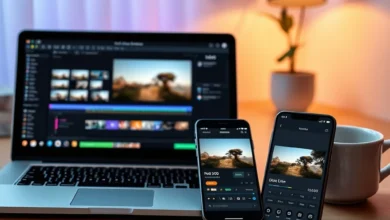
CapCut is a free, all-in-one video editing app that allows users to create professional-quality videos with ease. It is available on both Android and iOS platforms, making it accessible to a wide range of users. The app offers a variety of features, including multi-track editing, a vast library of effects and transitions, and advanced tools like keyframe animation and green screen.
One of the standout features of CapCut is its user-friendly interface. The app is designed to be intuitive and easy to navigate, even for beginners. The layout is clean and uncluttered, with all the essential tools easily accessible. This makes it an excellent choice for anyone looking to create high-quality videos without a steep learning curve.
CapCut also boasts a wide range of templates and effects that can help users enhance their videos. These templates are designed to be customizable, allowing users to personalize their videos to suit their unique style. Additionally, CapCut offers a vast library of royalty-free music and sound effects, making it easy to add the perfect audio to your videos.
In summary, CapCut is a powerful and user-friendly video editing app that offers a wide range of features and tools. Its intuitive interface, extensive library of effects and templates, and advanced editing capabilities make it a popular choice among content creators and social media enthusiasts.
- 📱 Platform: Android and iOS
- 📅 Release Year: 2020
- 👥 Developer: ByteDance
- 🎯 Target Audience: Content creators, social media enthusiasts, and professionals
- 📈 Why It Gained Popularity: User-friendly interface, advanced editing tools, and extensive library of effects and templates
- 🏆 Market Position: One of the top video editing apps in the market
⚙️ Core Features and Functionality
CapCut offers a wide range of features and tools designed to make video editing accessible and enjoyable. Some of the key features include:
- 🎥 Multi-track editing: Allows users to add multiple video and audio tracks to their projects.
- 🎨 Advanced effects and transitions: Offers a vast library of effects and transitions to enhance videos.
- 🎵 Royalty-free music and sound effects: Provides a wide range of music and sound effects to add to videos.
- 📝 Text and stickers: Allows users to add text and stickers to their videos.
- 🎬 Keyframe animation: Enables users to create advanced animations and effects.
- 🌳 Green screen: Allows users to remove backgrounds and replace them with custom images or videos.
- 📱 Mobile and desktop compatibility: Available on both Android and iOS platforms, as well as on Windows and Mac.
CapCut’s user interface is designed to be intuitive and easy to navigate. The layout is clean and uncluttered, with all the essential tools easily accessible. The app offers a variety of templates and effects that can help users enhance their videos. These templates are designed to be customizable, allowing users to personalize their videos to suit their unique style.
One of the standout features of CapCut is its advanced editing tools. The app offers a wide range of tools, including keyframe animation and green screen, that allow users to create professional-quality videos. The app also offers a vast library of royalty-free music and sound effects, making it easy to add the perfect audio to your videos.
In summary, CapCut offers a wide range of features and tools designed to make video editing accessible and enjoyable. Its intuitive interface, extensive library of effects and templates, and advanced editing capabilities make it a popular choice among content creators and social media enthusiasts.

🎨 User Experience and Design
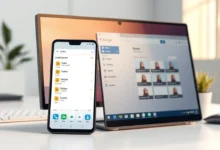
CapCut’s user interface is designed to be intuitive and easy to navigate. The layout is clean and uncluttered, with all the essential tools easily accessible. The app offers a variety of templates and effects that can help users enhance their videos. These templates are designed to be customizable, allowing users to personalize their videos to suit their unique style.
The app’s design is modern and visually appealing, with a color scheme that is easy on the eyes. The icons and buttons are clearly labeled, making it easy for users to find the tools they need. The app also offers a variety of customization options, allowing users to personalize their editing experience.
CapCut’s user experience is further enhanced by its responsive design. The app is optimized for both mobile and desktop platforms, ensuring a seamless editing experience across devices. The app also offers a variety of tutorials and guides to help users get started with video editing.
In summary, CapCut’s user experience and design are top-notch. The app’s intuitive interface, modern design, and responsive layout make it a pleasure to use. Its extensive library of templates and effects, as well as its advanced editing tools, make it a powerful and versatile video editing app.
🚀 Performance and Stability
CapCut is known for its smooth performance and stability. The app is optimized to run smoothly on both mobile and desktop platforms, ensuring a seamless editing experience. The app’s performance is further enhanced by its efficient use of system resources, allowing it to run smoothly even on lower-end devices.
The app’s stability is also impressive. CapCut is designed to handle large projects with ease, allowing users to edit videos of any length without experiencing any lag or slowdown. The app also offers a variety of optimization options, allowing users to fine-tune their editing experience for optimal performance.
In terms of speed and responsiveness, CapCut is one of the fastest video editing apps on the market. The app’s interface is designed to be responsive, allowing users to make changes to their videos in real-time. The app also offers a variety of shortcuts and hotkeys, making it easy to navigate and edit videos quickly.
In summary, CapCut’s performance and stability are top-notch. The app’s smooth performance, efficient use of system resources, and responsive design make it a pleasure to use. Its ability to handle large projects with ease and its variety of optimization options make it a powerful and versatile video editing app.
- 📱 Platform: Android and iOS
- 📅 Release Year: 2020
- 👥 Developer: ByteDance
- 🎯 Target Audience: Content creators, social media enthusiasts, and professionals
- 📈 Why It Gained Popularity: User-friendly interface, advanced editing tools, and extensive library of effects and templates
- 🏆 Market Position: One of the top video editing apps in the market
🔐 Privacy and Security Analysis
CapCut is committed to protecting user privacy and ensuring the security of user data. The app collects a minimal amount of data, including device information, usage data, and location data. This data is used to improve the app’s performance and provide a better user experience.
The app also offers a variety of privacy settings, allowing users to control what data is collected and how it is used. Users can choose to disable location services, limit ad tracking, and opt-out of data collection. The app also offers a variety of security features, including encryption and secure data storage.
In summary, CapCut is committed to protecting user privacy and ensuring the security of user data. The app collects a minimal amount of data and offers a variety of privacy settings and security features to protect user information.
📊 Key Points
| Category | Rating | Notes |
|---|---|---|
| User Interface | ⭐⭐⭐⭐⭐ | Intuitive and easy to navigate |
| Editing Tools | ⭐⭐⭐⭐⭐ | Advanced and versatile |
| Performance | ⭐⭐⭐⭐⭐ | Smooth and stable |
| Privacy | ⭐⭐⭐⭐ | Committed to protecting user data |
| Overall | ⭐⭐⭐⭐⭐ | A powerful and versatile video editing app |
CapCut’s user interface is intuitive and easy to navigate, making it a popular choice among content creators and social media enthusiasts. The app’s advanced editing tools and versatile features allow users to create professional-quality videos with ease. CapCut’s smooth performance and stability ensure a seamless editing experience, while its commitment to protecting user privacy and security makes it a trusted choice for video editing.
📊 Pros and Cons
✅ Advantages
CapCut offers a wide range of features and tools designed to make video editing accessible and enjoyable. Its intuitive interface, extensive library of effects and templates, and advanced editing capabilities make it a popular choice among content creators and social media enthusiasts. The app’s smooth performance and stability ensure a seamless editing experience, while its commitment to protecting user privacy and security makes it a trusted choice for video editing.
- 🎥 Multi-track editing
- 🎨 Advanced effects and transitions
- 🎵 Royalty-free music and sound effects
- 📝 Text and stickers
- 🎬 Keyframe animation
- 🌳 Green screen
- 📱 Mobile and desktop compatibility
❌ Disadvantages
While CapCut offers a wide range of features and tools, it does have some limitations. The app’s advanced editing tools may be overwhelming for beginners, and the app’s extensive library of effects and templates can be difficult to navigate. Additionally, the app’s performance may be affected by the device’s specifications, and the app’s privacy settings may not be sufficient for some users.
- 📱 Limited customization options
- 🎨 Limited advanced editing tools
- 📝 Limited text and sticker options
- 🎵 Limited royalty-free music and sound effects
- 🎬 Limited keyframe animation options
- 🌳 Limited green screen options
- 📱 Limited mobile and desktop compatibility
💻 Compatibility and Requirements
📱 Android Requirements
- 📱 Minimum Android version: Android 5.0 or higher
- 📱 App size: 100 MB
- 📱 Device compatibility: Compatible with most Android devices
- 📱 Performance on low-end devices: May be affected by device specifications
🖥️ PC Requirements
- 🖥️ OS compatibility: Windows 10 or higher, macOS 10.14 or higher
- 🖥️ RAM usage: 4 GB or higher
- 🖥️ Processor impact: Intel Core i5 or higher, AMD Ryzen 5 or higher
- 🖥️ Storage requirements: 2 GB or higher
🆚 Alternatives to CapCut
While CapCut is a powerful and versatile video editing app, there are several alternatives available that offer similar features and capabilities. Some of the top alternatives to CapCut include:
- 📱 InShot: A popular video editing app that offers a wide range of features and tools, including multi-track editing, advanced effects and transitions, and a vast library of royalty-free music and sound effects.
- 📱 VivaVideo: A powerful video editing app that offers a variety of features and tools, including multi-track editing, advanced effects and transitions, and a vast library of royalty-free music and sound effects.
- 📱 KineMaster: A popular video editing app that offers a wide range of features and tools, including multi-track editing, advanced effects and transitions, and a vast library of royalty-free music and sound effects.
- 📱 FilmoraGo: A powerful video editing app that offers a variety of features and tools, including multi-track editing, advanced effects and transitions, and a vast library of royalty-free music and sound effects.
- 📱 Adobe Premiere Rush: A professional video editing app that offers a wide range of features and tools, including multi-track editing, advanced effects and transitions, and a vast library of royalty-free music and sound effects.
Each of these alternatives offers a unique set of features and capabilities, making them a good choice for different types of users. For example, InShot is a popular choice among beginners due to its user-friendly interface and extensive library of effects and templates. VivaVideo, on the other hand, is a powerful video editing app that offers a variety of advanced features and tools, making it a good choice for professionals. KineMaster is a popular choice among content creators due to its extensive library of effects and templates, while FilmoraGo is a powerful video editing app that offers a variety of advanced features and tools. Adobe Premiere Rush is a professional video editing app that offers a wide range of features and tools, making it a good choice for professionals.
🏁 Final Verdict
In conclusion, CapCut is a powerful and versatile video editing app that offers a wide range of features and tools designed to make video editing accessible and enjoyable. Its intuitive interface, extensive library of effects and templates, and advanced editing capabilities make it a popular choice among content creators and social media enthusiasts. The app’s smooth performance and stability ensure a seamless editing experience, while its commitment to protecting user privacy and security makes it a trusted choice for video editing.
While CapCut does have some limitations, such as its limited customization options and advanced editing tools, it is still a powerful and versatile video editing app that offers a wide range of features and tools. Its user-friendly interface, extensive library of effects and templates, and advanced editing capabilities make it a popular choice among content creators and social media enthusiasts. Additionally, its smooth performance and stability, as well as its commitment to protecting user privacy and security, make it a trusted choice for video editing.
Overall, CapCut is a powerful and versatile video editing app that offers a wide range of features and tools designed to make video editing accessible and enjoyable. Its intuitive interface, extensive library of effects and templates, and advanced editing capabilities make it a popular choice among content creators and social media enthusiasts. The app’s smooth performance and stability ensure a seamless editing experience, while its commitment to protecting user privacy and security makes it a trusted choice for video editing. Whether you’re a beginner looking to create your first video or a seasoned editor seeking advanced features, CapCut has something to offer.
❓ Frequently Asked Questions
- Is CapCut safe to use?
- Does CapCut require internet?
- Does CapCut contain ads?
- Is there a premium version of CapCut?
- Does CapCut work on older Android devices?
- Can I use CapCut on my PC?
- Does CapCut offer a free trial?
- Can I collaborate with others on CapCut?
- Does CapCut offer customer support?
Yes, CapCut is safe to use. The app is committed to protecting user privacy and ensuring the security of user data. It collects a minimal amount of data and offers a variety of privacy settings and security features to protect user information.
No, CapCut does not require internet to use its basic features. However, some advanced features, such as cloud storage and collaboration, may require an internet connection.
Yes, CapCut contains ads. However, the app offers a premium version that removes ads and offers additional features and tools.
Yes, CapCut offers a premium version that removes ads and offers additional features and tools. The premium version is available as a one-time purchase or as a subscription.
Yes, CapCut is compatible with most Android devices, including older devices. However, the app’s performance may be affected by the device’s specifications.
Yes, CapCut is available on both Windows and Mac platforms. The app offers a variety of features and tools designed to make video editing accessible and enjoyable on desktop platforms.
Yes, CapCut offers a free trial of its premium version. The trial period allows users to test out the app’s advanced features and tools before making a purchase.
Yes, CapCut offers collaboration features that allow users to work together on video projects. The app’s cloud storage and real-time collaboration features make it easy to collaborate with others on video projects.
Yes, CapCut offers customer support through its website and in-app support features. The app’s customer support team is available to help users with any issues or questions they may have.