The digital communication landscape has evolved rapidly over the past few years, offering users a wide variety of messaging platforms beyond the ubiquitous WhatsApp. While WhatsApp remains the dominant player in the global messaging market, many Android users are seeking alternatives due to concerns regarding privacy, feature sets, or data ownership. This comprehensive review explores the top 10 apps that serve as excellent substitutes for WhatsApp on the Android platform. Whether you are looking for end-to-end encryption, unique media sharing features, or specific community tools, there is a suitable option for every type of user.
Understanding the nuances between these applications is crucial for making an informed decision. Each app offers a distinct user experience, ranging from minimalist interfaces to feature-rich suites that include video calling, voice notes, and group management tools. The following analysis will delve into the core functionalities, performance metrics, and security protocols of these leading alternatives. We will examine how they compare in terms of speed, reliability, and user satisfaction to help you choose the best tool for your communication needs.
🚀 Introduction to Messaging Alternatives
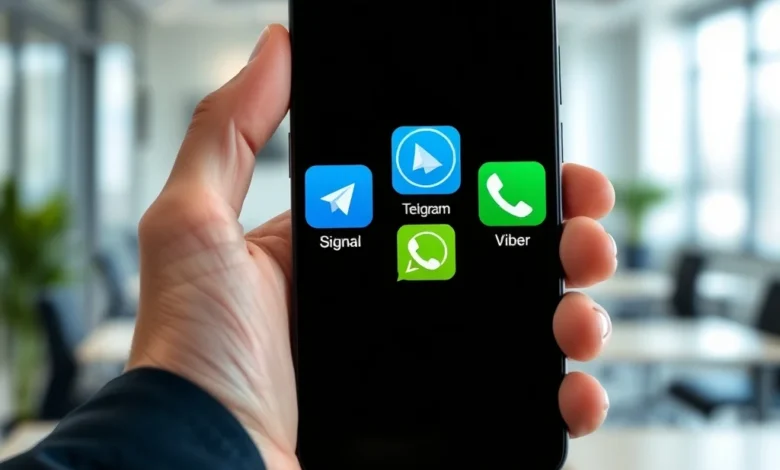
The demand for secure and versatile messaging applications has driven innovation in the Android ecosystem. Telegram, Signal, and Viber have emerged as strong contenders, each bringing unique value propositions to the table. Telegram, for instance, is known for its cloud-based messaging and large group capabilities, while Signal is revered for its uncompromising approach to privacy. Facebook Messenger offers seamless integration with the Meta ecosystem, providing a familiar environment for users already invested in that platform.
Other notable mentions include Line and WeChat, which have dominated specific regional markets with features tailored to local habits. Google Chat and Threema provide enterprise-grade security and integration with Google Workspace, appealing to professionals. Wickr Me focuses on ephemeral messaging, ensuring that content disappears after viewing. Skype, a veteran in the industry, continues to offer robust video conferencing capabilities. These applications are not merely copycat services but offer distinct advantages that cater to specific user requirements.
- 📱 Diverse Feature Sets ranging from voice notes to video calls
- 🔒 Enhanced Privacy Options including encryption protocols
- 🌍 Global Connectivity with cross-platform support
As we move through the analysis, keep in mind that the best app depends heavily on your specific priorities. If privacy is your main concern, Signal might be the superior choice. If you need to manage large communities, Telegram is likely the best fit. We will explore each of these options in detail to ensure you have all the information needed to make the right selection for your Android device.
🎨 Core Features and Functionality
When evaluating messaging applications, the core features are the primary differentiator. Modern messaging apps go far beyond simple text exchange. They now function as comprehensive communication hubs that support high-resolution media, file sharing, and real-time collaboration. The top alternatives to WhatsApp have integrated these features to provide a seamless experience that rivals or exceeds the original platform.
Many of these apps support end-to-end encryption by default, ensuring that only the sender and receiver can read the messages. This is a critical feature for users concerned about data interception. Additionally, features like disappearing messages add an extra layer of security for sensitive conversations. Group management tools allow for larger user bases, which is essential for community leaders and business owners. The ability to create channels or broadcast lists further enhances the utility of these platforms for informational dissemination.
- 🎯 End-to-End Encryption is standard in most top-tier alternatives
- ⚙️ Cloud Storage allows you to access messages from multiple devices
- 🎥 High-Quality Media sharing without excessive compression
The user interface is another critical component of functionality. While WhatsApp has a traditional layout, many alternatives offer customizable themes and layouts. This allows users to personalize their experience, making the app more engaging and easier to navigate. Some apps even offer dark mode by default, which helps reduce battery consumption on OLED screens. The efficiency of the app in terms of RAM usage and startup time is also a significant factor in overall functionality.
🎨 User Experience and Design
The user experience is often the deciding factor for retention. A cluttered interface can deter users from staying on a platform, while a clean design encourages daily usage. The top Android messaging apps have invested heavily in refining their UI/UX to ensure smooth navigation and intuitive controls. This includes easy access to settings, quick message search, and organized contact lists.
Dark mode has become a standard expectation in modern applications. It not only looks sleek but also conserves battery life on devices with OLED displays. Most of the featured alternatives offer this option, either as a global setting or based on the system theme. Accessibility features are also becoming more prominent, with support for screen readers and font scaling to assist users with visual impairments.
Responsiveness is key to a good user experience. Messages should send instantly, and notifications should arrive without delay. Some apps have faced issues with delayed notifications in the past, but the leading alternatives have optimized their background processes to ensure reliability. The integration with other operating system features, such as widget support and deep linking, further enhances the utility of these apps on Android devices.
🚀 Performance and Stability
Performance is a critical metric for any software application, especially those that run continuously in the background. Messaging apps are often accused of draining battery life and consuming excessive data. However, the top alternatives to WhatsApp have made significant strides in optimization. They are designed to be lightweight, ensuring that they do not bog down older devices or consume unnecessary resources.


Battery impact varies significantly between apps. Signal and Threema are generally known for being lighter on battery consumption compared to Facebook Messenger or WeChat. Data usage is also a concern, particularly for users with limited mobile data plans. Most apps allow you to set data limits or disable media auto-download to help conserve bandwidth. This control is essential for users in regions with expensive or slow internet connections.
- ✅ Low Memory Footprint on entry-level Android devices
- 🔋 Battery Efficiency for extended usage without frequent charging
- 📡 Data Saver Modes to manage mobile data consumption
Stability is equally important. Crashes or freezing during a call can be frustrating and disruptive. The leading apps have robust testing protocols to ensure a smooth experience across different Android versions and hardware configurations. Regular updates are pushed to address bugs and improve performance, ensuring that the app remains reliable over time. Users should check the update history to gauge how actively the developers maintain the application.
🔐 Privacy and Security Analysis
In the current digital climate, privacy and security are paramount. Users are increasingly aware of how their data is collected and used. The top messaging alternatives prioritize privacy, often offering features that WhatsApp does not. For instance, some apps do not require a phone number to sign up, allowing for greater anonymity. Others offer the ability to verify security keys to prevent man-in-the-middle attacks.
Data collection policies vary widely. While some apps collect minimal metadata, others may gather more extensive information for advertising purposes. Signal, for example, is renowned for its non-profit status and minimal data logging. Threema operates on a paid model, which aligns its incentives with user privacy rather than data monetization. It is crucial to read the privacy policy of any app before committing to it.
Encryption is the backbone of secure messaging. End-to-end encryption ensures that even the service provider cannot read your messages. Most of the alternatives discussed here support this, but the implementation details can differ. Some apps offer self-destruct timers for messages, which is a valuable feature for sensitive conversations. Additionally, features like screenshot prevention in certain chat types add another layer of protection against unauthorized sharing.
📊 Key Points Comparison
To provide a clear overview of the top alternatives, we have compiled a comparison table. This table summarizes key metrics such as encryption status, platform availability, and primary use cases. It serves as a quick reference for users who need to make a fast decision based on their specific priorities.
| App Name | End-to-End Encryption | Group Size Limit | Best For |
|---|---|---|---|
| Telegram | Yes (Secret Chats) | 200,000 | Large Communities |
| Signal | Yes (Default) | 1,000 | Maximum Privacy |
| Viber | Yes (Default) | 100 | Global Calling |
| Facebook Messenger | Yes (Optional) | 100 | Social Integration |
| Line | Yes (Default) | 500 | Asian Markets |
| Yes (Default) | 500 | Business Services | |
| Google Chat | Yes (Default) | 500 | Workplace Integration |
| Threema | Yes (Default) | 500 | Enterprise Security |
| Wickr Me | Yes (Default) | 100 | Ephemeral Messaging |
| Skype | Yes (Default) | 100 | Video Conferencing |
This table highlights the diversity in capabilities. Telegram stands out for its massive group sizes, making it ideal for public announcements or large communities. Signal is the clear winner for privacy-focused users who want default encryption without configuration. Viber and Skype offer traditional telephony features that integrate well with phone numbers. Threema is perfect for those willing to pay for a premium privacy experience. Understanding these distinctions helps in selecting the right tool for the job.
✅ Pros and Disadvantages
Advantages of Top Alternatives
Switching to an alternative messaging app offers several distinct benefits. The primary advantage is often enhanced privacy, as many alternatives do not tie your identity as tightly to your phone number. This allows for more flexibility in how you present yourself to the world. Additionally, the feature sets are often richer than WhatsApp, offering tools for file sharing, voice notes, and media quality that exceed the limitations of the standard messaging platform.
Another significant advantage is the freedom from data mining. Several of these apps operate on non-profit models or paid subscription models, reducing the incentive to harvest user data for advertising. This creates a more trustworthy environment for sensitive conversations. The community features in apps like Telegram also allow for deeper engagement, with bots and channels that add functionality beyond simple chatting.
- ✅ Enhanced Privacy with optional anonymity features
- 🎯 Richer Features including bots and advanced file sharing
- 🔓 Open Source options available for transparency
Disadvantages of Top Alternatives
Despite the benefits, there are drawbacks to consider. The most significant disadvantage is the network effect. WhatsApp has billions of users, so switching to a new app means your contacts must also switch. This can be a barrier to entry. Additionally, some alternatives are region-specific, meaning they may not be as popular in certain countries, limiting their utility for international communication. There is also the issue of support; while major apps have large teams, smaller niche apps may have slower response times for issues.
Some apps may require a fee to use, which is a barrier for users accustomed to free services. Threema, for example, has a one-time cost for the app. While this supports development, it is a hurdle for some. Additionally, the learning curve for advanced features can be steep for users who are not tech-savvy. It is important to weigh these factors before making a permanent switch.
- ⚠️ Network Effect requires contacts to switch as well
- 🌍 Regional Popularity may limit global reach
- 💰 Premium Costs for some privacy-focused apps
💻 Compatibility and Requirements
Android devices vary widely in terms of specifications, from budget phones to high-end flagships. The compatibility of messaging apps is therefore a crucial consideration. Most of the top alternatives are designed to run on Android 5.0 or higher, ensuring broad compatibility with older devices. However, some advanced features may require newer hardware or operating system versions.
Android Requirements
Generally, these apps require a minimum of 1GB of RAM to run smoothly. Apps like Telegram and Facebook Messenger may require more due to their feature-rich nature. The storage space required is minimal for the app itself but can grow as media is cached. Most apps allow you to manage this cache manually to free up space. It is recommended to have at least 50MB of free storage to ensure the app functions without issues.
Internet connectivity is essential for all these apps. While some offer offline modes for drafting messages, sending and receiving requires a data connection. Wi-Fi is recommended for large file transfers and video calls to conserve mobile data. Most apps support 4G and 5G networks, ensuring that users can communicate on the go without significant lag.
PC Requirements
For users who prefer desktop usage, most of these apps offer desktop versions for Windows and macOS. Telegram, for instance, offers a native desktop client with full feature parity. Signal also supports desktop usage, allowing you to sync messages across devices. This is ideal for users who manage multiple devices and want a unified communication experience. However, some apps like WeChat have limited desktop functionality compared to their mobile counterparts.
Operating system compatibility is another factor. While Windows is widely supported, Linux users may find fewer options. Google Chat integrates well with ChromeOS, making it a natural choice for Chromebook users. It is important to check the specific system requirements for the desktop version if you plan to use it frequently alongside your Android device.
🆚 Alternatives Deep Dive
The following section details the specific strengths and weaknesses of each of the top ten apps. This deep dive will help you understand the nuances of each platform and why you might choose one over the other based on your specific needs.
1. Telegram
Telegram is known for its speed and cloud-based architecture. It allows users to send large files up to 2GB and supports channels with unlimited subscribers. The interface is customizable, and it offers robust bot support for automation. However, encryption is not default for all chats, requiring users to enable secret chats for full privacy.
2. Signal
Signal is the gold standard for privacy. It uses the Signal Protocol, which is considered the most secure. It is open-source and non-profit, meaning there is no incentive to sell your data. The downside is that it lacks some of the social features found in other apps, like stickers and bots, focusing purely on communication.
3. Viber
Viber is popular for its free international calling features. It also offers a robust community platform with public chats. The app is feature-rich, including games and stickers. However, it is owned by Rakuten, which has raised some privacy concerns in the past.
4. Facebook Messenger
Messenger integrates seamlessly with Facebook and Instagram. It offers a wide range of creative tools, including augmented reality lenses. The downside is that it collects significant data for advertising purposes, which may not appeal to privacy-conscious users.
5. Line
Line is dominant in Japan and other Asian markets. It offers a sticker store and social media features similar to Facebook. It is great for entertainment but may not be as useful for users outside its primary regions due to the lack of a global user base.
6. WeChat
WeChat is a super-app in China, integrating messaging, payments, and social media. It is powerful for business but less accessible globally. The data privacy regulations in China also pose risks for international users concerned about data sovereignty.
7. Google Chat
Google Chat is built for integration with Google Workspace. It is excellent for team collaboration within organizations. It lacks some consumer-focused features like stickers but is highly reliable for professional communication.
8. Threema
Threema is a paid app that focuses on privacy. It does not require a phone number and stores data on Swiss servers. It is ideal for those willing to pay for security, but the cost may be a barrier for casual users.
9. Wickr Me
Wickr Me focuses on ephemeral messaging, where messages are deleted automatically. It is used by journalists and security professionals. It offers a clean interface but lacks some of the social features of larger apps.
10. Skype
Skype is a veteran in the video calling space. It offers high-quality video conferencing and integration with Microsoft products. It is less focused on instant messaging and more on voice and video calls.
🏁 Final Verdict
Choosing the right messaging app depends on your priorities. If privacy is your top concern, Signal and Threema are the best choices. For those who need large group capabilities and community features, Telegram is the clear winner. Users looking for seamless integration with social media may prefer Facebook Messenger, while professionals might find Google Chat more suitable for their workflow.
There is no one-size-fits-all solution. Many users opt to use multiple apps, using one for family, another for work, and a third for privacy-sensitive conversations. It is important to evaluate the features against your personal needs. We recommend trying out a few of these apps to see which interface and feature set resonates with you best.
Ultimately, the best app is the one you will use consistently. If your contacts are not on it, the best features in the world will not matter. Consider the network effect carefully before making a switch. Explore similar apps and compare their performance to ensure you are making the right decision for your communication needs in 2026.
❓ Frequently Asked Questions
- Is it safe to use WhatsApp alternatives for sensitive conversations?
- Does WhatsApp require a phone number to sign up compared to these apps?
- Do these apps work on older Android devices like Android 6.0?
- Are there any apps that do not require internet access to send messages?
- Can I use these apps on both Android and iPhone simultaneously?
- Do any of these apps charge a subscription fee for basic features?
- How do I backup my chats if I switch from WhatsApp to another app?
- Are there any apps that offer better video call quality than WhatsApp?
- Can I hide my online status on all these alternative messaging apps?
- Which app is the most lightweight on device storage space?