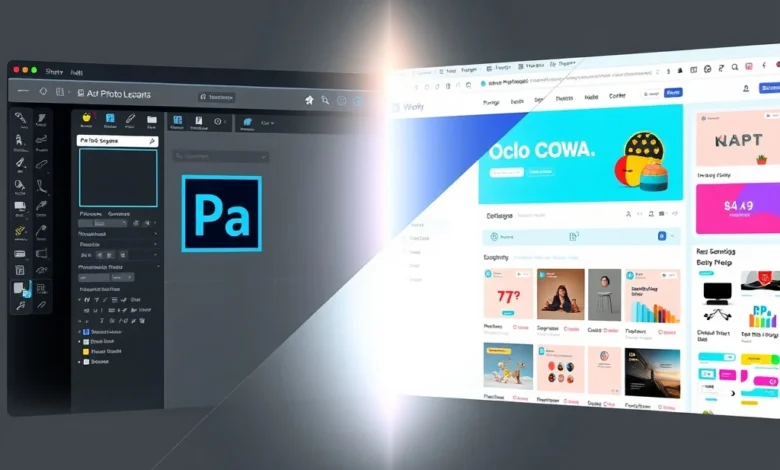
Choosing the right graphic design software is a decision that impacts workflow efficiency and creative output. Adobe Photoshop and Canva are two of the most recognized names in the digital design industry today. Both platforms offer unique advantages tailored to different user needs. Understanding the strengths and weaknesses of each tool is essential for making an informed decision. This comprehensive comparison will guide you through the features, performance, and usability of both applications.
The market for digital design tools has expanded significantly in recent years. Users now have access to professional-grade software and simplified design platforms. Adobe Photoshop has long been the industry standard for professional photo editing and complex graphic design. In contrast, Canva has revolutionized design by making it accessible to non-designers through templates and drag-and-drop functionality. Deciding which app suits your project depends on your skill level and specific requirements.
- Adobe Photoshop is best for professional photo manipulation and pixel-level editing.
- Canva is ideal for quick social media graphics and template-based design.
- Both platforms offer cloud integration and collaboration features.
- Pricing models differ significantly between subscription and freemium structures.
- Performance varies based on device hardware and internet connectivity.
📊 Core Features and Functionalities
Adobe Photoshop is a powerhouse application designed for high-end creative professionals. It offers an extensive suite of tools for raster graphics editing. Users can manipulate layers, apply advanced filters, and perform color correction with precision. The software supports a wide range of file formats including PSD, TIFF, and RAW images. This makes it a critical tool for photographers and digital artists who require granular control over their images.
Canva takes a different approach by focusing on simplicity and speed. It provides thousands of pre-made templates for various purposes. Users can easily customize these templates without needing design experience. The platform includes a library of stock photos, fonts, and vector elements. This accessibility allows small business owners and marketers to create professional-looking assets quickly.
🎨 Advanced Editing Tools in Photoshop
The core strength of Adobe Photoshop lies in its advanced editing capabilities. Layer masking allows for non-destructive editing which preserves the original image data. Adjustment layers enable users to tweak brightness, contrast, and color without altering pixels directly. The pen tool offers precise vector path creation for complex selections. Smart Objects allow for scaling and transforming images without losing quality.
Filters and effects in Photoshop are highly customizable. Users can apply blur, sharpen, and noise reduction effects with control over intensity. The content-aware fill feature automatically fills selected areas based on surrounding pixels. This saves significant time when removing unwanted objects from an image. These tools make Photoshop indispensable for retouching and compositing work.
🚀 Template-Based Design in Canva
Canva simplifies the design process through its drag-and-drop interface. Users can select a template and simply replace text or images to fit their needs. The platform offers specific templates for social media posts, presentations, and marketing materials. This reduces the time required to create a design from scratch. The brand kit feature allows businesses to save logos and color palettes for consistent branding.
Canva also includes basic photo editing tools within the platform. Users can adjust brightness, saturation, and apply filters directly. The background remover tool is available for premium users to isolate subjects. Magic Resize allows a single design to be adapted for different social media dimensions automatically. This feature is particularly useful for managing campaigns across multiple channels efficiently.
- Photoshop requires manual creation of most design elements.
- Canva provides pre-designed layouts for immediate use.
- Photoshop supports complex layer management systems.
- Canva focuses on streamlined workflow and speed.
🎨 User Experience and Design Interface
The user interface of Adobe Photoshop is complex and customizable. Professional designers appreciate the depth of options available in the workspace. However, new users may find the learning curve steep. The interface can be overwhelming due to the sheer number of panels and tools. Customizing the workspace to fit specific workflows is a common practice among experienced users.
Canva prioritizes a clean and intuitive user experience. The interface is designed to be friendly for beginners and non-technical users. Navigation is straightforward with clear icons and menus. The learning curve is minimal compared to industry-standard software. This accessibility has contributed to Canva’s massive popularity among casual users.
Responsiveness is a key factor in user satisfaction. Photoshop runs locally on the computer and relies on local hardware resources. Canva operates primarily in the web browser and relies on internet connectivity. Mobile apps for both platforms offer varying levels of functionality. Photoshop Mobile allows for editing on tablets and phones. Canva Mobile is highly optimized for quick edits on the go.
🚀 Performance and Stability Analysis
Performance varies significantly between the two applications. Adobe Photoshop is resource-intensive and requires a powerful computer. It consumes significant RAM and processing power during complex edits. Large files can cause slowdowns if the system does not meet minimum requirements. Stability is generally high, but crashes can occur with insufficient memory.
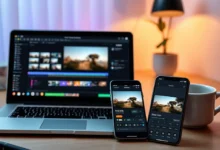
Canva is lightweight and runs efficiently on most modern devices. It does not require high-end hardware to function smoothly. Most processing happens on Canva servers rather than the local machine. This reduces the load on the user’s computer. However, performance depends heavily on internet speed and connection stability.
| Feature | Adobe Photoshop | Canva |
|---|---|---|
| System Resources | High RAM and CPU Usage | Low Local Resource Usage |
| Internet Requirement | Optional (Desktop) | Required (Web Version) |
| File Size Limit | Depends on Hardware | Cloud Storage Limits |
| Export Speed | Fast (Local) | Depends on Connection |
After analyzing the table, it is clear that Photoshop offers better offline capabilities. Users do not need an active internet connection to edit files locally. Canva excels in accessibility and ease of use across devices. The trade-off is the reliance on cloud services and connectivity. Users with unstable internet connections may find Canva frustrating to use.
🔐 Privacy and Security Considerations
Data security is a critical aspect of any software selection. Adobe Photoshop stores files locally unless cloud sync is enabled. This gives users full control over their data privacy. Adobe Creative Cloud offers encryption for cloud storage options. Users must manage their own passwords and security settings for Adobe accounts.
Canva stores all files on its servers by default. This requires trust in Canva’s data protection policies. They use industry-standard encryption for data transmission and storage. Users should review their privacy settings to control who sees their designs. Public templates and shared designs may be visible to other users depending on settings.
Permissions are another important factor. Photoshop requires access to local files and system resources. Canva requires access to the browser cache and image libraries. Both applications collect usage data to improve their services. Users concerned about privacy should review the terms of service carefully.
✅ Advantages and Strengths
Adobe Photoshop offers unmatched flexibility for professional work. It supports advanced workflows that require precision and detail. The ecosystem of plugins and third-party tools expands its capabilities. Industry professionals rely on Photoshop for its reliability and depth. It is the preferred tool for high-end photography and digital art.
- Professional Quality: Industry standard for graphic design.
- Offline Access: Full functionality without internet.
- Advanced Tools: Deep editing capabilities for experts.
- File Compatibility: Supports many professional formats.
- Customization: Highly adjustable workspace and tools.
❌ Disadvantages and Limitations
Canva has limitations regarding advanced editing features. It is not suitable for complex photo manipulation tasks. Users cannot achieve pixel-level precision with standard tools. The free version includes watermarks on some premium elements. This can be a barrier for users requiring a completely free solution.
Photoshop requires a significant financial investment. The subscription model can be expensive for hobbyists. Learning the software takes time and dedication. The steep learning curve may discourage casual users. Hardware requirements can limit usage on older computers.
💻 Compatibility and System Requirements
Compatibility is crucial for seamless workflow integration. Adobe Photoshop supports Windows and macOS operating systems. It also has versions for iPad and Android tablets. Minimum system requirements include at least 8GB of RAM. A dedicated graphics card is recommended for optimal performance.
Canva works on any device with a modern web browser. Mobile apps are available for iOS and Android platforms. No specific hardware is needed as processing is cloud-based. This makes it accessible to users with low-end devices. Internet speed of at least 10 Mbps is recommended for smooth editing.
🆚 Alternative Design Tools
While Photoshop and Canva dominate the market, other tools exist. GIMP is a free open-source alternative to Photoshop. It offers many similar features without the subscription cost. Affinity Photo is a one-time purchase alternative with professional tools.
For users seeking Canva alternatives, Adobe Express offers similar simplicity. Figma is excellent for UI/UX design but less for photo editing. Each alternative has its own strengths and target audience. Users should evaluate their specific needs before switching platforms.
- GIMP: Best for users needing free professional tools.
- Affinity Photo: Best for one-time payment models.
- Adobe Express: Best for quick social media graphics.
- Figma: Best for interface and web design.
🏁 Final Verdict and Recommendation
The choice between Adobe Photoshop and Canva depends on your goals. If you need professional-grade editing capabilities, Photoshop is the clear winner. It provides the tools necessary for high-end creative work. The investment in time and money pays off in quality and control.
For users who need speed and simplicity, Canva is the best choice. It eliminates the learning curve and allows for quick creation. Small businesses and content creators benefit greatly from its efficiency. There is no single right answer as both serve different purposes well.
Consider your budget, skill level, and project requirements before deciding. Testing free versions or trials can help clarify your needs. Both platforms continue to evolve and add new features regularly. Staying updated ensures you get the most out of your chosen tool.
❓ Frequently Asked Questions
- Is Adobe Photoshop free to use? No, it requires a paid subscription to Adobe Creative Cloud.
- Does Canva require an internet connection? Yes, the web version needs internet for most features.
- Can I export high-resolution files from Canva? Yes, Pro users can export up to 4000×4000 pixels.
- Is Photoshop better for print design? Yes, it offers precise control over print colors and settings.
- Does Canva work on mobile devices? Yes, there are dedicated apps for iOS and Android.
- Can I collaborate with others in Photoshop? Yes, via Adobe Creative Cloud Libraries.
- Is Canva safe for personal data? Yes, it uses encryption and follows privacy policies.
- What is the best alternative to Photoshop? GIMP or Affinity Photo are the top alternatives.
- Does Photoshop support vector graphics? Yes, but limited compared to Illustrator.
- Can I use Canva for commercial projects? Yes, under their license agreement.