
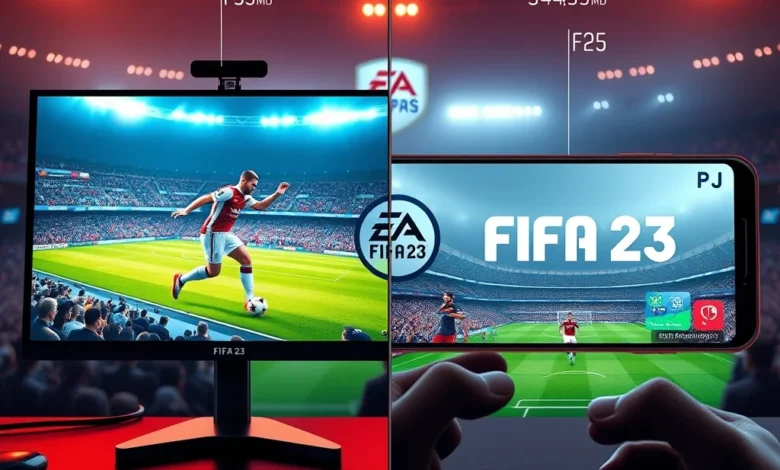
When FIFA 23 launched, it brought the beloved football experience to both PC and Android platforms, offering fans the flexibility to play on their preferred devices. Whether you’re a hardcore gamer with a high-end PC or a casual player using a smartphone, FIFA 23 delivers an immersive football experience. However, the differences between the PC and Android versions go beyond just the device you use. Graphics, controls, gameplay mechanics, and even game modes can vary significantly, making it essential to choose the right version for your needs.
The PC version of FIFA 23 is tailored for gamers who demand high performance, precision controls, and a feature-rich experience. On the other hand, the Android version aims to bring the excitement of FIFA 23 to mobile gamers, prioritizing accessibility and convenience. But which version is truly better? The answer depends on your gaming habits, device capabilities, and what you value most in a football game. In this detailed comparison, we’ll break down every aspect of FIFA 23 on PC and Android, from graphics and performance to controls and game modes, to help you make an informed decision.
🎮 Overview of FIFA 23 on PC and Android
FIFA 23 is the final installment in the FIFA series under the EA Sports banner before the transition to EA Sports FC, and it remains a benchmark for football simulation games. Developed by EA Vancouver and EA Romania, FIFA 23 features the HyperMotionV technology, which enhances player movement and AI behavior, making the gameplay more realistic than ever. The game includes all the official leagues, teams, and players, along with popular modes like Career Mode, Ultimate Team, and Volta Football.
On PC, FIFA 23 supports the use of a keyboard, mouse, and game controllers, providing a more traditional gaming experience. The PC version is optimized for high-end hardware, offering smoother gameplay, better graphics, and more customization options. The Android version, while not as graphically intensive, is designed to run smoothly on a wide range of mobile devices, from mid-range smartphones to high-end flagships. It supports touch controls, game controllers, and even cloud saves, ensuring a seamless experience across devices.
🔍 Key Differences at a Glance
- ✅ Graphics and Performance: PC version offers superior visuals and smoother gameplay, while the Android version prioritizes accessibility and portability.
- ✅ Controls: PC supports keyboard, mouse, and controllers, while Android relies on touch, controllers, or hybrid controls.
- ✅ Game Modes: Both versions offer Career Mode, Ultimate Team, and Volta Football, but the PC version may have additional features like mods and custom leagues.
- ✅ Online Play: Cross-platform play is supported, but the PC version has a larger player base for multiplayer matches.
- ✅ Storage and Compatibility: PC version requires significant storage space and a capable system, while the Android version is lightweight and compatible with most modern smartphones.
🎯 Which Platform is Best for You?
Choosing between the PC and Android versions of FIFA 23 depends on several factors, including your gaming setup, playstyle, and expectations. If you’re a dedicated football fan who wants the best possible experience with high-end graphics and responsive controls, the PC version is the clear winner. However, if you prefer gaming on the go or have limited hardware, the Android version offers a surprisingly polished experience.
Let’s dive deeper into each aspect of FIFA 23 to help you decide which version suits your needs best. We’ll cover graphics and performance, controls and gameplay, game modes, online play, and more, providing a side-by-side comparison to highlight the strengths and weaknesses of each platform.
🖥️ Graphics and Visual Quality: PC vs Android
🎨 Visual Fidelity on PC
The PC version of FIFA 23 is built to take advantage of high-end hardware, delivering stunning visuals that rival the latest console releases. With support for 4K resolution, HDR, and advanced graphical settings, the game looks incredibly realistic. The HyperMotionV technology enhances player animations, making movements smoother and more lifelike. Stadiums are detailed, with realistic lighting, crowd effects, and weather conditions that add to the immersion.
Players can tweak graphical settings to balance performance and visual quality. Options like texture resolution, shadow detail, and anti-aliasing allow gamers to customize their experience. On a high-end PC with a powerful GPU and CPU, FIFA 23 runs at 60 FPS or higher, even at 4K resolution. The game also supports ray tracing, which adds realistic lighting and reflections, though this feature is hardware-intensive and may not run smoothly on all systems.
📱 Visual Quality on Android
The Android version of FIFA 23 is designed to run smoothly on a wide range of devices, from budget smartphones to high-end flagships. While it doesn’t match the visual fidelity of the PC version, it still delivers impressive graphics for a mobile game. The game supports dynamic resolution scaling, which adjusts the resolution based on your device’s performance, ensuring a consistent frame rate.
On flagship devices like the Samsung Galaxy S23 or Google Pixel 7 Pro, FIFA 23 can run at high settings with 60 FPS. However, mid-range or older devices may struggle with graphical quality, leading to lower frame rates or reduced visual effects. The game features simplified textures and fewer draw calls, which help maintain performance without sacrificing too much visual appeal. Stadiums and player models are still recognizable, but details like crowd animations and weather effects are toned down compared to the PC version.

🔍 Graphics Comparison Summary
- Resolution: PC supports up to 4K, while Android maxes out at 1440p on high-end devices.
- Frame Rate: PC offers 60+ FPS on high-end hardware, while Android aims for 30-60 FPS depending on the device.
- Graphics Settings: PC allows deep customization, while Android uses dynamic scaling.
- Visual Effects: PC includes ray tracing and advanced lighting, while Android simplifies effects for performance.
- Stadium and Player Details: PC has ultra-realistic models, while Android has simplified but still detailed designs.
🕹️ Controls and Gameplay: PC vs Android
⚙️ Controls on PC
The PC version of FIFA 23 offers the most versatile control options, catering to both casual and competitive players. You can use a keyboard and mouse, which provides precise aiming and quick reactions, especially in modes like Ultimate Team and Volta Football. For those who prefer a console-like experience, the game supports game controllers, including Xbox and PlayStation controllers, which are fully compatible with Windows.
Keyboard and mouse controls are highly customizable, allowing players to rebind keys and adjust sensitivity. This setup is ideal for players who want full control over their gameplay, particularly in shooting and passing mechanics. Controllers, on the other hand, offer a more traditional feel, mimicking the console experience. The game also supports motion controls with the Steam Controller or third-party devices, adding another layer of customization.
📱 Controls on Android
The Android version of FIFA 23 primarily relies on touch controls, which are intuitive but can feel less precise compared to a keyboard and mouse or controller. The game includes an on-screen virtual joystick for movement and buttons for actions like shooting, passing, and tackling. For players who prefer a more tactile experience, FIFA 23 supports external game controllers via Bluetooth or USB, which can enhance gameplay significantly.
One of the standout features of the Android version is its hybrid control system, which combines touch inputs with motion gestures. For example, you can swipe to change direction or flick to perform skill moves, adding a layer of depth to the touch controls. The game also includes a training mode to help players get accustomed to the controls, especially if they’re transitioning from console or PC.
🔍 Control Comparison Summary
| Aspect | PC | Android |
|---|---|---|
| Primary Controls | Keyboard, Mouse, Controllers | Touch, Controllers |
| Customization | Full key rebinding, sensitivity adjustments | Limited touch sensitivity, controller mappings |
| Precision | High (keyboard/mouse), Medium (controllers) | Medium (touch), High (controllers) |
| Learning Curve | Moderate (keyboard/mouse), Low (controllers) | High (touch), Low (controllers) |
| Motion Controls | Optional (Steam Controller) | Built-in (gestures) |
The table above highlights the key differences in controls between the PC and Android versions of FIFA 23. For competitive players, the PC version offers the best precision and customization, while Android users can achieve similar results with a controller. Touch controls are convenient but require practice to master, especially in high-stakes matches.
🎮 Game Modes: Which Version Offers More Depth?
🏆 Career Mode: PC vs Android
Career Mode is one of the most beloved features of FIFA 23, allowing players to manage a team, make transfers, and guide them to glory. On PC, Career Mode offers the full experience, including deep customization options, realistic transfer negotiations, and detailed player development systems. The PC version also supports mods, which can enhance the mode with additional leagues, tournaments, and gameplay tweaks created by the community.
On Android, Career Mode is streamlined to fit the mobile platform. While it includes all the core features, such as player transfers, training sessions, and match simulations, it lacks some of the depth found in the PC version. For example, the transfer system is simplified, and negotiations with AI managers are less dynamic. Additionally, the mobile version doesn’t support mods, limiting customization options. However, the Android version includes a quick-start mode, allowing players to jump into matches without lengthy setup times.
🏅 Ultimate Team: Cross-Platform Savings
Ultimate Team is FIFA 23’s most popular mode, where players build squads, collect player cards, and compete in online matches. The good news is that Ultimate Team progress, including squads, coins, and player cards, is shared across PC and Android through EA’s cross-platform system. This means you can start building your squad on mobile and continue on PC, or vice versa, without losing progress.
On PC, Ultimate Team offers a more immersive experience with better graphics and smoother animations. The auction house and squad-building interface are more responsive, making it easier to manage your team. The Android version, while functional, has a simplified interface that can feel cluttered on smaller screens. However, the mobile version includes mobile-exclusive rewards and events, which can add value for players who prefer gaming on the go.
🌍 Volta Football: A Different Experience
Volta Football is FIFA 23’s street football mode, featuring small-sided matches in urban environments with customizable players and teams. On PC, Volta offers stunning visuals and smooth gameplay, with detailed environments and realistic player animations. The mode includes a full career progression system, allowing players to unlock new kits, locations, and challenges.
On Android, Volta Football is scaled down to fit mobile devices. While the core gameplay remains intact, the visuals are less impressive, and the career mode is simplified. The mobile version includes touch-friendly controls and quick match options, making it easy to jump into the action. However, the lack of depth in the career mode and reduced graphical quality may deter players looking for a full Volta experience.
🔍 Game Modes Comparison Summary
| Game Mode | PC | Android |
|---|---|---|
| Career Mode | Full depth, mod support | Streamlined, quick-start |
| Ultimate Team | Detailed interface, large player base | Simplified UI, mobile-exclusive rewards |
| Volta Football | Full career, stunning visuals | Quick matches, simplified career |
| Customization | Mods, deep settings | Limited, UI-focused |
| Cross-Platform | Yes, shared progress | Yes, shared progress |
The table above highlights the differences in game modes between the PC and Android versions of FIFA 23. For players who value depth and customization, the PC version is the clear winner. However, the Android version offers a convenient and accessible way to enjoy FIFA 23 on the go, with the added benefit of cross-platform progress sharing.
🌐 Online Play and Multiplayer: Where the Action Is
⚽ Online Multiplayer on PC
The PC version of FIFA 23 has a thriving online community, with a large player base that ensures quick matchmaking and competitive matches. Players can compete in ranked leagues, head-to-head matches, and co-op seasons, with cross-platform play supported between PC and Android. The PC version also benefits from higher frame rates and better graphics, which can give players a competitive edge in fast-paced matches.
EA Sports’ servers for FIFA 23 are optimized for PC, providing stable connections and minimal lag in most regions. The game includes a robust matchmaking system that pairs players of similar skill levels, ensuring fair and balanced matches. Additionally, the PC version supports mods and custom lobbies, allowing players to create unique multiplayer experiences.
📱 Online Multiplayer on Android
The Android version of FIFA 23 also supports online multiplayer, but the experience can vary depending on your device and internet connection. While the player base is smaller compared to PC, matches are still competitive, especially in casual playlists. Cross-platform play is supported, but you may encounter longer queue times for ranked matches on mobile.
One advantage of the Android version is its portability. You can play matches on the go, whether you’re commuting or waiting in line. However, touch controls can be a disadvantage in online play, as they may feel less responsive compared to a controller or keyboard. For the best online experience on Android, use a Bluetooth controller and a stable Wi-Fi connection.
🔍 Online Play Comparison Summary
| Aspect | PC | Android |
|---|---|---|
| Player Base | Large, competitive | Smaller, casual-focused |
| Matchmaking | Quick, skill-based | Slower, queue times vary |
| Stability | High, optimized servers | Moderate, depends on device |
| Cross-Platform | Yes | Yes |
| Controls | Keyboard/Mouse/Controller | Touch/Controller |
The table above summarizes the key differences in online play between the PC and Android versions of FIFA 23. For competitive players seeking the best matchmaking and stability, the PC version is the superior choice. However, the Android version offers flexibility and portability, making it a great option for casual players who want to enjoy FIFA 23 on the go.
🚀 Performance and Technical Analysis
🖥️ PC Performance: Benchmarks and Optimization
The PC version of FIFA 23 is designed to run on a wide range of hardware, from budget systems to high-end gaming rigs. EA Sports provides both minimum and recommended system requirements to ensure compatibility. Below is a breakdown of the system requirements and performance benchmarks for FIFA 23 on PC:
| Component | Minimum Requirement | Recommended Requirement | High-End Performance |
|---|---|---|---|
| OS | Windows 10 (64-bit) | Windows 10/11 (64-bit) | Windows 11 (64-bit) |
| Processor | Intel Core i3-6100U or AMD FX-4350 | Intel Core i5-6600K or AMD Ryzen 5 2600X | Intel Core i7-12700K or AMD Ryzen 7 5800X3D |
| RAM | 8 GB | 16 GB | 32 GB |
| GPU | NVIDIA GTX 660 2GB or AMD Radeon HD 7870 | NVIDIA GTX 1060 6GB or AMD Radeon RX 5600 XT | NVIDIA RTX 3080 or AMD RX 6800 XT |
| Storage | 50 GB HDD | 50 GB SSD | 1 TB NVMe SSD |
On a minimum-spec PC, FIFA 23 will run at 30 FPS with low graphical settings, which may result in choppy gameplay and reduced visual quality. For a smooth experience with 60 FPS, a recommended setup is ideal. High-end PCs can achieve 60 FPS at 1440p or even 4K resolution, with ray tracing enabled for enhanced visuals. The game’s performance scales well with hardware, but investing in a good GPU and CPU will significantly improve your experience.
📱 Android Performance: Compatibility and Optimization
The Android version of FIFA 23 is optimized to run on a wide range of devices, but performance can vary significantly based on hardware. The game requires Android 8.0 or higher and supports devices with ARMv7, ARM64, and x86 architectures. Here’s a breakdown of performance expectations based on device tiers:
- ✅ Flagship Devices (Samsung Galaxy S23, Google Pixel 7 Pro): Can run FIFA 23 at high settings with 60 FPS. Graphical details are impressive, and the game feels smooth and responsive.
- ✅ Mid-Range Devices (Samsung Galaxy A54, OnePlus Nord N20): Runs at medium settings with 30-45 FPS. Some graphical effects may be disabled to maintain performance.
- ✅ Budget Devices (Samsung Galaxy J7, Redmi 9A): Struggles to maintain 30 FPS, with lower graphical settings and potential stuttering during intense matches.
The game’s storage size is approximately 3.5 GB, which is manageable for most modern smartphones. Battery consumption is moderate, with the game lasting 4-6 hours on a single charge during gameplay. However, using controller inputs or enabling high-performance modes can drain the battery faster.
🔍 Performance Comparison Summary
| Aspect | PC | Android |
|---|---|---|
| Hardware Flexibility | Wide range, scalable | Limited by device tier |
| Frame Rate | 30-120+ FPS (scalable) | 30-60 FPS (device-dependent) |
| Graphics | 4K, HDR, Ray Tracing | 1440p, dynamic scaling |
| Storage | 50 GB (HDD/SSD) | 3.5 GB |
| Battery Life | N/A | 4-6 hours |
The table above highlights the key differences in performance between the PC and Android versions of FIFA 23. For players seeking the best visuals and smoothest gameplay, the PC version is the clear winner. However, the Android version offers a portable and accessible alternative for those who prioritize convenience over performance.
🎯 Pros and Cons: Which Version Wins?
✅ Advantages of FIFA 23 on PC
The PC version of FIFA 23 offers a superior gaming experience in almost every aspect. Here are the key advantages:
- ✅ Superior Graphics: Supports 4K resolution, HDR, and ray tracing for stunning visuals.
- ✅ Better Performance: Runs at 60+ FPS on high-end hardware, with smooth and responsive gameplay.
- ✅ Full Control Options: Supports keyboard, mouse, and controllers, with deep customization options.
- ✅ Deeper Game Modes: Career Mode, Ultimate Team, and Volta Football offer more depth and customization.
- ✅ Mod Support: Allows players to enhance their experience with community-created mods.
- ✅ Larger Player Base: More competitive online matches and shorter queue times.
- ✅ Cross-Platform Play: Seamless integration with Android, allowing progress sharing.
❌ Disadvantages of FIFA 23 on PC
Despite its advantages, the PC version of FIFA 23 has a few drawbacks:
- ❌ Hardware Requirements: Requires a capable PC to run at high settings, which can be expensive.
- ❌ Storage Space: Takes up 50 GB of storage, which may be an issue for users with limited space.
- ❌ No Official Updates: FIFA 23 is no longer supported by EA Sports, as the franchise has transitioned to EA Sports FC.
- ❌ Potential Bugs: As the game ages, some players may encounter compatibility issues or bugs.
✅ Advantages of FIFA 23 on Android
The Android version of FIFA 23 is a great choice for players who prioritize accessibility and portability. Here are its key advantages:
- ✅ Portability: Play anywhere, anytime, on your smartphone or tablet.
- ✅ Low Storage: Only requires 3.5 GB of storage, making it easy to install on any device.
- ✅ Touch Controls: Intuitive and easy to learn, especially for casual players.
- ✅ Controller Support: Compatible with Bluetooth controllers for a more traditional experience.
- ✅ Cross-Platform Play: Share your progress with PC players and continue your journey on any device.
- ✅ Quick Matches: Streamlined modes like Kick Off and Online Seasons for fast-paced fun.
❌ Disadvantages of FIFA 23 on Android
The Android version of FIFA 23 has a few limitations that may deter some players:
- ❌ Graphics Quality: Lower resolution and fewer graphical effects compared to the PC version.
- ❌ Performance Issues: Frame rates and stability depend heavily on the device’s hardware.
- ❌ Limited Depth: Game modes like Career Mode and Volta Football are streamlined and lack depth.
- ❌ Touch Controls: Can feel less precise in competitive matches, especially without a controller.
- ❌ Smaller Player Base: Fewer players online, leading to longer queue times for ranked matches.
🏁 Final Verdict: Which Version Should You Play?
The choice between the PC and Android versions of FIFA 23 ultimately depends on your gaming preferences, device capabilities, and what you value most in a football game. If you’re a dedicated football fan who wants the best possible experience with stunning graphics, smooth gameplay, and deep game modes, the PC version is the clear winner. It offers superior visuals, better performance, and a more immersive experience, making it ideal for competitive and casual players alike.
On the other hand, if you prefer gaming on the go or have limited hardware, the Android version of FIFA 23 is a fantastic alternative. It provides a convenient and accessible way to enjoy the game, with the added benefit of cross-platform progress sharing. While it may not match the PC version in terms of graphics and depth, it delivers a polished and enjoyable football experience that’s perfect for mobile gamers.
For players who own both platforms, the best approach is to use the PC version for competitive play and the Android version for casual gaming on the go. This way, you can enjoy the best of both worlds while keeping your progress synchronized across devices.
❓ Frequently Asked Questions
- Is FIFA 23 still available for purchase on PC and Android?
FIFA 23 is no longer officially sold by EA Sports, as the franchise has transitioned to EA Sports FC. However, you can still find it on digital storefronts like Steam, the Google Play Store, and third-party platforms. - Can I play FIFA 23 on Windows 11?
Yes, FIFA 23 is fully compatible with Windows 11. The game runs smoothly on both Windows 10 and 11, with no significant performance differences between the two operating systems. - Does FIFA 23 support cross-platform play between PC and Android?
Yes, FIFA 23 supports cross-platform play, allowing you to compete against players on different devices. Your progress, including Ultimate Team squads and Career Mode data, is shared across platforms. - Which version of FIFA 23 has better graphics?
The PC version offers superior graphics, including support for 4K resolution, HDR, and ray tracing. The Android version has simplified visuals to ensure smooth performance on mobile devices. - Is it worth buying a controller for FIFA 23 on Android?
Absolutely! A Bluetooth controller significantly improves the gameplay experience on Android, providing better precision and control compared to touch inputs. Popular options include the Xbox Wireless Controller and the 8BitDo SN30 Pro. - How much storage space does FIFA 23 take up on PC?
The PC version of FIFA 23 requires approximately 50 GB of storage space. Make sure you have enough free space on your hard drive before installing the game. - Can I use mods in FIFA 23 on PC?
Yes, the PC version supports mods, which can enhance your experience with additional leagues, tournaments, and gameplay tweaks. However, mods are not officially supported by EA Sports and may require third-party tools. - Does FIFA 23 run well on mid-range Android devices?
FIFA 23 can run on mid-range Android devices, but you may need to lower graphical settings to maintain 30-45 FPS. Devices like the Samsung Galaxy A54 or OnePlus Nord N20 can handle the game, but performance may vary. - Is FIFA 23 better on PC or Android for Ultimate Team?
The PC version is better for Ultimate Team due to its larger player base, more responsive interface, and additional features like mods. However, the Android version is convenient for casual play and includes mobile-exclusive rewards. - Will FIFA 23 work on my old Android phone?
FIFA 23 requires Android 8.0 or higher, so it won’t run on devices with older operating systems. Additionally, older or low-end devices may struggle with performance. Check the game’s compatibility list or community benchmarks before downloading. - Can I transfer my FIFA 23 progress from PC to Android?
Yes, FIFA 23 supports cloud saves, allowing you to transfer your progress between PC and Android seamlessly. Make sure you’re signed in with the same EA account on both platforms. - Which version of FIFA 23 has better online multiplayer?
The PC version has a larger player base and more stable servers, resulting in quicker matchmaking and more competitive matches. The Android version’s online play is functional but may have longer queue times and occasional lag.
🎉 Conclusion: Play FIFA 23 Your Way
FIFA 23 remains a fantastic football simulation game, whether you’re playing on PC or Android. The PC version delivers unparalleled graphics, performance, and depth, making it the ultimate choice for competitive and dedicated players. Meanwhile, the Android version offers a portable and accessible way to enjoy the game, perfect for casual players and those who prefer gaming on the go.
Ultimately, the best version of FIFA 23 for you depends on your gaming setup, playstyle, and priorities. If you value high-end visuals and immersive gameplay, go for the PC version. If you prioritize portability and convenience, the Android version is a great alternative. And if you own both, you can enjoy the best of both worlds by switching between platforms based on your needs.
No matter which version you choose, FIFA 23 delivers an authentic football experience that’s sure to keep you hooked for hours. So lace up your boots, step onto the pitch, and enjoy the beautiful game on your preferred platform!