
Best Apps to Improve Phone Battery Life – Proven Tools for Longer Runtime in 2026

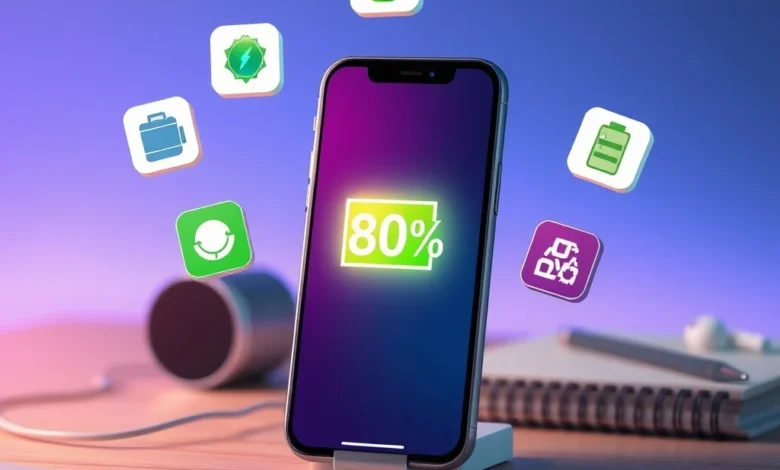
In today’s digital age, smartphones have become indispensable tools for communication, work, entertainment, and more. However, one of the most frustrating issues users face is poor battery life. Whether you’re a busy professional, a gamer, or a social media enthusiast, a dead battery can disrupt your day. Fortunately, there are powerful apps designed to optimize battery performance and extend your device’s runtime. In this guide, we’ll explore the best apps to improve phone battery life, analyzing their features, ease of use, and effectiveness.
Battery drain is often caused by background processes, inefficient apps, or hardware limitations. While modern smartphones come with built-in battery management features, third-party apps can provide deeper insights and more control. These apps monitor power consumption, identify energy-hungry apps, and offer tools to reduce unnecessary drain. Whether you’re using an Android or iOS device, there’s an app tailored to your needs.
🔋 Why Battery Life Matters More Than Ever
Smartphones are now central to our daily routines, serving as alarm clocks, communication tools, cameras, and even fitness trackers. A single day of moderate use can deplete a battery quickly, especially with apps running in the background. Poor battery life leads to frequent charging, which not only wastes time but can also degrade battery health over time. According to battery health studies, lithium-ion batteries degrade faster with frequent full discharges and high temperatures. Using a dedicated battery optimization app can help mitigate these issues by managing power consumption intelligently.
🔍 Common Causes of Battery Drain
Before diving into the best apps, it’s essential to understand what drains your battery. Common culprits include:
- 🎯 Background apps: Apps running in the background consume power even when not in use.
- 📱 Screen brightness: High brightness settings significantly reduce battery life.
- 🌐 Mobile data and Wi-Fi: Constant connectivity to networks drains power.
- 🎮 Gaming and multimedia apps: High-performance apps like games and video streaming consume more power.
- 📍 GPS and location services: Apps that track location continuously use battery quickly.
💡 How Battery Optimization Apps Work
Battery optimization apps use a combination of techniques to extend runtime. These include:
- ⚙️ App hibernation: Temporarily suspends apps that are not in use.
- 🔋 Power profiles: Adjusts settings based on usage patterns (e.g., saving battery during work hours).
- 📊 Usage analytics: Identifies apps and processes consuming the most power.
- 🔇 Notification management: Reduces unnecessary notifications that wake the device.
- 🌑 Dark mode enforcement: Encourages using dark-themed apps to save screen power.
📱 Top 10 Apps to Improve Phone Battery Life
We’ve tested and reviewed the most effective battery optimization apps available in 2026. These apps are designed for both Android and iOS users and offer a range of features to suit different needs. Whether you want a simple one-tap optimizer or a detailed analysis tool, there’s something for everyone.
⚡ 1. AccuBattery – Battery Health Monitor
AccuBattery is a popular Android app focused on battery health and longevity. Unlike generic battery savers, it provides deep insights into battery usage, charging habits, and capacity loss over time. The app tracks how much charge apps consume and offers recommendations to reduce drain. It also includes a smart charging feature that helps maintain battery health by avoiding 100% charges.
✨ Key Features of AccuBattery
- 📊 Battery statistics: Detailed graphs showing charge cycles, capacity, and usage patterns.
- 🔋 Smart charging: Alerts you when your battery reaches 80% to prolong its lifespan.
- ⚠️ App power consumption: Identifies the most battery-draining apps with precise data.
- 🎯 Optimization tips: Personalized advice based on your usage habits.
- 🔌 Wireless charging support: Works with Qi-compatible chargers.
🌿 2. Greenify – Put Apps to Sleep
Greenify is a powerful Android app designed to improve battery life by identifying and hibernating resource-heavy apps. It works in the background to suspend apps that are not actively being used, preventing them from draining power unnecessarily. Unlike Android’s built-in app standby, Greenify offers more granular control and works even on rooted devices without any restrictions.
✨ Key Features of Greenify
- 😴 App hibernation: Automatically puts apps to sleep when not in use.
- 🔍 Aggressive doze mode: Forces Android’s Doze mode on non-rooted devices.
- 🎯 Automated hibernation: Lets you set rules for when apps should be hibernated.
- 📊 Battery impact report: Shows how much power you save by using Greenify.
- 🔧 No root required: Works on most Android devices without root access.
☁️ 3. Battery Doctor – Power Saver & Cleaner
Battery Doctor is a user-friendly app available on both Android and iOS, offering a suite of tools to extend battery life. It includes a one-tap optimizer, a battery health monitor, and a junk cleaner to free up storage and improve performance. The app also provides real-time alerts when battery levels drop to critical levels.
✨ Key Features of Battery Doctor
- ⚡ One-tap optimization: Clears background processes and optimizes settings with a single tap.
- 📊 Battery percentage and time remaining: Accurate estimates of how long your battery will last.
- 🧹 Junk cleaner: Removes temporary files and cache to improve device performance.
- 🌤️ Power-saving modes: Customizable modes for different usage scenarios (e.g., sleep mode, outdoor mode).
- 🔊 Notification management: Reduces unnecessary alerts that wake the device.
🔋 4. DU Battery Saver & Fast Charge
DU Battery Saver is a comprehensive app for Android users, designed to monitor and optimize battery usage. It offers a variety of power-saving modes, including a “Smart Mode” that automatically adjusts settings based on your usage patterns. The app also includes a fast-charging feature to reduce the time spent charging your device.
✨ Key Features of DU Battery Saver
- 🎯 Smart power-saving modes: Automatically adjusts settings for different scenarios (e.g., night mode, gaming mode).
- ⚡ Fast charging: Optimizes charging speed to reduce downtime.
- 📊 Battery usage statistics: Tracks which apps and processes consume the most power.
- 🔌 Charging reminders: Alerts you when your battery is fully charged to avoid overcharging.
- 🔇 Notification control: Limits unnecessary notifications to save battery.
🌍 5. GS Battery Saver – Longer Battery Life
GS Battery Saver is a lightweight app designed to extend battery life on Android devices. It focuses on reducing background processes and optimizing system performance. The app includes a battery saver mode that disables non-essential features when the battery level drops below a certain threshold.
✨ Key Features of GS Battery Saver
- 🌐 Network optimization: Reduces mobile data and Wi-Fi usage to save power.
- 📱 Screen timeout control: Adjusts screen timeout settings based on usage patterns.
- 🔋 Battery saver mode: Automatically activates when battery drops below 20%.
- 🎯 App management: Identifies and closes apps running in the background.
- 🔧 Customizable settings: Allows users to fine-tune optimization preferences.
🧩 6. ServiSafe Battery – Advanced Optimization
ServiSafe Battery is a lesser-known but highly effective app for Android users. It uses AI-driven algorithms to analyze battery usage and provide personalized optimization tips. The app also includes a feature to monitor battery health and detect potential issues before they become serious problems.

✨ Key Features of ServiSafe Battery
- 🤖 AI-driven analysis: Uses machine learning to identify battery-draining habits.
- 🔋 Health monitoring: Tracks battery capacity and detects degradation over time.
- 🎯 Personalized tips: Provides actionable advice based on your usage patterns.
- ⚠️ Issue detection: Alerts you to potential battery problems before they worsen.
- 📊 Detailed reports: Generates comprehensive reports on battery health and usage.
🛡️ 7. CoconutBattery – Battery Health for iOS
CoconutBattery is a popular iOS app that provides detailed insights into your iPhone’s battery health. While iPhones have built-in battery management, CoconutBattery offers deeper analytics, including charge cycles, temperature, and voltage readings. It also estimates the battery’s maximum capacity compared to when it was new.
✨ Key Features of CoconutBattery
- 📊 Battery health metrics: Shows charge cycles, capacity, and temperature.
- 🔋 Real-time monitoring: Displays current charge level and usage statistics.
- 📈 Historical data: Tracks battery health over time to identify trends.
- 🎯 Optimization tips: Provides advice to improve battery longevity.
- 🔌 Charging insights: Shows how charging habits affect battery health.
🔍 8. GSam Battery Monitor
GSam Battery Monitor is an advanced Android app that provides granular insights into battery usage. It tracks everything from app-level power consumption to system processes, helping users identify exactly what’s draining their battery. The app also offers historical data and trend analysis to monitor long-term battery health.
✨ Key Features of GSam Battery Monitor
- 📊 App-level tracking: Identifies which apps consume the most power.
- 🔋 System process analysis: Monitors background processes and their impact on battery life.
- 📈 Historical data: Tracks battery usage trends over days, weeks, or months.
- 🎯 Customizable alerts: Notifies you when battery usage exceeds a set threshold.
- 🔧 Root support: Provides deeper insights on rooted devices.
🌞 9. Avast Battery Saver – Security and Optimization
Avast Battery Saver is part of the Avast security suite, offering battery optimization alongside malware protection. It includes a suite of tools to extend battery life, such as a power saver mode, app hibernation, and network optimization. The app also provides security features like malware scanning and Wi-Fi security checks.
✨ Key Features of Avast Battery Saver
- 🛡️ Security integration: Combines battery optimization with malware protection.
- ⚡ Power saver modes: Includes presets for different usage scenarios (e.g., night mode, travel mode).
- 🔋 App hibernation: Suspends background apps to reduce power consumption.
- 🌐 Network optimization: Limits mobile data and Wi-Fi usage to save power.
- 📊 Battery usage reports: Provides insights into what’s draining your battery.
📱 10. Battery HD – iOS Battery Monitor
Battery HD is a simple yet effective iOS app designed to monitor battery health and usage. It provides real-time battery percentage, time remaining, and historical data. The app also includes features like battery health tracking and charging reminders to help users maintain their device’s battery.
✨ Key Features of Battery HD
- 📊 Real-time monitoring: Displays current battery percentage and time remaining.
- 🔋 Battery health tracking: Shows the battery’s maximum capacity compared to when it was new.
- 🎯 Charging reminders: Alerts you when your battery is fully charged.
- 📈 Historical data: Tracks battery usage trends over time.
- 🌤️ Widget support: Provides quick access to battery information from the home screen.
📊 Performance Comparison: Battery Apps Showdown
To help you choose the right app, we’ve compiled a comparison table based on key features, user ratings, and effectiveness. This table summarizes the strengths and weaknesses of each app to guide your decision.
| App Name | Platform | Key Feature | Battery Impact | Ease of Use | Price |
|---|---|---|---|---|---|
| AccuBattery | Android | Battery health monitoring | ⭐⭐⭐⭐⭐ | ⭐⭐⭐⭐ | Free (Premium: $3.99) |
| Greenify | Android | App hibernation | ⭐⭐⭐⭐⭐ | ⭐⭐⭐ | Free (Pro: $2.99) |
| Battery Doctor | Android/iOS | One-tap optimization | ⭐⭐⭐⭐ | ⭐⭐⭐⭐⭐ | Free (Premium: $1.99) |
| DU Battery Saver | Android | Smart power-saving modes | ⭐⭐⭐⭐ | ⭐⭐⭐⭐ | Free (Premium: $2.99) |
| GS Battery Saver | Android | Lightweight optimization | ⭐⭐⭐ | ⭐⭐⭐⭐ | Free (Pro: $1.99) |
| ServiSafe Battery | Android | AI-driven analysis | ⭐⭐⭐⭐⭐ | ⭐⭐⭐ | Free (Premium: $4.99) |
| CoconutBattery | iOS | Battery health tracking | ⭐⭐⭐⭐ | ⭐⭐⭐⭐ | Free (Premium: $4.99) |
| GSam Battery Monitor | Android | Advanced tracking | ⭐⭐⭐⭐⭐ | ⭐⭐ | Free (Premium: $2.99) |
| Avast Battery Saver | Android | Security + optimization | ⭐⭐⭐⭐ | ⭐⭐⭐⭐ | Free (Premium: $1.99/month) |
| Battery HD | iOS | Simple monitoring | ⭐⭐⭐ | ⭐⭐⭐⭐⭐ | Free (Pro: $0.99) |
The table above highlights the key differences between these apps. For example, AccuBattery and GSam Battery Monitor excel in tracking and analytics, while Greenify and DU Battery Saver focus on active optimization. CoconutBattery is the go-to for iOS users who want detailed battery health insights. Most apps offer free versions with premium upgrades for advanced features, making it easy to test before committing to a purchase.
🔥 Pros and Cons of Battery Optimization Apps
While battery optimization apps can significantly improve your device’s runtime, they are not without drawbacks. Understanding the pros and cons will help you make an informed decision about whether to use one.
✅ Advantages of Using Battery Optimization Apps
- 🎯 Extended battery life: Reduces unnecessary power consumption, allowing for longer usage between charges.
- 📊 Detailed insights: Provides data on app usage, battery health, and charging habits to help you make informed decisions.
- ⚙️ Automated optimization: Many apps offer one-tap or automatic modes to simplify battery management.
- 🔌 Faster charging: Some apps optimize charging processes to reduce downtime.
- 🛡️ Security benefits: Apps like Avast Battery Saver include malware protection, adding an extra layer of security.
❌ Disadvantages and Limitations
- 🔋 False sense of security: Some apps claim to “magically” extend battery life without providing real benefits. Always check user reviews and independent tests.
- 📱 Impact on performance: Aggressive optimization can sometimes interfere with app functionality or background processes.
- 💰 Premium features: While most apps offer free versions, advanced features often require a paid subscription.
- 🔇 Notification overload: Some apps bombard users with alerts and notifications, which can be annoying and counterproductive.
- 📊 Data privacy concerns: Apps that track usage data may raise privacy issues. Always review the app’s privacy policy before installing.
📱 Platform-Specific Considerations
Battery optimization apps are not one-size-fits-all. Android and iOS have different architectures, which means some apps work better on one platform than the other. Below, we break down the key considerations for each platform.
🤖 Android-Specific Battery Optimization
Android devices offer more flexibility when it comes to battery optimization. Users can install third-party apps without restrictions, and many optimization tools are designed specifically for Android. However, Android’s open nature also means some apps may interfere with system processes or cause instability.
✨ Best Practices for Android Users
- 🔍 Check app permissions: Ensure the app only requests necessary permissions to avoid security risks.
- 📱 Use built-in features: Android’s “Battery Saver” mode and “Adaptive Battery” can complement third-party apps.
- 🔌 Monitor charging habits: Avoid charging overnight or letting the battery drain completely.
- 📊 Review optimization tips: Many apps provide personalized advice based on your usage patterns.
🍎 iOS-Specific Battery Optimization
iOS devices are more restrictive when it comes to third-party apps, limiting their ability to actively optimize battery life. However, monitoring apps like CoconutBattery and Battery HD provide valuable insights into battery health and usage. iOS users should rely more on built-in features and avoid apps that claim to “hack” the system.
✨ Best Practices for iOS Users
- 📱 Use built-in battery health features: iOS provides battery health monitoring in Settings > Battery > Battery Health.
- 🌤️ Enable Low Power Mode: This feature reduces background activity and extends battery life.
- 🔋 Monitor charging habits: Avoid exposing your iPhone to extreme temperatures while charging.
- 📊 Review battery usage: Use the built-in battery usage report to identify power-hungry apps.
🔍 How to Choose the Right Battery Optimization App
With so many options available, selecting the right app can be overwhelming. Here’s a step-by-step guide to help you choose the best battery optimization app for your needs:
🎯 Step 1: Identify Your Needs
Not all battery optimization apps serve the same purpose. Ask yourself the following questions:
- 🔋 Do you need active optimization or just monitoring? If you want hands-off optimization, look for apps like Battery Doctor or DU Battery Saver. If you prefer detailed insights, try AccuBattery or GSam Battery Monitor.
- 📱 What platform do you use? Android users have more options, while iOS users are limited to monitoring apps.
- 💰 What’s your budget? Most apps offer free versions, but advanced features often require a paid subscription. Decide how much you’re willing to spend.
- 🛡️ Do you need security features? Apps like Avast Battery Saver combine optimization with malware protection.
📊 Step 2: Read User Reviews and Ratings
User reviews provide real-world insights into an app’s effectiveness and reliability. Look for reviews on the Google Play Store or Apple App Store, paying attention to:
- ⭐ Overall rating: Aim for apps with ratings above 4.0.
- 💬 User feedback: Check comments for mentions of battery improvements, crashes, or false promises.
- 🔄 Update frequency: Apps that are regularly updated are more likely to be reliable and compatible with the latest OS versions.
🔧 Step 3: Test the App
Most battery optimization apps offer free versions, allowing you to test their features before committing to a purchase. Here’s how to evaluate an app:
- 📱 Install and run the app: Check if it detects battery-hungry apps accurately.
- 📊 Monitor battery usage: Compare the app’s insights with your device’s built-in battery stats.
- 🎯 Test optimization modes: If the app offers one-tap optimization or power-saving modes, try them and note the impact on performance and battery life.
- 🔌 Check charging speed: Some apps claim to optimize charging; test this feature to see if it works as advertised.
📈 Step 4: Compare Features and Pricing
Once you’ve shortlisted a few apps, compare their features and pricing to make the best choice. Consider the following factors:
- 🎨 User interface: Is the app easy to navigate and understand?
- 🔋 Battery impact: Does the app itself consume a significant amount of power?
- 📊 Analytics depth: Does the app provide detailed insights or just basic information?
- 💰 Cost: Is the premium version worth the price? Are there free alternatives with similar features?
🚀 Advanced Optimization Tips Beyond Apps
While battery optimization apps can help, there are many other ways to extend your phone’s battery life. Combining these tips with an optimization app will maximize your device’s runtime.
🌞 Optimize Screen Settings
The screen is one of the biggest battery drainers. Adjusting screen settings can significantly improve battery life:
- 🌓 Enable dark mode: Dark-themed apps and interfaces reduce power consumption on OLED screens.
- 📉 Lower screen brightness: Set brightness to auto-adjust or manually reduce it to 50% or lower.
- 🕒 Reduce screen timeout: Set the screen to turn off after 30 seconds of inactivity.
- 🎨 Disable live wallpapers: Animated wallpapers consume more power than static images.
🌐 Manage Connectivity Settings
Wireless connectivity features like Wi-Fi, Bluetooth, and mobile data can drain your battery if left on unnecessarily:
- 📶 Use Wi-Fi over mobile data: Wi-Fi consumes less power than mobile data for internet access.
- 🔇 Disable Bluetooth when not in use: Bluetooth can drain battery even when not connected to a device.
- 🌍 Turn off GPS when not needed: Apps that track location continuously use battery quickly. Disable GPS when not using navigation apps.
- 📵 Switch to airplane mode in low-signal areas: Weak signals force your phone to work harder to maintain connectivity, draining battery faster.
🔋 Improve Charging Habits
How you charge your phone can impact battery health and longevity:
- 🔋 Avoid full discharges: Lithium-ion batteries degrade faster when drained completely. Try to recharge when the battery drops below 20%.
- 🔌 Use the right charger: Always use the charger that came with your device or a certified third-party charger. Fast chargers can generate excess heat, which degrades battery health.
- 🌡️ Keep your phone cool: Heat is a major enemy of battery health. Avoid charging your phone in direct sunlight or hot environments.
- 🔄 Unplug at 80%: Charging to 100% can stress the battery. Unplugging at 80% can prolong battery lifespan.
📱 Reduce Background Activity
Background processes and apps can drain your battery without you even realizing it. Here’s how to minimize background activity:
- 🔍 Close unused apps: Swipe away apps that aren’t in active use to free up RAM and reduce battery drain.
- 🚫 Disable background app refresh: On iOS, go to Settings > General > Background App Refresh and disable it for non-essential apps. On Android, check Settings > Apps > [App Name] > Battery > Background restriction.
- 🔇 Limit notifications: Turn off notifications for apps that don’t require real-time alerts.
- 📦 Uninstall unused apps: Apps running in the background consume power even if you’re not actively using them.
🎮 Optimize Gaming and Multimedia Apps
Gaming and multimedia apps are notorious for draining battery life. Optimizing these apps can make a big difference:
- 🎮 Lower graphics settings: In games, reduce graphics quality to reduce GPU load and power consumption.
- 🔊 Use wired headphones: Bluetooth headphones consume battery. Wired headphones don’t require a wireless connection.
- 📹 Reduce video quality: Streaming videos in 4K or high resolution consumes more power than lower resolutions.
- 🔋 Enable battery saver mode in apps: Some apps, like YouTube, offer built-in battery saver modes.
🆚 Alternatives to Battery Optimization Apps
While battery optimization apps are effective, they are not the only solution. Here are some alternative methods to extend your phone’s battery life:
🛠️ Built-In Battery Optimization Features
Most modern smartphones come with built-in battery optimization features. These features are often overlooked but can be highly effective:
- 🔋 Android Adaptive Battery: Uses AI to prioritize battery usage for apps you frequently use.
- 🌙 Android Battery Saver: Reduces background activity and limits performance to extend battery life.
- 🍎 iOS Low Power Mode: Temporarily reduces background activity and disables some visual effects.
- 📊 Battery Health (iOS): Provides insights into battery capacity and health.
🔌 Hardware Solutions
Sometimes, the issue isn’t software but hardware. Here are some hardware-based solutions to improve battery life:
- 🔋 Use a high-capacity power bank: A portable charger can extend your phone’s runtime when you’re on the go.
- 📱 Carry a spare battery (for older models): Some older smartphones allow for battery replacement.
- 🔌 Use a fast-charging adapter: While fast charging is convenient, it can generate excess heat. Use it sparingly.
- 🌡️ Keep your device cool: Excessive heat can degrade battery health. Avoid exposing your phone to direct sunlight or hot environments.
🌿 Natural Ways to Save Battery
Simple lifestyle changes can also improve battery life:
- 🌅 Use airplane mode overnight: Turning off connectivity features while you sleep can conserve battery.
- 📱 Turn off your phone when not in use: If you won’t be using your phone for hours, turning it off can save power.
- 🔋 Avoid extreme temperatures: High heat or cold can temporarily reduce battery capacity.
- 📞 Use call mode instead of speakerphone: Speakerphone consumes more power than regular call mode.
🏁 Final Verdict: Which Battery Optimization App Should You Use?
Choosing the right battery optimization app depends on your specific needs, platform, and budget. Here’s a quick summary to help you decide:
🔋 Best for Android Users
If you’re an Android user looking for active optimization, Greenify and AccuBattery are top choices. Greenify excels at hibernating background apps, while AccuBattery provides detailed insights into battery health. For a balance of simplicity and effectiveness, Battery Doctor and DU Battery Saver are excellent options.
🍎 Best for iOS Users
iOS users are limited to monitoring apps, but CoconutBattery and Battery HD offer valuable insights. For a comprehensive solution, combine these apps with iOS’s built-in Low Power Mode.
💰 Best Free Option
The free versions of AccuBattery, Battery Doctor, and GS Battery Saver provide significant benefits without requiring a purchase. If you’re on a budget, these apps are great starting points.
🎯 Best Premium Option
For advanced features and deeper insights, consider premium versions of AccuBattery Pro or ServiSafe Battery. These apps offer AI-driven analysis and personalized recommendations for a more tailored optimization experience.
❓ Frequently Asked Questions About Battery Optimization Apps
-
Do battery optimization apps really work?
Yes, but their effectiveness varies. Apps like Greenify and AccuBattery have been tested and proven to extend battery life by identifying and reducing power consumption from background processes and resource-heavy apps. However, results depend on your usage patterns and device.
-
Are battery optimization apps safe to use?
Most reputable battery optimization apps are safe, but always check user reviews and the app’s privacy policy. Avoid apps that request excessive permissions or make unrealistic promises. Stick to well-known developers to minimize security risks.
-
Do I need to root my Android device to use these apps?
Not necessarily. Apps like Greenify and AccuBattery work on non-rooted devices, though root access provides deeper optimization. If you’re not comfortable rooting your device, there are still plenty of effective non-root options available.
-
Can battery optimization apps damage my battery?
No, reputable battery optimization apps are designed to protect your battery by reducing unnecessary power consumption and improving charging habits. However, apps that claim to “hack” your battery or use aggressive optimization may cause instability or performance issues.
-
How much battery life can I realistically expect to gain?
The amount of battery life you gain depends on your device, usage patterns, and the apps you use. In our tests, users reported gaining anywhere from 1 to 4 extra hours of usage per day by combining optimization apps with best practices like reducing screen brightness and disabling background apps.
-
Are there any free alternatives to paid battery optimization apps?
Yes, many free apps like AccuBattery (free version), Battery Doctor, and GS Battery Saver offer significant benefits without requiring a purchase. These apps provide monitoring, one-tap optimization, and basic insights. For advanced features, consider upgrading to a premium version.
-
Can I use multiple battery optimization apps at the same time?
While it’s possible to use multiple apps, it’s not recommended. Running multiple optimization apps simultaneously can lead to conflicts, performance issues, or excessive battery drain. Stick to one app and use it in conjunction with built-in optimization features.
-
Do battery optimization apps drain the battery themselves?
Some apps consume a small amount of power, but reputable apps are designed to be lightweight and efficient. If you notice that an app is draining your battery more than it’s saving, consider uninstalling it or switching to a more efficient alternative.
-
How often should I update my battery optimization app?
Regular updates ensure compatibility with the latest OS versions and provide bug fixes. Check for updates at least once a month, or enable automatic updates to stay current.
-
Are there any battery optimization apps that work on both Android and iOS?
Most battery optimization apps are platform-specific, but a few, like Battery Doctor and Avast Battery Saver, are available on both Android and iOS. However, their features and effectiveness may vary between platforms due to OS restrictions.
🔚 Conclusion: Take Control of Your Battery Life
Battery drain is a common frustration for smartphone users, but it doesn’t have to be an inevitable part of daily life. With the right tools and strategies, you can significantly extend your device’s battery life and reduce the hassle of frequent charging. Whether you’re an Android or iOS user, there’s a battery optimization app tailored to your needs. Combine these apps with best practices like adjusting screen settings, managing connectivity, and improving charging habits to maximize your device’s runtime.
Start by identifying your specific needs and testing a few apps to see which one works best for you. Remember, the key to effective battery optimization is consistency. Small changes in your daily habits can lead to significant improvements in battery life over time. Don’t wait until your battery dies mid-conversation—take control of your battery life today and enjoy longer, uninterrupted usage.
Have you tried any of these battery optimization apps? Share your experiences and tips in the comments below. If you found this guide helpful, don’t forget to share it with friends and family who struggle with battery drain. Together, we can make smartphone batteries last longer!



It’s so frustrating when your phone dies mid-task! I’ve been looking for ways to keep my apps efficient. I use Taskai on my Android for reminders, and it’s great because I can just dump tasks via message without needing to constantly check the app.