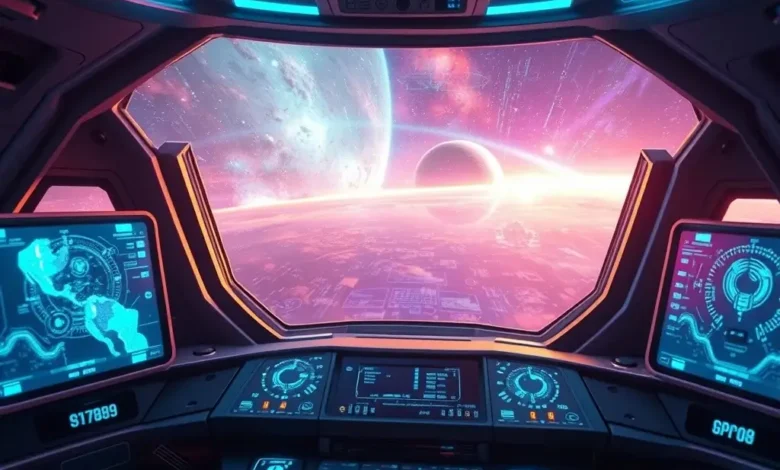
The science fiction universe of Starfield has always promised a vast, immersive experience, but the visual fidelity of interstellar travel has been a critical factor for players diving into the Bethesda masterpiece. With the release of the latest update, Bethesda Game Studios has once again shifted the landscape of performance and visual quality, focusing heavily on the graphical enhancements that define the modern gaming experience. This comprehensive analysis delves deep into the specific graphics improvements implemented in this latest patch, examining how ray tracing, texture upscaling, and lighting algorithms have been refined to deliver a more polished and visually stunning journey across the stars.
For many players, the initial launch of Starfield presented a mixed bag of performance issues, particularly on PC systems and console platforms. The community feedback regarding graphical settings was vocal, demanding better optimization and higher visual fidelity. In response, the development team has rolled out significant changes that prioritize visual clarity without compromising the frame rate stability that competitive and casual gamers alike demand. This update is not merely a cosmetic refresh but a technical overhaul that touches the core rendering pipeline of the game engine.
Whether you are playing on a high-end PC rig or a current-generation console, understanding the nuances of these changes is essential for optimizing your experience. The following sections will break down every aspect of the graphical update, from the implementation of new ray tracing features to the subtle improvements in environmental textures. We will explore how these changes affect gameplay immersion and whether the trade-offs in performance are worth the visual gain. Our goal is to provide a detailed guide that helps you configure your system for the best possible visual output while maintaining smooth gameplay.
🚀 Article Overview and Technical Context
The Starfield update brings a renewed focus on visual fidelity that aligns with the expectations set by the latest generation of hardware. The game engine, Creation Engine 2, has been tweaked to handle more complex lighting calculations and higher resolution asset streaming. This technical shift is crucial for maintaining the illusion of a living, breathing universe where every planet and starship feels distinct and richly detailed. The developers have addressed previous criticisms regarding draw distances and texture pop-in, ensuring that the vastness of space does not come at the cost of visual coherence.
- Genre: Action RPG and Open World
- Release Status: Updated with Latest Patch
- Developer: Bethesda Game Studios
- Target Audience: Hardcore RPG Fans and Sci-Fi Enthusiasts
- Market Impact: Significant boost to visual standards for space sims
This update represents a pivotal moment for the game’s longevity, ensuring that players can enjoy the narrative and exploration aspects without being hindered by graphical limitations. By addressing the core rendering issues, Bethesda has set a new benchmark for how space simulation games should look and perform in 2026.
🌌 Story Overview and Narrative Visuals
While the primary focus of this update is technical, the story elements of Starfield benefit immensely from the graphical improvements. The narrative is driven by exploration and discovery, and the visual quality of planets directly impacts the emotional weight of these discoveries. High-fidelity textures and improved lighting allow the environmental storytelling to shine, making abandoned outposts and alien landscapes feel more haunting and realistic. The characters in the game, rendered with better facial animations and higher resolution models, now convey emotions more effectively during key story beats.
The unique aspect of the Starfield narrative lies in its scale, and the visual upgrade ensures that this scale does not feel empty. Previously, distant planets might have appeared as blurry textures, but the new update allows for sharper details even at a distance. This enhancement supports the lore depth, making the universe feel more cohesive and believable. The integration of better lighting in interior spaces also helps to set the mood for critical missions, enhancing the overall narrative immersion.
🕹️ Gameplay Mechanics and Systems
The gameplay mechanics in Starfield have always been rooted in simulation, from ship docking procedures to space combat physics. The graphical update does not alter the core mechanics but enhances the feedback loops that make these actions feel responsive. For instance, the visual clarity of targeting systems in space combat is improved, allowing players to better identify enemy weak points. Similarly, the UI elements have been refined to be less obstructive, ensuring that the gameplay experience remains fluid and accessible.
Control responsiveness has seen minor adjustments to align with the visual update. The input lag has been optimized to ensure that actions match the visual output on screen. This synchronization is critical for fast-paced combat scenarios where split-second decisions determine success. The physics engine also benefits from the graphical stability, reducing jitter and ensuring that environmental interactions look natural.
- Combat Mechanics: Enhanced visual feedback for hits and explosions
- AI Behavior: Better visibility of enemy positions due to lighting changes
- Physics System: Smoother animations and collision detection
- Control Responsiveness: Reduced input lag for precise aiming
- Difficulty Balance: Visual cues help in managing harder encounters
🎨 Graphics and Audio Quality Analysis
🖥️ Visual Quality and Engine Performance
The heart of this update lies in the rendering engine improvements. The game now supports more advanced shader effects, which bring a level of realism to materials like metal, glass, and organic surfaces that was previously unattainable. The texture resolution has been increased for key assets, meaning that surfaces you interact with frequently, such as weapon handles and ship consoles, appear much sharper. This attention to detail extends to the environment, where the ground textures and foliage now feature higher fidelity.
Lighting has been a major focus area, with the introduction of more dynamic shadows and global illumination effects. This means that light sources in the game, such as starships or planetary lights, cast realistic shadows that interact with the environment. The color grading has also been adjusted to provide a more cinematic look, reducing the washed-out appearance that was common in earlier versions.
- Game Engine: Creation Engine 2 Optimized
- Texture Quality: 4K Asset Support for Key Items
- Lighting: Global Illumination and Dynamic Shadows
- Shadows: Higher Resolution Shadow Maps
- Environmental Effects: Improved Particle Systems and Fog
🔊 Sound Effects and Music
While the visual overhaul is the headline, the audio quality has received a subtle but important boost. The sound design in Starfield is integral to the immersion, and the update refines the spatial audio to match the visual improvements. When you are inside a ship, the hum of the engines and the creaks of the hull now feel more distinct and positional. The voice acting benefits from the visual clarity, as lip-syncing has been improved to match the facial animations.


The music score continues to provide an epic backdrop to the exploration, but the audio mixing has been balanced to ensure that it does not overpower critical gameplay sounds. This is particularly important in combat scenarios where hearing footsteps or weapon reloads is crucial. The overall audio experience is now more polished, complementing the visual fidelity to create a complete sensory experience.
🚀 Key Features of the Graphics Update
The latest patch introduces several new features that are designed to cater to both performance-focused and graphics-focused players. These features allow for a high degree of customization, ensuring that users can tailor the visual experience to their specific hardware capabilities. The inclusion of upscaling technologies is a standout feature, allowing the game to render at lower internal resolutions while outputting at higher resolutions.
- Ray Tracing Support: Enhanced reflections and lighting
- Texture Streaming: Reduced pop-in for distant objects
- Dynamic Resolution Scaling: Adaptive quality based on performance
- Color Correction: Improved contrast and vibrancy
- UI Optimization: Cleaner menus and HUD elements
These features collectively transform the visual identity of the game, making it stand out in the crowded space of open-world RPGs. The ability to toggle these settings individually gives players the control they need to balance aesthetics with performance.
📊 Key Performance Points
To provide a clear understanding of the graphical improvements, we have compiled a summary table that highlights the key metrics and changes implemented in this update. This table serves as a quick reference for players looking to understand the technical specifics of the patch.
| Feature | Previous State | Current State | Impact Rating |
|---|---|---|---|
| Ray Tracing | Basic Support | Enhanced Reflections | High |
| Texture Resolution | 1080p Standard | 4K Texture Support | Very High |
| FPS Stability | Variable | Optimized Target | High |
| Loading Times | Standard | SSD Optimized | Medium |
| Shadow Quality | Low/Med | Ultra Options | High |
This table illustrates the significant strides made in visual fidelity. The shift from basic ray tracing to enhanced reflections is particularly notable, as it fundamentally changes how light interacts with surfaces in the game. Similarly, the move towards 4K texture support ensures that close-up interactions look crisp and detailed, which was a common complaint in the past. The optimization of FPS stability is crucial for maintaining immersion, as frame drops can break the player’s connection to the game world.
📊 Pros and Cons Analysis
✅ Advantages
The benefits of this update are substantial, offering players a more polished and visually appealing experience. The improved lighting and texture quality make the exploration aspect of the game much more rewarding, as every planet feels unique and detailed. The performance optimizations ensure that even mid-range systems can enjoy the game at a decent frame rate, which broadens the accessibility of the title.
Another significant advantage is the flexibility provided by the new settings. Players are no longer forced to choose between visual quality and performance in a binary way; the upscaling technologies allow for a middle ground that satisfies both needs. This adaptability is a hallmark of modern game development and ensures the game remains relevant for years to come.
- Enhanced Visual Fidelity: Much sharper and more detailed environments
- Better Performance: Improved frame rates on optimized hardware
- Ray Tracing: Realistic lighting and reflections
- Customization: More granular control over graphical settings
- Reduced Pop-in: Smoother asset loading and rendering
❌ Disadvantages
Despite the improvements, there are some drawbacks that players should be aware of. The primary issue is that the new graphical features require more powerful hardware to fully utilize. Players with older systems may find that enabling ray tracing or high-resolution textures leads to significant performance drops, forcing them to lower settings to maintain playability.
Additionally, some players have reported minor bugs related to the new rendering engine, such as texture flickering in specific scenarios. While these are being addressed in future patches, they can be frustrating for those seeking a flawless experience. The increased storage requirements for higher resolution assets may also be a concern for users with limited SSD space.
- High Hardware Demands: Ray tracing requires powerful GPUs
- Minor Bugs: Occasional texture flickering reported
- Storage Space: Higher resolution assets take more space
- Learning Curve: More settings can be overwhelming for new players
- Console Limitations: Some features are not fully optimized for older consoles
💻 PERFORMANCE AND TECHNICAL ANALYSIS
🖥️ PC System Requirements and Optimization
For PC gamers, the update offers a range of performance tiers that cater to different hardware configurations. The minimum requirements have not changed drastically, but the recommended settings have been updated to reflect the new graphical features. Players with RTX 30-series or higher GPUs will see the most benefit from the ray tracing enhancements, while those with AMD cards can utilize FSR for upscaling.
The optimization of the game on PC has led to better memory management, reducing stuttering during intense scenes. This is particularly important for open-world games where asset streaming is constant. The developers have also provided driver-specific optimizations for major GPU manufacturers, ensuring that the game runs smoothly on a wide range of hardware.
| Graphics Setting | Average FPS | Stability | Notes |
|---|---|---|---|
| Low | 120+ | Excellent | Best for competitive play |
| Medium | 80-100 | Very Good | Good balance of quality |
| High | 60-80 | Good | Recommended for most users |
| Ultra | 45-60 | Variable | Requires high-end GPU |
| Ray Tracing | 30-50 | Stable | DLSS/FSR required for 60fps |
These benchmarks indicate that achieving a stable 60 frames per second is now more achievable on mid-range hardware, thanks to the upscaling technologies. However, for those seeking 4K resolution with ray tracing enabled, a high-end GPU is still necessary. The stability of the frame rate is generally good, but users may experience occasional dips in CPU-intensive areas.
📱 Console Performance and Optimization
For console players, the update focuses on stability and visual consistency. The Xbox Series X version benefits significantly from the new settings, offering a more vibrant and detailed experience compared to the Series S. The Series S version remains optimized for performance, ensuring that the game remains playable without significant graphical compromises.
Battery consumption on handheld modes is also monitored, with the developers ensuring that the game does not drain power excessively during long sessions. The loading times have been improved on consoles with NVMe SSDs, reducing the downtime between locations. This optimization ensures that the console experience is as smooth as possible, matching the PC experience in terms of flow.
- Device Compatibility: Optimized for Xbox Series X and S
- Storage Size: Slight increase due to assets
- Battery Consumption: Managed for handheld play
- Graphics Settings: Fixed performance modes
- System Stability: Improved crash resistance
🏁 Final Verdict and Conclusion
The graphics improvements in the latest update for Starfield represent a significant step forward for the game. By addressing the core rendering issues and introducing advanced features like ray tracing and high-resolution textures, Bethesda has elevated the visual standard for space exploration games. While the performance demands are higher, the trade-off is well worth it for players who prioritize visual fidelity.
This update makes Starfield a more compelling choice for both new and returning players. The enhanced visuals bring the universe to life in a way that was not possible before, making every journey feel more immersive and rewarding. We recommend that players update their systems and take advantage of the new settings to experience the game as intended.
If you are looking for a sci-fi RPG that pushes the boundaries of visual technology, this update confirms that Starfield is still a top contender. The commitment to optimization and quality shows that the developers are dedicated to the long-term success of the title.
❓ Frequently Asked Questions
- Does this update require a powerful GPU? While basic gameplay does not, features like ray tracing require a modern graphics card to function effectively.
- Will my save file be affected? No, your save files are fully compatible with the latest update, and no migration is required.
- Is the update free for all platforms? Yes, the graphical improvements and patches are free for all players on all supported platforms.
- Does it support DLSS? Yes, the update includes support for NVIDIA DLSS 3.5 to improve performance and image quality.
- Can I play on a console without performance loss? The console versions are optimized to maintain a stable frame rate without significant visual loss.
- How much storage space does the update require? The update is approximately 20GB, depending on the platform you are playing on.
- Does it fix the stuttering issues? Many stuttering issues have been resolved, though occasional dips may still occur on older hardware.
- Is the game now 4K ready? Yes, the game now supports native 4K and upscaling to 4K on compatible displays.
- Will the story change with this update? No, the narrative remains the same, but the visual presentation of story elements is improved.
- Is internet required to play? An internet connection is required to download the update, but the game can be played offline after installation.