Grand Theft Auto V (GTA 5 Lite) For low-end Android Devices Download

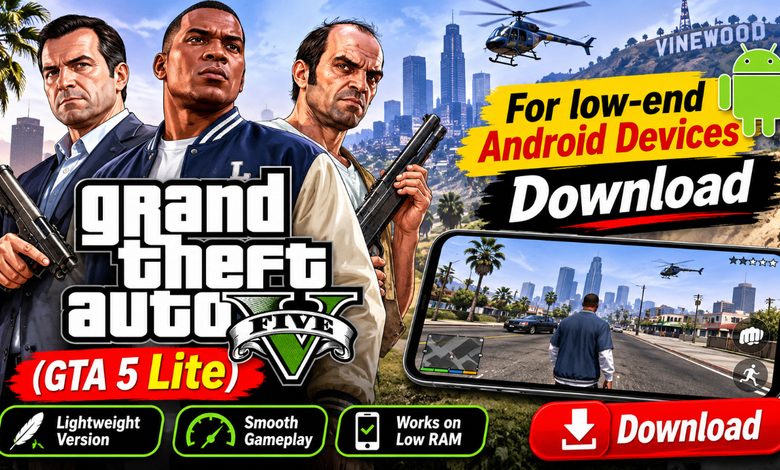
GTA 5 Lite for Low-End Android Devices Download – Full Guide & Honest Review 📱🔥
Many mobile gamers want to explore Los Santos on a budget phone without owning a console or gaming PC. That demand made Grand Theft Auto V Lite builds hugely popular across the Android community. Because Rockstar Games never released an official mobile port of the game, talented modders created lightweight fan adaptations that run smoothly on entry-level hardware. These compact packages shrink textures, trim heavy cutscenes, and optimize controls so phones with 2 GB or 3 GB of RAM can handle open-world driving and action. On Eslam Gaming, we test what actually works on real devices instead of hyping fake promises. In this complete guide, you will learn how this lightweight version plays, what features it keeps, how to install the files safely, and whether your smartphone can run it without frustrating lag. 🎮🚗
Game Overview 🌍
GTA 5 Lite for Android is a community-made, compressed open-world action game inspired by Rockstar’s iconic crime sandbox. Instead of requiring over 100 GB of storage like the PC and console editions, developers repackaged the core Los Santos experience into an Android-friendly APK and data folder ranging between 400 MB and 1.8 GB, depending on the build you choose.
The gameplay blends third-person shooting, arcade-style driving, and open-city exploration. You roam across a scaled-down map, steal sports cars, complete short action tasks, and trigger police chases just for fun. Because it runs locally on your handset, the entire experience works 100% offline after installation. You do not need Wi-Fi or mobile data to cruise down the highway or test out stunts.
This release fits budget Android users, travelers who want offline entertainment, and longtime fans curious to play GTA 5 on a pocket screen. However, anyone expecting the full 70-hour campaign or official GTA Online servers should know upfront that this is a trimmed fan adaptation rather than an official Rockstar release. 🚕💨
Key Features of GTA 5 Lite for Android 🌟
Modders built this edition specifically to rescue low-end smartphones from overheating and storage warnings. Here are the standout features that separate a good Lite build from broken clones:
- Compact File Size for Low Storage – Developers compress audio tracks, remove unused language packs, and resize heavy textures. As a result, most trusted builds fit comfortably under 1.5 GB, leaving room for your everyday apps and photos.
- Recognizable Los Santos Locations – While the full gta v map is massive, Lite editions preserve famous landmarks such as downtown skyscrapers, Vinewood hills, sandy beaches, and busy highways so exploration still feels familiar.
- Iconic Character Models – Popular builds include playable skins and models for Michael, Franklin, and fan-favorite Trevor GTA 5 fans love causing chaos with. Some versions even include a quick character-switch wheel.
- Built-In Mod Menu & Cheats – Since you cannot type console button combinations easily on touchscreens, most Android Lite builds integrate a swipe-down Cleo menu. You can spawn vehicles, turn on god mode, or activate gta 5 cheat codes with two taps.
- Customizable Graphics Sliders – You can lower draw distance, turn off real-time shadows, and adjust screen resolution directly inside the settings menu. That flexibility helps older quad-core processors maintain playable frame rates.
- Full Offline Playability – Unlike cloud gaming apps that demand fast fiber internet and paid subscriptions, this version launches straight from your internal storage without laggy server queues.
Gameplay Experience & Mechanics 🎯
Touch Controls & Responsiveness 🕹️
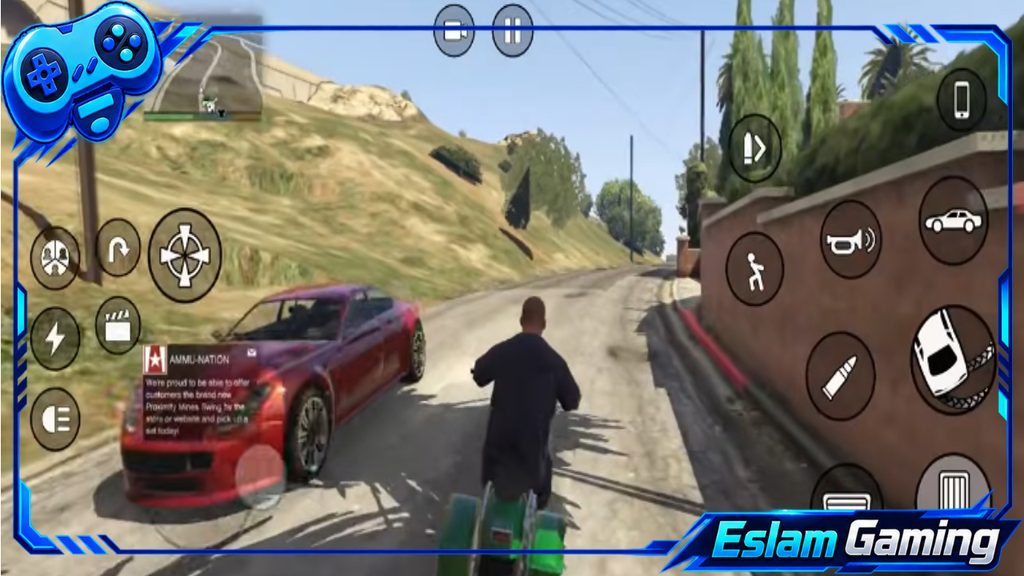
Playing an open-world shooter on a six-inch screen always takes a few minutes of adjustment. Fortunately, modern Lite builds use clean, context-sensitive buttons. Walking controls stay minimal until you enter a car, at which point steering arrows, brake, and nitro boost buttons appear automatically. Aiming relies on generous auto-lock assistance so you can win gunfights without struggling against tiny touch joysticks. If you own a Bluetooth gamepad, most APK versions recognize standard controller layouts right away.
Difficulty & Police AI 🚨
Combat and police chases lean toward fun rather than punishing realism. Early wanted levels send regular patrol cars after you, while higher star levels spawn tactical units and roadblocks. Enemy accuracy stays forgiving on mobile, which prevents cheap deaths caused by touchscreen awkwardness. Still, standing in the open during a four-star shootout drains your health bar fast, so using cover behind vehicles remains essential.
Graphics Style & Visual Trade-Offs 🎨
Let us set realistic expectations here. Comparing a 1 GB mobile port to the PC gta v enhanced vs legacy debate would make no sense—Enhanced Edition brings ray tracing to high-end desktops, whereas Android Lite targets budget chips. To hit smooth performance, this version uses simplified lighting, shorter traffic draw distances, and lower-resolution road textures. Even with those cuts, sunsets over the coast, glowing neon signs at night, and glossy sports car reflections look surprisingly good on AMOLED and IPS phone screens.
Sound Design & Atmosphere 🔊
To save hundreds of megabytes, modders usually trim radio stations down to a few energetic tracks or remove talk-radio dialogue completely. However, engine roars, tire screeches, sirens, and weapon gunfire remain intact. Plugging in wired earphones adds strong spatial awareness so you can hear police sirens approaching from behind intersections.
Game Modes & Content 🏆
Because different community teams maintain Android Lite versions, available content varies slightly by release. Still, legitimate builds share three core activities:
1. Free Roam Sandbox 🌆
Free Roam serves as the heart of the mobile experience. You spawn directly into the city with full access to cars, bikes, helicopters, and weapons. Players spend most of their time testing top speeds along coastal freeways, climbing Mount Chiliad trails, or surviving five-star police chases across downtown alleys.
2. Story-Inspired Missions & Heist Tasks 💼
Do not expect every cutscene from the console campaign. Instead, top-rated builds include a curated set of missions in grand theft auto v style—such as armored truck interceptions, street races, gang shootouts, and getaway chases. These scripted objectives give structure to your session and reward in-game cash for buying properties or upgrading your arsenal.


3. Modded Sandbox & Stunt Challenges 🏍️
Thanks to active gta v mods support on Android, many Lite packages include mega-ramps floating above the city, drift zones, and custom supercars. You will not find official cross-platform multiplayer servers or competitive online tournaments here, because keeping the game offline prevents server crashes and keeps hardware requirements low.
System Requirements for Android 📱
Even a compressed open-world title pushes budget mobile hardware harder than puzzle games. Check the table below to see where your smartphone stands before downloading large archives.
| Component | Minimum (Low-End Devices) | Recommended (Mid & High-End) |
|---|---|---|
| Operating System | Android 8.0 (Oreo) or higher | Android 11.0 to Android 15 |
| Processor (CPU) | Quad-Core 1.8 GHz (Snapdragon 450 / Helio A22) | Octa-Core 2.2 GHz+ (Snapdragon 680 / Dimensity series) |
| RAM | 2 GB RAM (close all background apps) | 4 GB – 8 GB RAM for steady 45–60 FPS |
| Graphics (GPU) | Adreno 506 / Mali-G52 or equivalent | Adreno 610+ / Mali-G76 or better |
| Free Storage | 2.5 GB free (needed for ZIP extraction) | 4 GB+ free for mods and save files |
| Internet Connection | Required only to download files | 100% Offline after installation |
How to Download and Install GTA 5 Lite on Android ⬇️
Installing a compressed APK + OBB/Data bundle takes a couple of extra steps compared to Google Play apps. Follow this beginner-friendly guide carefully so your files land in the exact right folders.
- Check Your GPU Type First: Download a free app like CPU-Z from the Google Play Store and check your GPU renderer (usually Adreno, Mali, or PowerVR). Matching your GPU version prevents missing-texture bugs.
-
Install ZArchiver: Grab ZArchiver from the Play Store. You need a reliable file manager to unpack compressed
.zipor.7zgame archives smoothly. - Download the Verified Lite Files: Download both the GTA 5 Lite APK and its matching Data/OBB archive from a trusted gaming source like Eslam Gaming. Avoid shady websites claiming “GTA 5 Full PC Version in 10 MB”—those are always fake clickbait.
- Allow Unknown App Installs: Open your phone’s Settings > Security > Install Unknown Apps and grant permission to your browser or ZArchiver.
-
Install the APK (Do Not Open Yet): Tap the downloaded
.apkfile inside ZArchiver and choose Install. Once it finishes, tap Done instead of Open. -
Extract the Data / OBB Folder: Locate your downloaded archive in the
Downloadsfolder, tap it, and select Extract. Move the extracted folder (for example,com.rockstargames.gtavor the build’s package folder) intoInternal Storage/Android/obb/orInternal Storage/Android/data/as instructed by the build notes. - Launch Offline and Configure Graphics: Disconnect Wi-Fi if desired, launch the game icon from your app drawer, and drop shadows and draw distance to Low on 2 GB RAM devices before starting free roam.
Android/data folder. ZArchiver handles this automatically once you grant it storage access when prompted. Also, scan every third-party APK through Play Protect or VirusTotal before installing, and remember that this fan-made Lite version is an unofficial community project—always support Rockstar’s official releases on PC and consoles when possible.Common Problems & Fixes 🛠️
Running unofficial ports across thousands of different Android chipsets occasionally causes hiccups. Here is how to solve the four most frequent errors readers report:
-
Black Screen on Launch: Almost always means the OBB/Data folder sits inside a double folder (like
Android/obb/gtav/gtav/) or sits in the wrong directory. Open ZArchiver, verify the exact folder structure, and check that the file extension was not renamed during extraction. - Heavy Lag & Frame Drops: Open the in-game Display settings and set Resolution to 40–60%, disable Shadows, and lower Traffic Density. Closing social media apps and turning off battery-saver throttling also boosts FPS right away.
- “App Not Installed” or Parsing Error: This happens when your APK file downloads incompletely, your phone lacks free space, or you downloaded a 64-bit-only build on an older 32-bit Android phone. Re-download the APK cleanly and verify compatibility with your OS version.
- White Roads or Random Crashes: White or flickering ground textures mean you installed a Mali data pack on an Adreno phone (or vice versa). Check your GPU in CPU-Z and grab the matching GPU data archive. If crashes happen during heavy explosions, turn off high-particle mods inside the Cleo menu.
Tips & Tricks for Better Gameplay 💡
Once your game runs smoothly, use these practical tricks to get the most out of your mobile Los Santos sessions:
- Lock Frame Pacing Before Driving Fast: High-speed crashes happen when frames stutter around busy intersections. Lowering car reflection quality gives you steady frame timing so you can weave through traffic cleanly in the fastest car in gta 5 Lite packs.
- Save Often Before Using Mod Menus: Spawning ten helicopters at once or activating extreme physics cheats can crash low-RAM devices. Use a quick save slot before activating wild gta v cheats so you never lose mission progress.
- Switch Characters Strategically: When builds include multiple characters in grand theft auto v style—like Michael, Franklin, and Trevor—use Franklin’s driving focus for tight street races and Trevor’s aggressive combat stats during tough gang raids.
- Use Tap-Steering Over Tilt Controls: Accelerometer tilt steering drains battery faster and messes up sharp drifts. Classic left/right touch buttons give much tighter precision during police getaways.
- Avoid Thermal Throttling: Budget phones heat up after 25 minutes of open-world rendering. Remove thick rubber phone cases while gaming and avoid playing while plugged into a fast charger.
Is GTA 5 Lite Worth Downloading? (Honest Verdict) 🎯
After testing compressed builds on both a 3 GB budget handset and a mid-range Snapdragon device, our honest verdict at Eslam Gaming is simple: GTA 5 Lite delivers great offline fun as long as you know what you are downloading.
Pros 👍
- Runs surprisingly well on 2 GB and 3 GB RAM phones.
- Works completely offline with zero subscription fees.
- Built-in cheat menus and custom supercars keep free roam entertaining.
- Takes up less than 2 GB of storage space.
Cons 👎
- Not an official Rockstar Games port; lacks the complete PC story campaign.
- Graphics and pedestrian density are heavily reduced compared to consoles.
- Requires manual OBB/Data extraction, which takes a few minutes for beginners.
Who should download it: Budget Android gamers who want an offline open-world sandbox for driving, stunts, and quick action missions on the go.
Who should skip it: Players expecting the full 100 GB PC campaign, official multiplayer lobbies, or ultra-realistic next-gen graphics. If you already own a decent PC or console, stick to the official version—or use a cloud streaming service like Xbox Cloud Gaming or GeForce Now on mobile instead.
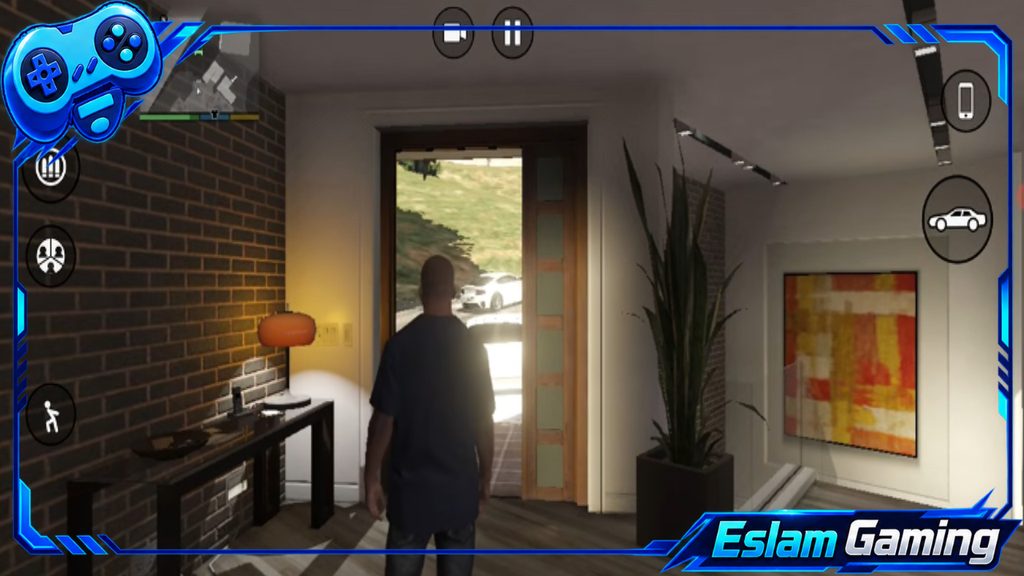
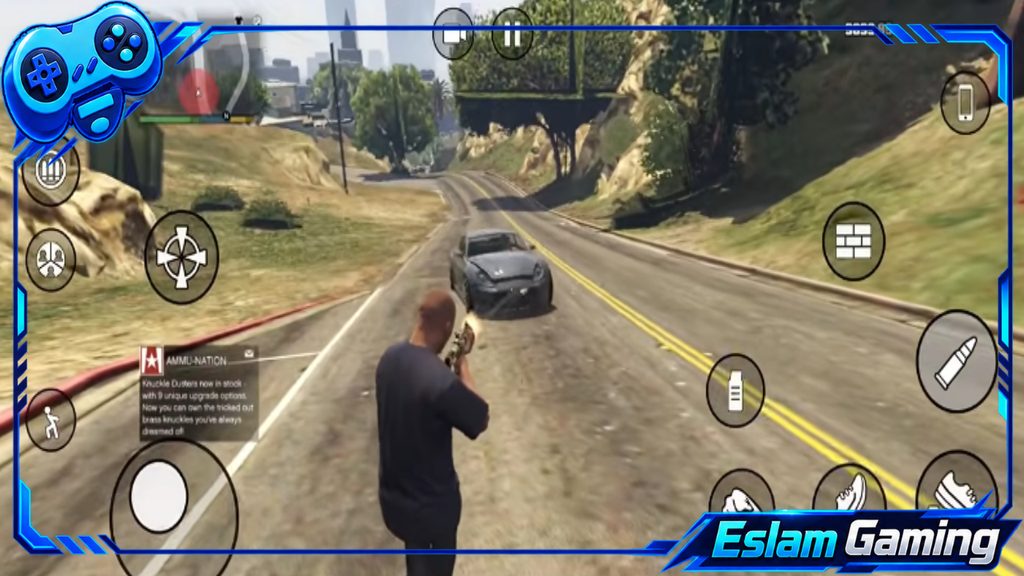
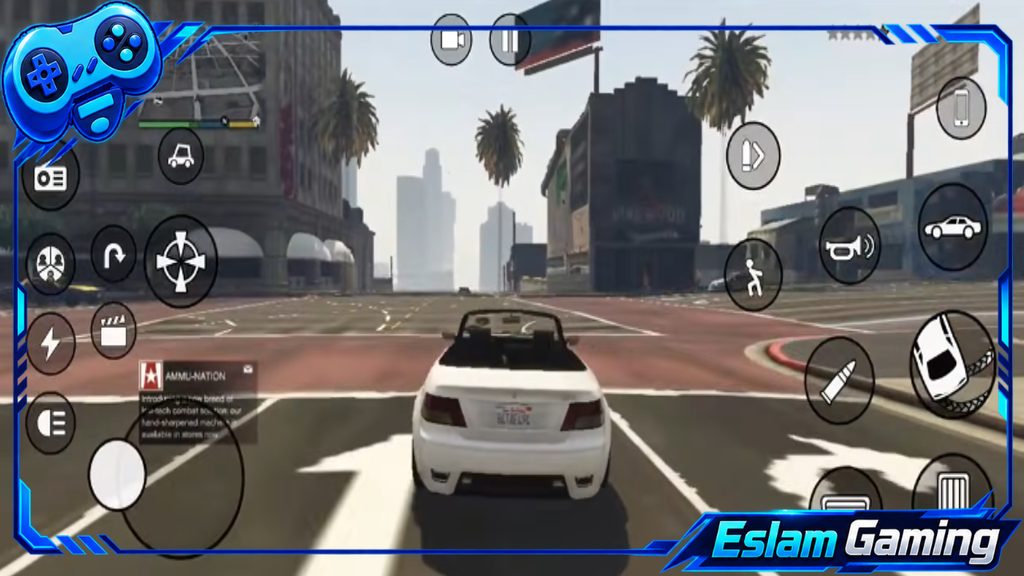
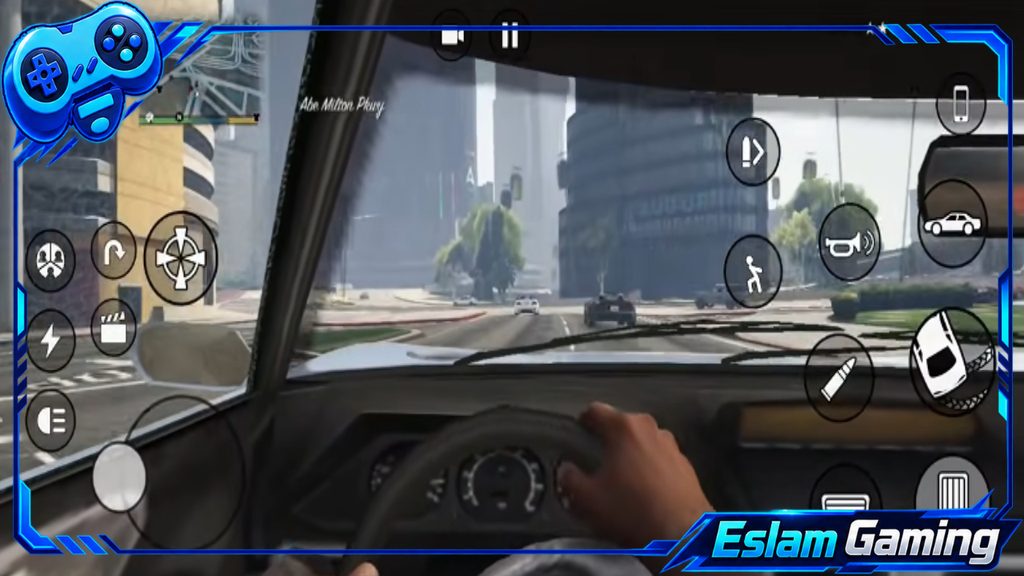
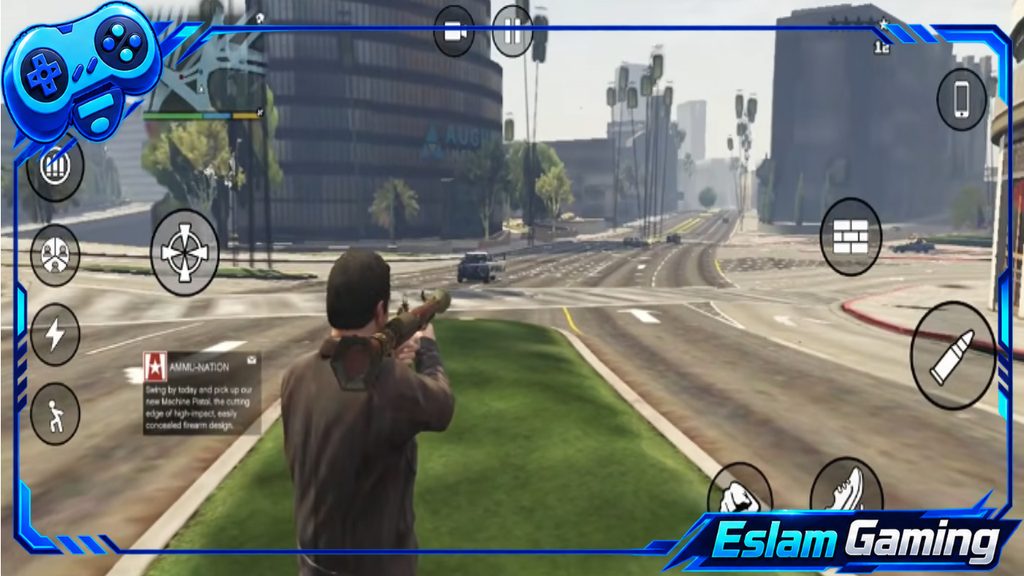
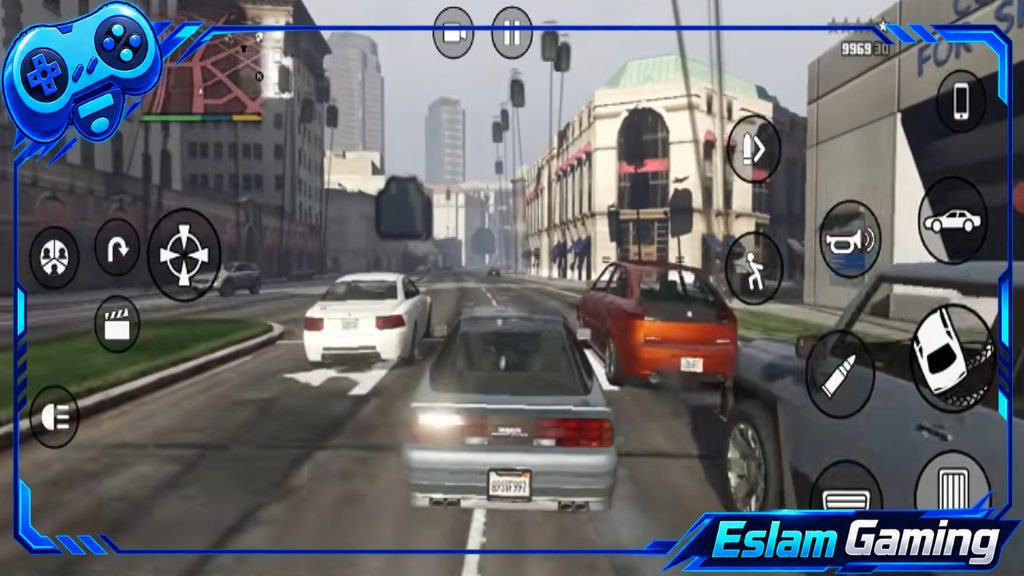
Images from inside the game
Frequently Asked Questions (FAQ) ❓
1. When did Grand Theft Auto V come out, and is there an official Android version?
Rockstar Games originally launched the title on September 17, 2013, for PS3 and Xbox 360, before bringing it to PS4, Xbox One, PC, PS5, and Xbox Series X/S. Despite endless rumors around the original gta 5 release date and later mobile ports, Rockstar has never released an official Android or iOS version. Android Lite builds are fan-made adaptations.
2. Does GTA 5 Lite work offline, and is GTA 5 crossplay supported?
Yes, the Android Lite version works 100% offline for single-player driving and missions. As for the official question “is gta 5 crossplay?”, even the official Rockstar versions do not support cross-platform multiplayer between PC, PlayStation, and Xbox—and fan-made Android Lite ports do not include online multiplayer at all.
3. Can I use GTA V cheat codes on the Android Lite version?
Yes! Since phones lack physical controllers by default, you cannot type standard gta v cheat codes xbox one or gta v cheats ps4 button sequences directly. Instead, swipe down from the top of your screen (or tap the Cleo icon) to open a built-in menu with god mode, infinite money, vehicle spawners, and wanted-level toggles.
4. How much storage space do I really need on my phone?
Most Lite packages weigh between 450 MB and 1.5 GB compressed. However, you should keep at least 2.5 GB of free internal space available during setup so ZArchiver can unpack the files without throwing a “storage full” error.
5. Can I play as Trevor, Michael, and Franklin?
Most popular Lite builds include custom player models for all three leads, including Trevor GTA V fans love playing. Depending on the mod package, you can swap outfits or switch characters anytime through the quick-action menu.
6. Is it safe to download GTA 5 Lite APK on Android?
It is safe as long as you download verified files from reputable gaming sites, match the archive to your device’s GPU, and avoid fake “50 MB full game” traps that bundle adware. Always scan unfamiliar APKs before tapping install.
Got a question about your phone model or stuck during extraction? Drop a comment below on Eslam Gaming, and we will help you get Los Santos running smoothly! 🎮🔥