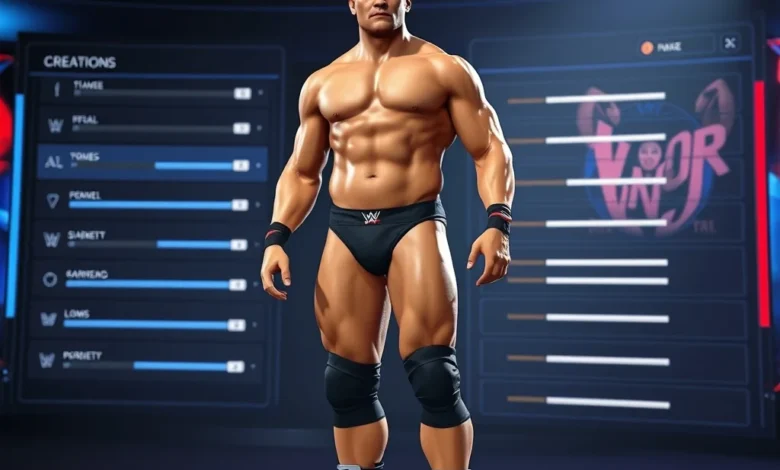
Welcome to the ultimate guide on mastering the Create-a-Superstar mode in WWE 2K26. This wrestling simulation game continues to set the standard for the genre, offering unparalleled depth in character creation. Whether you are a veteran player looking to refine your in-ring persona or a newcomer eager to step into the squared circle, understanding the creation tools is essential. The Create-a-Superstar feature allows fans to design their dream wrestler from the ground up, customizing everything from facial features to finishing moves.
In this comprehensive breakdown, we will explore every aspect of character construction. We will delve into the physical sculpting tools, attribute allocation, and move set customization. The goal is to help you build a unique competitor that matches your playstyle. With the release of WWE 2K26, the creation suite has received significant updates to offer more realism and flexibility. Players can now access deeper control over muscle definition and facial topology than ever before.
Why Character Creation Matters
Creating a custom wrestler is not just about aesthetics. It is about building a brand that resonates with the audience. In MyCareer mode, your creation can evolve into a main event star. In Exhibition or Online modes, having a well-balanced wrestler ensures competitive viability. The system rewards players who understand how attributes interact with move sets. A high speed stat might pair well with a fast-paced striker, while high strength supports a powerhouse brawler. Understanding these nuances is key to dominating the championship scene.
Furthermore, the community aspect of WWE 2K26 relies heavily on shared creations. You can upload your wrestler to the WWE 2K Creations Center for others to download. This means your design must be technically sound to avoid glitches or clipping issues. We will cover how to ensure your character looks professional and functions smoothly in matches. Let us begin the journey of bringing your wrestling legend to life.
🎮 Accessing the Creation Suite
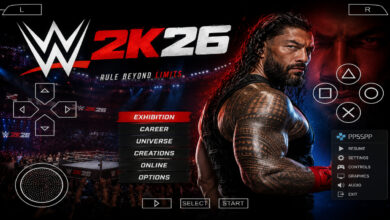
The first step in creating your wrestler is navigating to the correct menu. From the main hub of WWE 2K26, locate the Wrestle tab. Within this section, you will find the Create-a-Superstar option. This is your gateway to all customization tools. The interface has been streamlined in 2026 to reduce menu fatigue, allowing you to reach the sculpting screen faster.
Once inside, you have two primary pathways. You can start with a blank slate, allowing you to design the wrestler from scratch. Alternatively, you can use a pre-existing template as a base. While templates save time, starting from scratch gives you total control over every detail. For the purpose of this guide, we recommend starting from a blank slate to understand each slider and option.
Menu Navigation Steps
- Select Main Menu: Launch the game and wait for the main dashboard.
- Choose Wrestle Tab: Navigate to the wrestling simulation section.
- Open Create-a-Superstar: Select the creation mode option.
- Select Create New: Choose the option to build from scratch.
🏋️ Physical Sculpting and Body Type
Physical appearance is the foundation of your wrestler. WWE 2K26 features a robust suite of tools for adjusting body proportions. You will start with the body type slider. This determines the overall frame, ranging from lightweight cruiserweights to heavy giants. Choosing the correct body type is crucial because it influences your attribute caps.
📏 Height and Weight Adjustments
Height and weight are linked but can be adjusted independently to some degree. A taller wrestler typically has a longer reach, which is advantageous in grappling exchanges. However, increasing height might reduce speed attributes if not balanced correctly. Weight affects your momentum and impact during tackles. Heavier wrestlers can deliver more forceful slams but may tire faster during long matches.
Body Type Recommendations
- Lightweight: Best for high-speed strikers and agility-based fighters.
- Medium: Ideal for well-rounded competitors who can do everything.
- Heavyweight: Perfect for powerhouses who rely on strength and grappling.
🧬 Muscle Definition and Skin Details
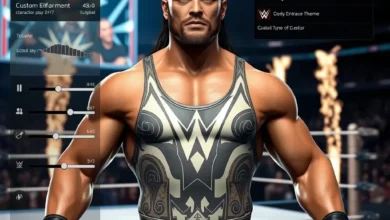
The 2026 update introduced finer control over muscle definition. You can now adjust the density of muscle groups independently, such as biceps, calves, and chest. This allows for a more realistic physique that matches the lore of your character. Additionally, skin texture options have been enhanced. You can select from various skin types that react differently to lighting and sweat effects.


Skin tone is another critical element. The game offers a wide spectrum of shades to ensure inclusivity. You can also adjust the sweat level to make your wrestler look glistening during intense sequences. This adds a layer of immersion that distinguishes professional wrestling from standard sports simulations.
👤 Face Sculpting and Identity
Your wrestler needs a face that tells a story. The face sculpting tool in WWE 2K26 is incredibly detailed. You can manipulate over 100 different facial points to achieve the desired look. This includes jawline width, nose shape, and eye spacing. The goal is to create a face that is recognizable and memorable.
🗣️ Facial Expression Controls
Beyond static features, you can adjust facial expressions. This includes how the character looks during celebrations or pain. A villainous character might have a smirk, while a hero might look determined. These subtle cues help sell the character gimmick to the audience. The system also allows you to adjust the mouth shape for different animations.
Facial Feature Checklist
- Eyes: Adjust shape, size, and color.
- Nose: Modify width and bridge height.
- Jaw: Define the angle and length.
- Chin: Shape the prominence.
💇 Hairstyles and Accessories
Hair is often the most iconic part of a wrestler. WWE 2K26 offers dozens of hairstyles ranging from long flowing locks to short buzz cuts. You can customize the color and style for each section. Some wrestlers have unique hair designs that defy gravity, which you can replicate using the hair rigging tools.
Accessories like glasses, masks, and headgear are also available. These items can be toggled on or off depending on the match type. For example, a masked wrestler might remove the mask during a grudge match for dramatic effect. Ensure your accessories do not clip through your face model during close-up shots.
🥊 Move Sets and Combat Styles
Once the look is complete, you must define how the wrestler fights. The move set editor is where you assign strikes, grapples, and finishers. This section determines the wrestler’s identity in the ring. A good move set should reflect the character’s personality and physical stats.
⚔️ Basic Strikes and Grapples
Basic strikes include punches, kicks, and elbows. These are the building blocks of any match. You should choose strikes that match your attribute profile. If you have high speed, opt for quick jabs and flying knees. If you have high strength, choose heavy clotheslines and power slams.
Grapples are equally important. They allow you to control the opponent and transition into submission holds. The system categorizes grapples by difficulty and risk. High-risk moves deal more damage but leave you open to counterattacks. Balance your risk tolerance based on your stamina stats.
🔥 Signature and Finisher Moves
Signature moves are the unique attacks that define your wrestler. These should be visually distinct and impactful. Finishers are the match-ending moves. You must choose finishers that align with your character’s theme. A high-flying wrestler needs a diving attack, while a brawler needs a crushing slam.
You can also customize the animation for some finishers. This includes the setup and the follow-up celebration. Make sure the celebration is not too repetitive. Fans love unique taunts that become associated with your character. Experiment with different animations until you find the perfect fit.
📊 Attribute Allocation and Stats
Attributes determine how your wrestler performs mechanically. There are five core stats in WWE 2K26: Strength, Speed, Stamina, Brawling, and Technical. Each stat contributes to a specific aspect of gameplay. You have a fixed pool of points to distribute, so you must prioritize wisely.
🏆 Core Attributes Explained
Strength: Increases damage output and grapple effectiveness. Essential for powerhouses.
Speed: Improves dodge rate and striking velocity. Critical for agile fighters.
Stamina: Delays fatigue and maintains move quality. Vital for long matches.
Brawling: Enhances striking combos and crowd control. Useful for street fighters.
Technical: Boosts submission holds and reversals. Necessary for grapplers.
Stat Distribution Strategy
| Attribute | Primary Use | Recommended Level |
|---|---|---|
| Strength | Grapples and Slams | High |
| Speed | Dodges and Strikes | Medium |
| Stamina | Endurance | High |
| Brawling | Combo Damage | Medium |
| Technical | Submissions | Low |
After the table, note that the specific distribution depends on your playstyle. If you prefer a submission specialist, prioritize Technical and Stamina. If you are a striker, focus on Speed and Brawling. Do not spread points too thin. A balanced wrestler is often outclassed by a specialist in specific areas.
🧠 AI Personality and Behavior
The AI Personality setting controls how your wrestler behaves during computer-controlled matches. This is crucial for Exhibition mode and MyCareer career matches. You can adjust aggression, momentum, and risk levels. A high-aggression AI will attack constantly, while a low-aggression AI will wait for openings.
🤖 Aggression and Momentum
Aggression determines how often your wrestler initiates offense. High aggression is risky but effective against passive opponents. Momentum affects how the wrestler fights when they are winning or losing. Wrestlers with high momentum recovery will come back stronger after a setback.
AI Settings Guide
- Aggressive: Best for finishing matches quickly.
- Balanced: Good for general gameplay and learning mechanics.
- Defensive: Ideal for grinding out points in defense.
🌐 Online and Community Features
WWE 2K26 emphasizes online play and community interaction. Once you finish your wrestler, you can upload it to the WWE 2K Creations Center. This allows other players to download and use your creation in their own games. Sharing your wrestler increases your visibility and reputation.
📤 Uploading and Sharing
To upload, navigate to the Manage Creations menu. You will need to add a title, description, and tags. Tags help other players find your wrestler when searching. Use relevant keywords like Powerhouse, High Flyer, or Villain to improve searchability.
Ensure your creation is optimized for different platforms. Some features may not render correctly on older consoles. Test your wrestler on different devices before uploading to avoid negative feedback. A well-received creation can earn you badges and reputation points within the community.
🛠️ Troubleshooting and Optimization
Sometimes, creation tools can result in visual glitches or performance issues. Clipping, where clothing passes through skin, is a common problem. To fix this, adjust the size of the clothing slightly or move the underlying body parts. If animations look unnatural, check the skeleton rigging settings.
🚀 Performance Tips
1. Reduce Detail: Lower texture quality if the game lags during creation.
2. Save Often: Create multiple save slots to prevent data loss.
3. Test in Ring: Put your wrestler in a match to check for clipping.
4. Update Game: Ensure you have the latest patch for stability fixes.
🎯 Final Verdict and Conclusion
Creating a wrestler in WWE 2K26 is an art form that requires patience and creativity. The tools provided are extensive, allowing for nearly infinite combinations. Whether you want to recreate a legend or invent a new challenger, this mode offers the freedom to do so. By following the steps outlined in this guide, you can ensure your character is balanced and visually stunning.
We encourage you to experiment with different builds. Do not be afraid to try attributes that you have never used before. The learning process is part of the fun. As you master the mechanics, you will be able to create competitors that challenge the best in the business. Join the community, share your work, and help shape the future of WWE 2K26.
❓ Frequently Asked Questions
- Does WWE 2K26 support controller customization? Yes, the game allows you to map controller inputs to specific actions within the creation suite.
- Can I edit my wrestler after saving? Yes, you can return to the creation menu to modify stats and appearance at any time.
- Is internet required to create a wrestler? No, the core creation tools work offline, but online features require a connection.
- Can I use real-life wrestler names? The game has licensing restrictions. Use generic names to avoid copyright issues.
- Does the game support voice recording for entrances? Yes, you can record custom entrance themes if the hardware supports it.
- Are there limits on the number of wrestlers? Yes, there is a storage limit based on your platform’s capacity.
- Can I import my wrestler to MyCareer? Yes, created wrestlers can be used in the MyCareer mode story.
- What happens if my creation glitches? You can reset the specific attribute or re-sculpt the body to fix visual errors.
- Is there a limit on hair color options? No, the game offers a full spectrum of color customization for hair and skin.
- Can I participate in tournaments with my creation? Yes, your custom wrestler is eligible for all tournament modes.
By utilizing these resources, you will be well-equipped to create the next superstar. Enjoy the process of bringing your vision to life in the ring.