
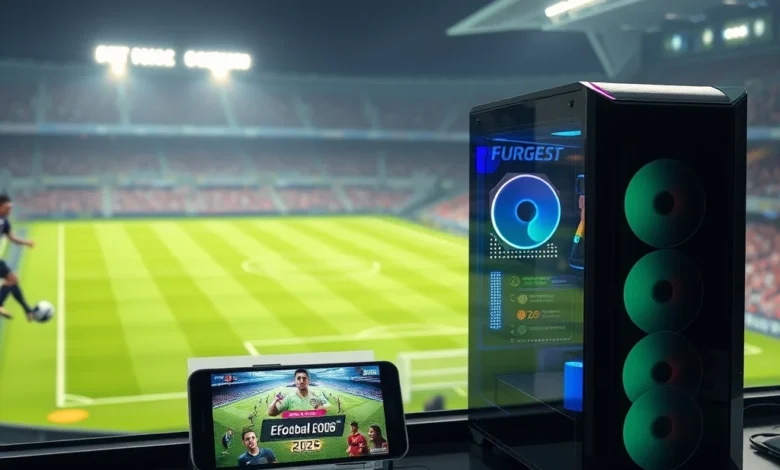
Welcome to the definitive resource for mastering the virtual pitch in eFootball 2026. Whether you are a seasoned football enthusiast or a complete novice stepping into the world of digital sports simulation, this guide is designed to bridge the gap between casual observation and competitive mastery. The landscape of football gaming has evolved significantly over the past few years, and Konami has pushed the boundaries again with the latest iteration. Understanding the nuances of this title requires more than just tapping buttons; it demands tactical awareness, precise timing, and a deep understanding of player attributes.
In this comprehensive breakdown, we will explore everything from the initial setup on your preferred device to advanced gameplay mechanics that separate the amateurs from the elites. We will cover the differences between playing on a high-end PC rig versus a mobile device, ensuring that regardless of your hardware, you can optimize your experience for maximum performance. The year 2026 marks a pivotal moment in football gaming history, with updated physics engines and enhanced networking protocols that demand a fresh approach to strategy.
We have structured this article to serve as both a manual for installation and a playbook for improvement. You will find detailed explanations of controls, team management strategies, and visual optimization tips. By the end of this reading session, you will possess the foundational knowledge required to dominate online matches and build a dream squad that reflects your personal style. Let us kick off the season with precision and purpose.
🚀 Getting Started with Installation and Setup
The journey begins before the first whistle blows. Proper installation and configuration are the bedrock of a smooth gaming experience. For PC users, the process typically involves downloading the client through the official launcher or store platform. You must create a Konami ID to link your progress across devices and enable cloud saving. This step is non-negotiable for maintaining your team data and unlocking exclusive rewards tied to your account identity. Without this link, you risk losing hard-earned players and coins if your local cache gets corrupted.
For Android users, the path is slightly different but equally straightforward. You will need to download the application directly from the Google Play Store or the official website. Ensure that your device meets the minimum operating system requirements to avoid crashes during heavy gameplay sessions. Storage space is another critical factor; eFootball 2026 is a large application that updates frequently. It is advisable to clear unnecessary files on your phone before installation to guarantee sufficient room for the base game and subsequent patch downloads.
Once installed, the initial setup screen will ask you to configure audio and video preferences. Do not skip this step. Setting the correct resolution and frame rate cap immediately prevents stuttering later on. On PC, selecting the appropriate monitor refresh rate is crucial for competitive play. On Android, balancing battery life against visual fidelity is essential for extended sessions. Taking five minutes to tune these settings now will save you frustration during ranked matches.
🎮 Understanding the Gameplay Mechanics
The core appeal of eFootball 2026 lies in its realistic simulation of football dynamics. Unlike arcade-style titles that rely on unrealistic physics, this game emphasizes positioning, timing, and player momentum. The control scheme is highly customizable, allowing you to tailor the interface to your comfort level. Whether you prefer manual passing or assisted shooting, the game provides sliders to adjust the degree of help the system offers you.
⚔️ Control Schemes Explained
There are three primary control layouts available in the settings menu. The Classic layout mimics traditional console controllers, using specific buttons for passing and shooting. The Simplified layout focuses on accessibility, making it easier for newcomers to execute basic moves. The Custom layout allows you to map actions exactly how you want them. Most competitive players recommend the Classic scheme for its granularity, even though it has a steeper learning curve.
- ✅ Classic Layout: Best for precision and competitive play.
- ✅ Simplified Layout: Ideal for casual mobile users.
- ✅ Custom Layout: Allows full personalization of button functions.
On PC, you can utilize a standard keyboard and mouse combination, but a controller is strongly recommended for consistency. Mouse aiming can sometimes feel disconnected from player movement, whereas analog sticks provide fluid directional inputs. Android users rely on touch gestures. Swiping up performs a lobbed pass, while holding the shoot button charges power. Learning these gestures takes practice, but muscle memory develops quickly after repeated exposure.
🏃 Player Movement and Physics
Physics in eFootball 2026 have been refined to react to body shape and stamina. A player fatigued will move slower and struggle to turn sharply. This adds a layer of realism often missing in previous iterations. Managing player stamina is a strategic element. Pushing your forwards too hard in the early minutes can lead to a collapse in the second half. The game engine calculates fatigue based on distance covered and intensity of sprints.
You must learn when to hold the sprint button and when to conserve energy. Sprinting consumes significant stamina, and once depleted, your player becomes vulnerable to tackles. Smart runners anticipate the ball rather than chasing it blindly. This tactical nuance separates good teams from great ones. Observing the stamina bar above each player head gives you immediate feedback on their physical condition.
🌍 Tactical Systems and Formations
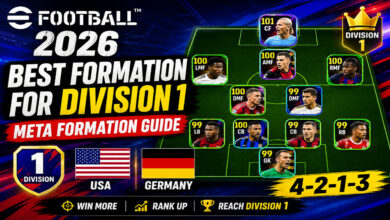
Tactics form the backbone of your success in eFootball 2026. Choosing the right formation is not just about aesthetics; it dictates how your team interacts with the opponent. The meta shifts with every update, but certain structures remain staples due to their balance between defense and attack. A balanced midfield is crucial for controlling possession, while a defensive backline ensures you do not concede easy goals.


📋 Recommended Formations for Beginners
The 4-3-3 formation is widely regarded as the most versatile option for new players. It offers width on the flanks and a solid central presence. Alternatively, the 4-2-3-1 provides extra security in the center of the park. This setup allows you to defend compactly before launching counter-attacks. Avoid overly aggressive formations like the 4-1-4-1 unless you are confident in your pressing skills.
- 4-3-3: Excellent for width and attacking pressure.
- 4-2-3-1: Strong defensive cover and counter-attack potential.
- 4-4-2: Traditional and reliable for midfield battles.
When setting your tactics, pay attention to the defensive line depth. Dropping your defenders deep invites pressure and forces the opponent to work harder. Holding a high line compresses the space but risks being caught out by pacey strikers. Experiment with the press intensity as well. High pressing drains stamina but can win the ball back quickly near the opponent’s goal. Low pressing conserves energy but cedes territory.
🎨 Graphics and Performance Optimization
Visual fidelity plays a major role in immersion. eFootball 2026 utilizes a powerful engine to render stadiums, kits, and player faces with stunning accuracy. However, achieving high graphics comes at the cost of performance. Balancing visuals with frame rate is essential for responsive gameplay. Laggy frames can ruin a perfectly timed tackle or shot.
🖥️ PC Visual Settings Analysis
On PC, you have granular control over texture quality, shadow resolution, and anti-aliasing. If you have a dedicated graphics card, you can push these settings to Ultra. If you are on integrated graphics, stick to Medium or Low to maintain a stable 60 frames per second. Frame rate consistency is more important than raw image quality for competitive integrity. Stuttering makes reaction times unpredictable.
- ✅ Texture Quality: Set to High for better kit details.
- ✅ Shadow Resolution: Lower this to improve FPS.
- ✅ Anti-Aliasing: Essential for smoothing edges.
📱 Android Device Compatibility
Mobile performance varies wildly depending on the chipset. Snapdragon processors generally handle the load better than some alternatives. You must manage thermal throttling during long sessions. Close background applications to free up RAM. The game includes a preset optimization menu that automatically adjusts settings based on detected hardware capabilities. Trust this feature if you are unsure about manual tweaking.
Battery consumption is another concern. Playing at maximum brightness and frame rate will drain your battery rapidly. Consider lowering brightness and locking the frame rate to 30 or 60 depending on your device. Heat generation can cause the phone to throttle performance mid-match. Using a cooling fan accessory can significantly extend your gaming duration on Android.
👥 Team Building and Squad Management
A strong team is built through smart recruitment and chemistry management. In eFootball 2026, simply having high-rated players is not enough. They must fit together tactically. Players with similar attributes complement each other better. For example, pairing a fast winger with a creative playmaker maximizes the threat on the wings.
⭐ Dream Team Mode Overview
Dream Team mode is the primary progression system. You collect players through packs or events. These players gain experience and grow stronger over time. Focus on acquiring one star striker who can finish chances reliably. Defenders should be prioritized for tackling strength rather than speed alone. Goalkeepers require reflex ratings and positioning stats to be effective.
| Position | Key Attribute | Recommended Rating |
|---|---|---|
| Striker | Finishing | 85+ |
| Midfielder | Passing Vision | 80+ |
| Defender | Tackling | 80+ |
| Goalkeeper | Reflexes | 78+ |
After analyzing the table above, note that building a balanced squad is more sustainable than relying on one superstar. A team of average players working well together often defeats a collection of stars lacking coordination. Train your players to specialize in roles that suit your tactical plan. This ensures they perform consistently under pressure.
🏆 Competitive Modes and Multiplayer
Mastery is tested in multiplayer environments. Online matches introduce human unpredictability that AI cannot replicate. Ranking systems track your wins and losses, pushing you toward higher tiers. Each rank unlocks specific rewards and challenges. Consistency is key to climbing the ladder.
🔥 Match Types Available
Quick Matches allow you to play casually without affecting your ranking. Ranked Matches contribute points to your league standing. Seasonal Events offer limited-time objectives and unique player cards. Participating in these events is the fastest way to upgrade your roster. Time your participation to coincide with bonus reward periods for maximum efficiency.
Networking issues can impact online play. Ping spikes cause rubber-banding effects where players snap back to previous positions. To mitigate this, use a wired connection on PC whenever possible. On Android, switch to 5G Wi-Fi if available. Avoid playing during peak hours if your internet service provider is congested. Stability matters more than raw speed in competitive modes.
✅ Advantages of Playing eFootball 2026
There are several compelling reasons to invest your time in this title. The graphics engine delivers a broadcast-like experience that rivals television coverage. The gameplay loop is addictive yet fair, rewarding skill over luck. Regular updates keep the meta fresh and engaging. The community is active, providing endless opportunities for learning and competition.
- ✅ Realistic Physics: Ball movement feels authentic.
- ✅ Cross-Platform Play: Connect with friends on any device.
- ✅ Frequent Updates: New content arrives monthly.
- ✅ Free-to-Play Model: No upfront cost to access full features.
❌ Disadvantages to Consider
No game is perfect, and eFootball 2026 has areas for improvement. The matchmaking system can sometimes pair you with opponents far above your skill level. Microtransactions exist for cosmetic items and faster progression. Some players report occasional bugs with animation clipping during intense duels. These issues do not ruin the experience but are worth noting for prospective buyers.
Additionally, the learning curve can be steep for absolute beginners. Mastering the manual passing system requires patience. Once you overcome this hurdle, the game becomes deeply satisfying. However, new users should be prepared for a period of adjustment. Patience is rewarded with better control and tactical execution.
🏁 Final Verdict and Conclusion
eFootball 2026 stands as a testament to modern football simulation technology. It combines accessibility for casuals with depth for competitors. Whether you are playing on a high-end desktop or a budget smartphone, the core experience remains robust and engaging. The emphasis on skill-based mechanics ensures that victory is earned through practice and strategy.
If you enjoy football, this is a mandatory addition to your library. The free-to-play nature removes barriers to entry, allowing everyone to test their skills. Build your squad, master the tactics, and climb the ranks. The virtual stadium awaits your arrival. Download the app today and start your journey toward becoming a legend.
❓ Frequently Asked Questions
- Does eFootball 2026 run on Windows 10? Yes, the game is optimized for Windows 10 and supports DirectX 12 for enhanced performance on supported hardware.
- Can I play offline completely? While some modes are available offline, most features including Dream Team and Ranked Matches require an internet connection.
- Is cross-progression supported? Absolutely. Linking your Konami ID allows you to transfer your squad and progress between PC and Android seamlessly.
- Are there controller options for Android? Yes, the game supports Bluetooth controllers like DualShock and Xbox wireless controllers for improved precision.
- How much storage does the game occupy? Expect approximately 15GB for the base install, expanding to over 25GB with full patches and assets.
- Can I change my team name? You can customize your club name and logo during the initial setup and occasionally through event rewards.
- Is voice chat enabled? Voice chat is currently disabled to maintain a safe environment, but text chat is available in friendly matches.
- What happens if I lose my account? As long as your Konami ID is linked, you can recover your progress on any new device after logging in.
- Are there daily login bonuses? Yes, the game offers a calendar system that grants rewards for consecutive daily logins.
- Does the game support 4K resolution? On PC, yes, if your display and GPU support it. Android support depends on the specific device model capabilities.