FIFA 14 Mod FC 27 (FIFA 27) Full Update for PPSSPP Emulator Offline Android Download

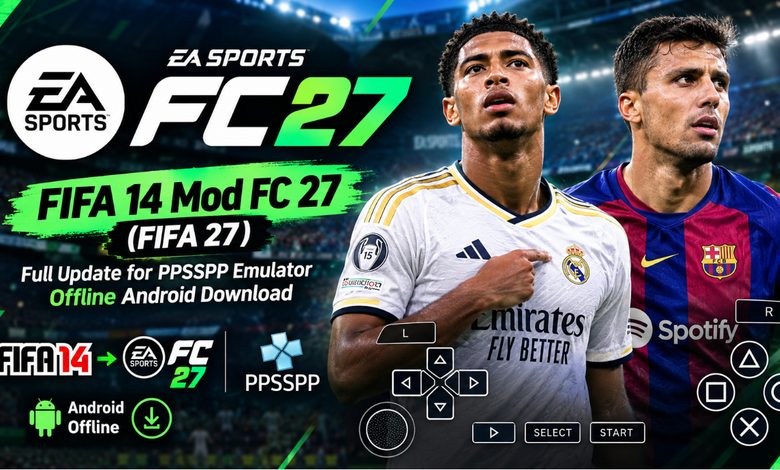
FIFA 14 Mod FC 27 Full Update for PPSSPP Emulator Offline Android Download ⚽
Welcome back to Eslam Gaming, your trusted source for the best mobile gaming guides, honest reviews, and seamless downloads! If you have been looking for the ultimate football simulation that combines classic mechanics with modern rosters, you are exactly where you need to be. Today, we are diving deep into the fifa 14 mod fc 27 update for the PPSSPP emulator. This massive community-driven patch takes the legendary FIFA 14 engine and completely revamps it for the 2026/2027 football season.
Whether you are sitting on a long commute, relaxing at home, or traveling without internet access, this game gives you the full football experience right on your mobile screen. Prepare to manage your favorite clubs, score incredible goals, and experience up-to-date transfers with the latest kits. Let’s explore everything you need to know to get this masterpiece running perfectly on your device! 🔥🎮
Game Overview: What is this Mod? 🎮
For those new to the modding scene, you might be wondering why players are still modifying a game from a decade ago. The answer is simple: stability, lightweight performance, and an incredibly nostalgic yet realistic physics engine. The fifa 14 mod ea fc 27 android version is essentially the classic PlayStation Portable (PSP) version of the game, played via the PPSSPP emulator, but packed with modified files (Textures and SaveData) to reflect the modern football world.
Because it runs on an emulator, the fifa 14 mod fc 27 android offline experience requires absolutely no internet connection once downloaded. There are no annoying microtransactions, no energy systems, and no forced online matchmaking. It is pure, unfiltered football. It is the perfect choice for gamers who want the newest player ratings and team squads without needing a high-end smartphone to run heavy native Android games.
Key Features of the Game 🌟
The developers behind these community patches put in countless hours to make the game feel brand new. Here is what you can expect when you load up the game:
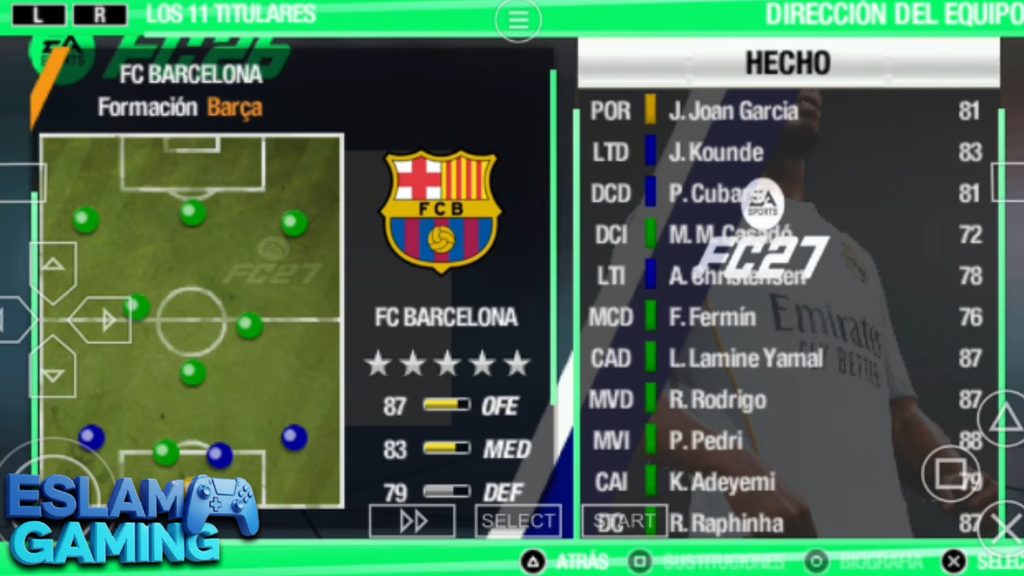
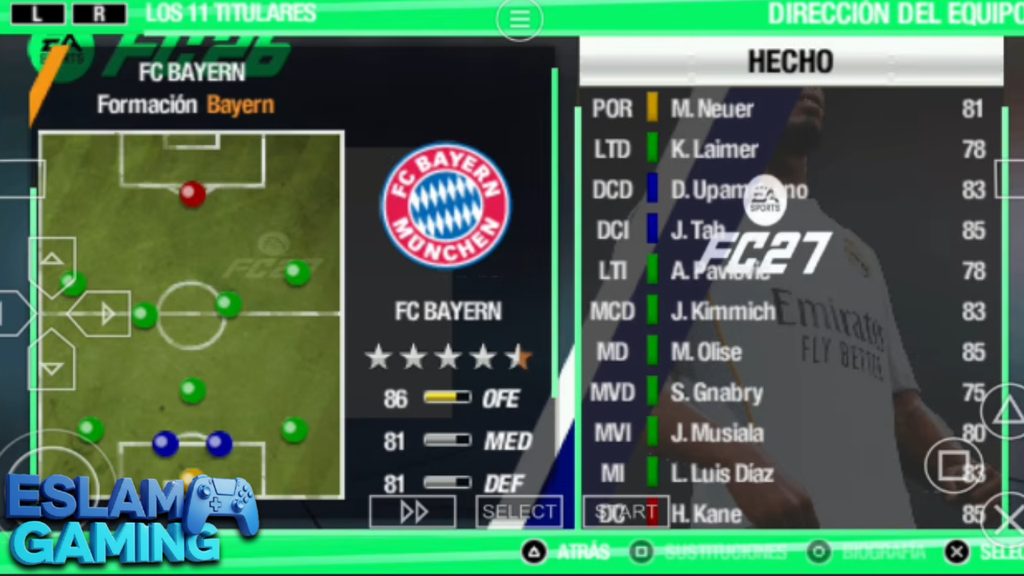
- Latest 2026/2027 Transfers — All major summer and winter transfers are fully updated. You will see star players in their new club colors, reflecting real-world team changes perfectly.
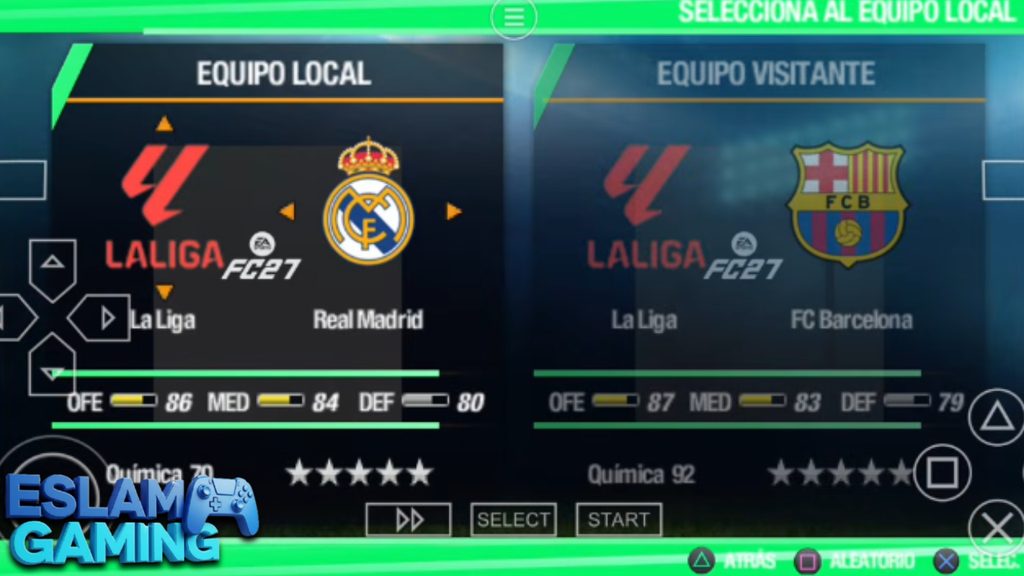
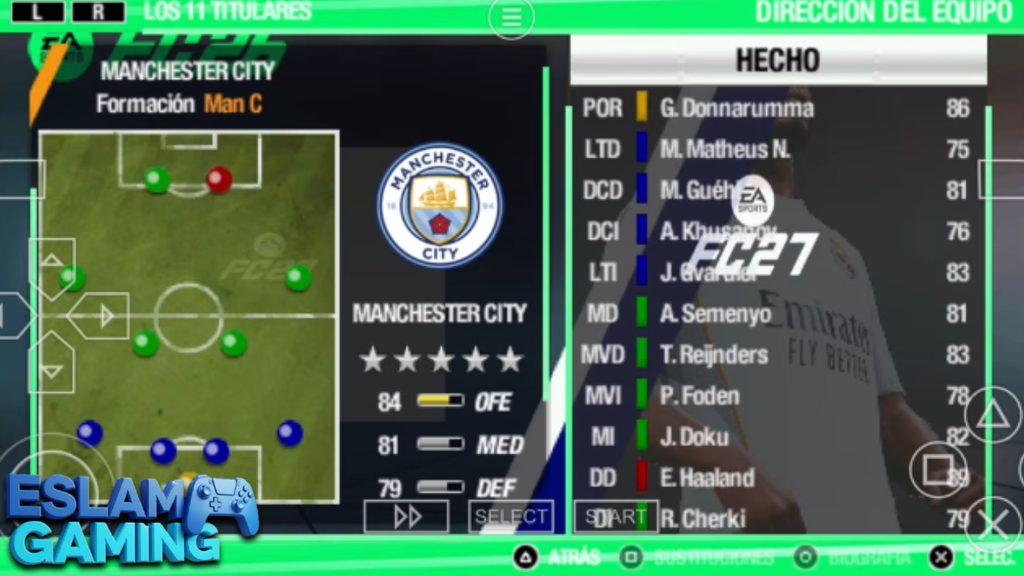
- HD Textures & Realistic Faces — Through the magic of the PPSSPP textures folder, the game features high-definition player faces, updated stadium banners, and grass textures that look incredibly crisp on modern smartphone screens.
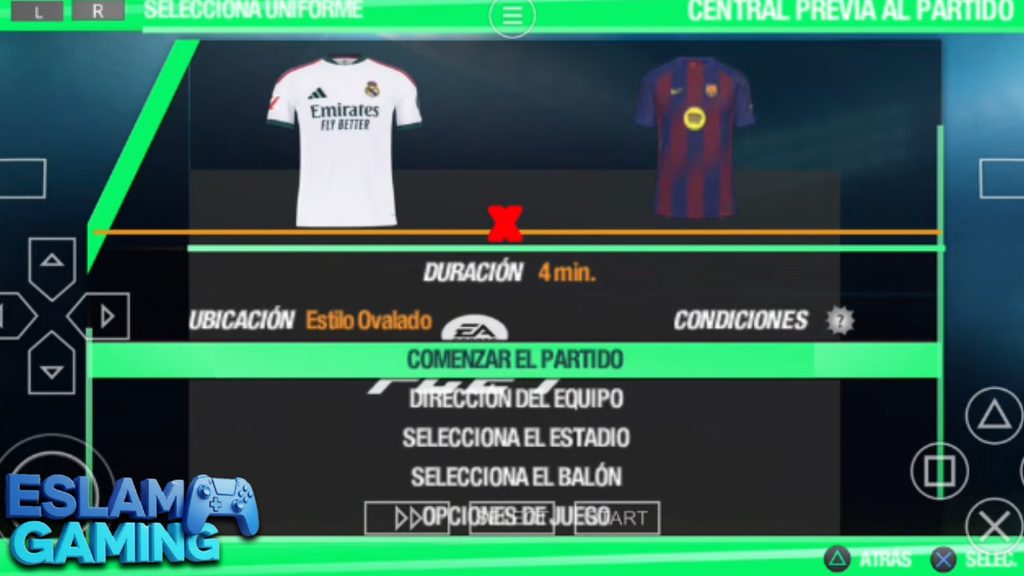
- Brand New Kits & Uniforms — Say goodbye to old jerseys. Every major league features the official kits for the upcoming season, complete with authentic sponsors and league badges.
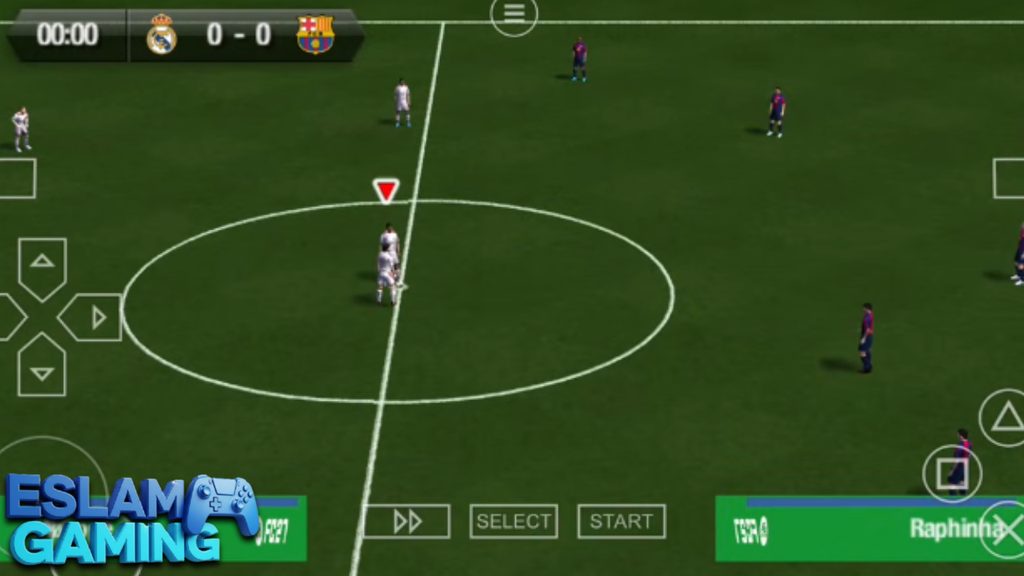
- PS5 Style Camera Angle — The mod introduces a wider, more broadcast-style camera angle that mimics the visual presentation of modern console games, giving you a better view of the pitch.
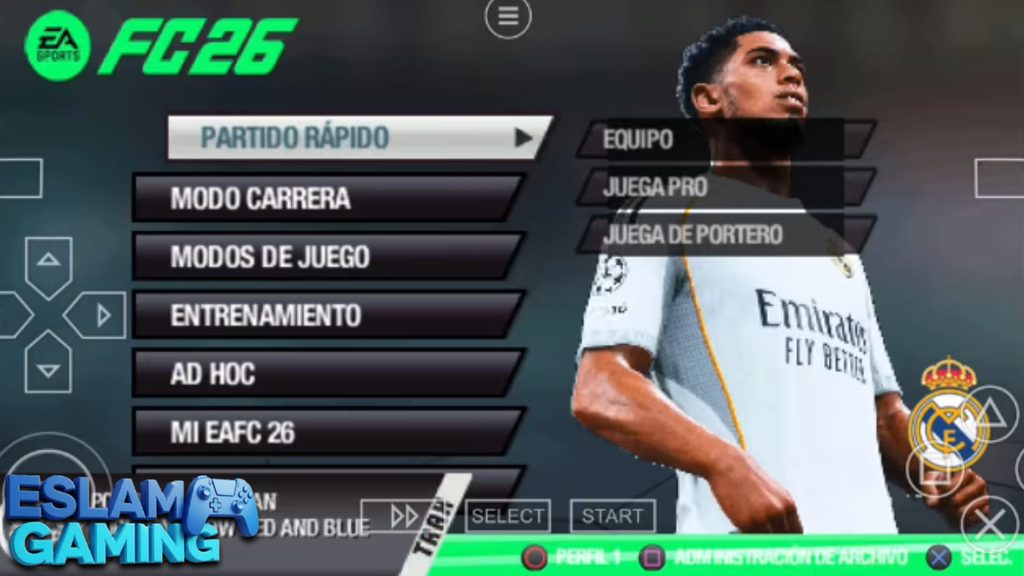
- Updated UI and Backgrounds — The menus have been completely redesigned with an EA FC 27 theme. It features new background music, fresh menu icons, and a sleek dark mode aesthetic.
Gameplay Experience & Mechanics 🎯
When discussing the fifa 14 mod fc 27 gameplay, the first thing you will notice is the weight of the ball and the realistic player movements. Unlike modern mobile games that can sometimes feel arcade-like or overly automated, this classic engine requires genuine skill, timing, and football intelligence.
Controls and Emulator Setup
Since you are playing via the PPSSPP emulator, the controls appear as virtual PSP buttons on your screen (D-Pad or Analog stick, Cross, Circle, Square, Triangle, and shoulder buttons). The touch response is excellent, but if you want the ultimate experience, you can connect a Bluetooth controller (like a PS4 or Xbox controller). The emulator allows you to map every button perfectly, turning your phone into a portable console.
Difficulty and AI Behavior
The artificial intelligence in this engine remains highly competitive. On World Class or Legendary difficulties, the CPU will actively try to exploit the gaps in your defense, punish your mistakes, and use skill moves to get past your fullbacks. You cannot simply sprint down the wing every time; you must build up play, use one-two passes, and find open spaces.
Graphics Style and Atmosphere
While the core polygon count is from the PSP era, the HD texture pack breathes new life into the game. When you bump the internal resolution to 2x or 3x inside the emulator settings, the game looks remarkably sharp. Combined with realistic stadium acoustics and crowd chants, the matchday atmosphere is highly immersive.
Game Modes & Content 🏆
This mod shines brightest when you dive into its offline game modes. There are no missing features here; everything that made the original release great is intact and updated.
Manager Career Mode
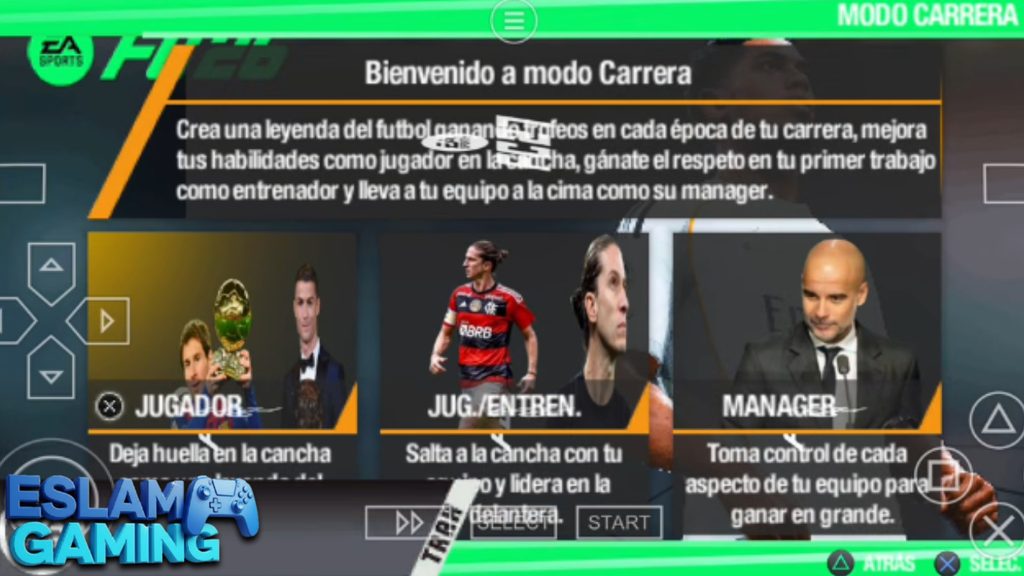
The fifa 14 mod fc 27 career mode is the heart and soul of the game. You take full control of your favorite club, managing everything from formations to budgets. Buy and sell players in the transfer market, scout for youth talent, and lead your team to domestic and European glory. Because the SaveData file includes current rosters, you are managing modern squads with realistic potential ratings.
Player Career Mode (Be A Pro)
If you prefer to focus on a single athlete, the fifa 14 mod fc 27 player career mode (also highly popular and referred to as fifa 14 mod fc 27 modo carrera by our Spanish-speaking community) lets you create a custom player or take control of an existing real-world star. You will fight for your spot in the starting eleven, improve your stats through match performances, and eventually earn call-ups to your national team.


Tournaments and Cups
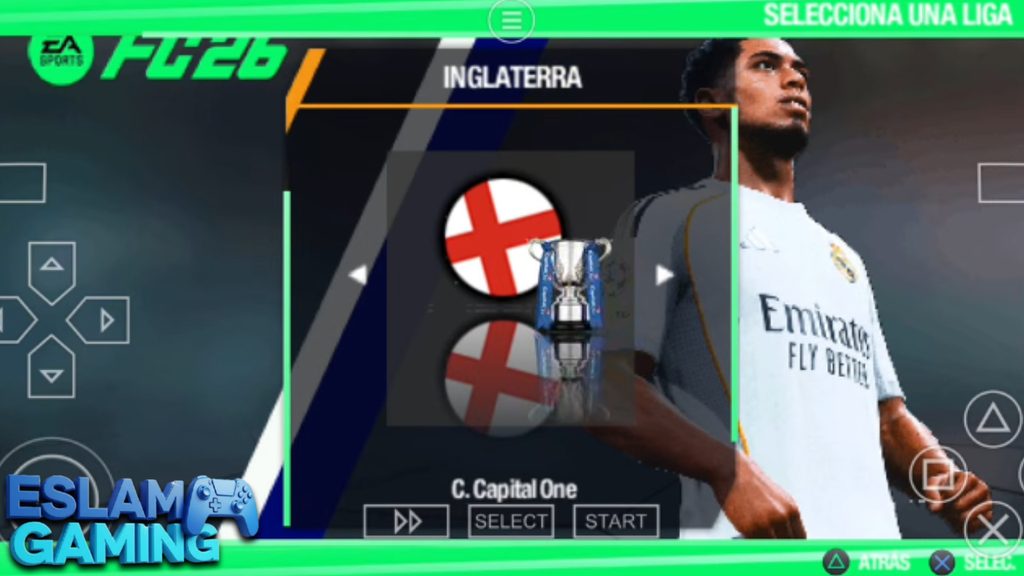
Jump straight into the UEFA Champions League, World Cup, or domestic cups. The modders have updated the tournament structures to closely resemble current real-world formats, meaning you get accurate group stage setups and knockout brackets.
Exhibition Matches
Just want a quick 10-minute match? Exhibition mode lets you pick any two teams for a friendly. It is the best place to practice your skills, try out new camera settings, or get used to the gameplay mechanics before starting a serious career save.
System Requirements for Android 📱
One of the main reasons this game is so popular is its incredible optimization. Because it relies on the PPSSPP emulator, it scales beautifully across various devices. Whether you are running older software or the latest updates, compatibility is broad.
| Component | Minimum Requirement | Recommended Setup |
|---|---|---|
| Operating System | Android 7.0 to fifa 14 mod fc 27 android 11 / 12 | Android 13, 14, up to fifa 14 mod fc 27 android 16 |
| Processor (CPU) | Snapdragon 400 series / MediaTek equivalent | Snapdragon 600/700 series or better |
| RAM | 2 GB RAM | 4 GB RAM or higher for 60fps gameplay |
| Storage Space | Approx. 1.5 GB free space | 2.5 GB free space (to hold ISO + Textures safely) |
| Required App | PPSSPP Emulator (Free) & ZArchiver | PPSSPP Gold (Optional) & ZArchiver Pro |
Side note: Some users often ask about alternative mods. If your device handles this easily, you might also be interested in checking out our future guides on the fifa 16 mod fc 27 android 14 native APK updates, but for pure emulator stability, the FIFA 14 PSP base remains unmatched.
How to Download and Install the Game ⬇️
Installing emulator games requires a few specific steps, but do not worry—Eslam Gaming has you covered. Follow this guide carefully to download fifa 14 mod fc 27 android offline and set it up without errors. You will need three main files: the Game ISO, the SaveData, and the Textures. Many creators package these together for a simple fifa 14 mod fc 27 download mediafıre link.
- Download the Required Apps: Head to the Google Play Store and install the PPSSPP emulator and ZArchiver.
- Download the Game Files: Obtain the modded ZIP/RAR file containing the ISO, Textures, and SaveData from a trusted MediaFire link or community modding forum.
- Extract the Files: Open ZArchiver, locate your downloaded file (usually in the Downloads folder), tap on it, and select “Extract Here”. You should now see a Game ISO file, a folder named “TEXTURES”, and a folder named “SAVEDATA”.
- Move the Game ISO: Move the extracted ISO file to a folder you can easily find, for example, create a new folder named “PSP Games” on your internal storage.
- Place SaveData and Textures:
- Copy the extracted SAVEDATA folder and paste it into `Internal Storage -> PSP -> SAVEDATA`. (Replace existing files if asked).
- Copy the extracted TEXTURES folder and paste it into `Internal Storage -> PSP -> TEXTURES`.
- Launch and Play: Open the PPSSPP emulator, navigate to the “Games” tab, find the folder where you placed the ISO, and tap the game icon to start.
Common Problems & Fixes 🛠️
Even with the best mods, emulator gaming can sometimes produce minor glitches. Here at Eslam Gaming, we want you to have a flawless experience, so here are the solutions to the most common issues players face:
1. The Game Shows a Black Screen on Startup
This is the most common issue with PSP FIFA mods. It happens because the mod is built on a European base game. The Fix: Open PPSSPP, go to Settings -> System -> Language. Change the emulator language to Español (América Latina) or Español (España). Restart the game, and the black screen will vanish!
2. Textures are Missing or Teams Have Old Kits
If you start a match and still see 2014 kits or blurry faces, the emulator is not reading the custom textures. The Fix: Ensure you pasted the textures into the correct `PSP/TEXTURES` folder. Then, open PPSSPP Settings -> Tools -> Developer Tools, and make sure “Replace Textures” is checked/enabled.
3. Gameplay is Laggy or Audio is Stuttering
If you are playing on an older budget device, the game might feel slow. The Fix: Go to PPSSPP Graphics settings. Change the “Rendering Resolution” to 1x or 2x PSP. Scroll down and enable “Frame skipping” (set it to 1 or 2). Finally, check the box for “Lazy texture caching (speedup)”.
Tips & Tricks for Better Gameplay 💎
Want to dominate the AI and win the treble in your first season? Use these gameplay strategies:
- Master the Finesse Shot: In this game engine, holding the finesse button (usually mapped to the R-trigger) while shooting from just outside the penalty box is incredibly effective. Aim for the far post! 🎯
- Patience in Defense: Do not just hold the sprint and tackle buttons. The AI will easily dodge you. Instead, use the jockey movement to block passing lanes and wait for the attacker to make a heavy touch before stepping in.
- Utilize the Wings: The updated rosters mean players like Vinícius Jr., Lamine Yamal, and Saka have immense pace. Send them down the flanks with through balls and use early crosses to catch the defense off guard.
- Manage Stamina in Career Mode: If you are playing a heavy schedule with cup matches, rotate your squad. Players with low stamina in this engine become significantly slower and are prone to injuries. 🔄
🤔 Is This Game Worth Downloading?
Our Final Verdict at Eslam Gaming:
- Who should download it: Any football fan looking for an authentic, offline career mode experience on mobile. If you have limited storage space, limited mobile data, or just prefer the classic tactical gameplay over modern swipe-based mobile games, this is an absolute must-have.
- Who should skip it: Players looking for online multiplayer modes like Ultimate Team, or those who strictly want native touchscreen games without dealing with virtual emulator buttons.
Overall, the community has done a phenomenal job keeping this classic alive. It feels fresh, looks great, and plays brilliantly. 🚀
Images from inside the game
Frequently Asked Questions (FAQ) ❓
Can I play this game completely offline?
Yes! Once you have downloaded the ISO, SaveData, and Textures, you do not need Wi-Fi or mobile data to play. The entire career mode and exhibition matches function 100% offline. 🌐❌
Will this work on newer Android devices like Android 14, 15, or 16?
Absolutely. The PPSSPP emulator is constantly updated to support newer operating systems. Whether you are on fifa 14 mod fc 27 android 12 or preparing for fifa 14 mod fc 27 android 16, the game will run smoothly as long as you use a good file manager to place your files in the scoped storage directories. 📱
Are the transfers really updated to the current season?
Yes, the modding community updates the SaveData file regularly to reflect recent real-world transfers, promotions, and relegations across the major European and global leagues. 🔄
Can I use a Bluetooth controller?
Yes, PPSSPP has fantastic built-in controller support. You can connect Xbox, PlayStation, or generic Bluetooth gamepads and map the buttons inside the emulator settings for a true console-like experience. 🕹️
Why is the commentary not working or in a different language?
Because the base ISO file is often a specific regional release of FIFA 14, the commentary might default to Spanish or English depending on the version you download. Some mods include custom commentary patches, which you can enable in the game’s audio settings. 🎙️
Thanks for checking out this guide on Eslam Gaming! Grab your download, set up your emulator, and we will see you on the virtual pitch. Happy gaming! ⚽🔥