Grand Theft Auto: San Andreas (GTA SA) on The PPSSPP Emulator Android Download


Grand Theft Auto: San Andreas (GTA SA) on PPSSPP Download for Android – Full Gameplay Guide 🚗
Welcome back to Eslam Gaming! If there is one title that has defined open-world gaming for multiple generations, it is undoubtedly Grand Theft Auto: San Andreas. Today, we are bringing you the ultimate guide to experiencing this legendary masterpiece on your mobile device using the PPSSPP emulator. Whether you want to relive Carl Johnson’s epic journey across Los Santos or cause absolute chaos using your favorite cheat codes, the gta sa PPSSPP version offers a highly compressed, offline, and accessible way to play on Android. Get ready to explore the massive state of San Andreas right from your pocket! 📱🔥
What is GTA San Andreas PPSSPP? 🎮
Before we dive in, let’s clear up a common gaming question. Officially, Rockstar Games never released a standalone PSP version of GTA San Andreas (they released Liberty City Stories and Vice City Stories). However, the brilliant modding community created heavily modified ISO files based on the PSP engine that bring the map, characters, and missions of San Andreas into the PPSSPP emulator.
Why play this version? The PPSSPP build is perfect for players with mid-range or low-end Android devices who might struggle to run heavy PS2 emulators like AetherSX2 or who don’t want to purchase the native port from the grand theft auto san andreas android store. This version is highly optimized, taking up significantly less storage space while still delivering the nostalgic, action-packed sandbox experience you remember. It operates entirely offline, making it the ultimate travel companion for gamers on the go. 🌍✈️
Why this version appeals to mobile players 🌍
The PPSSPP release targets players who want a retro, console-like experience without overwhelming their smartphone’s hardware. It heavily focuses on:
- Portability — Carry the massive state of San Andreas in your pocket and play without needing a Wi-Fi connection.
- Storage Efficiency — Emulator ISOs for this modded version are often highly compressed, saving precious gigabytes compared to native installations.
- Customization — The PPSSPP emulator allows deep tweaking of control layouts, graphics scaling, and performance hacks that native ports often lack.
Key Features of the Game 🌟
A Massive Open World Map 🗺️
The true star of the game is the sprawling gta san andreas map. You aren’t just exploring one city; you get three distinct metropolitan areas: Los Santos (based on Los Angeles), San Fierro (San Francisco), and Las Venturas (Las Vegas), all separated by vast countryside, deserts, and mountains. Exploring the complete gta sa map feels just as rewarding today as it did years ago. Whether you are flying a Hydra jet over Mount Chiliad or riding a Sanchez dirt bike through the Badlands, the sense of scale is unmatched in retro gaming.
Deep Character Customization 👕
Unlike previous protagonists, Carl “CJ” Johnson’s body and skills change based on your actions. If you eat too much fast food, CJ gains weight and runs slower. Hit the gym, and he builds muscle, increasing his melee damage and respect levels. You can also customize his haircuts, tattoos, and clothing across various stores in the game. This RPG-lite mechanic adds a fantastic layer of immersion that makes CJ feel like your character. 💪🍔
Unforgettable Audio and Music 📻
The atmosphere of the early 90s is perfectly captured through the game’s sound design. Driving down the streets of Los Santos wouldn’t feel right without the iconic radio stations blasting classic hip-hop, grunge, and funk. And of course, the moment you boot up the game, you are greeted by the legendary michael hunter grand theft auto san andreas official theme song, a track that instantly brings a wave of nostalgia to any true gamer. 🎵🚗
Gang Warfare and Territory Control 🔫
A core feature of the storyline is taking back the streets for the Grove Street Families. You will engage in brutal gang wars against the Ballas and Vagos. Claiming territory not only paints the map green but also provides a steady stream of passive income and ensures your gang members spawn in those areas to help back you up during police chases.
Gameplay Experience & Mechanics 🎯
Controls on PPSSPP
Playing a 3D open-world game on a touchscreen can be tricky, but PPSSPP makes it manageable. The on-screen analog stick controls movement and driving, while the face buttons handle sprinting, jumping, entering vehicles, and attacking. For the absolute best experience, we at Eslam Gaming highly recommend connecting a Bluetooth controller (like a PS4, PS5, or Xbox pad). The emulator maps the buttons perfectly, giving you the authentic console feel right on your Android screen. 🎮
Difficulty and The Wanted System
The difficulty curve is famously varied. Early missions act as simple tutorials, but soon you will face notoriously tough challenges (yes, we all remember following the damn train). The police wanted system scales from one star (a single cop car chasing you) to six stars (the military sending tanks and fighter jets). Surviving a high-level wanted rating requires map knowledge, stockpiled body armor, and excellent driving skills. 🚔⭐
Graphics Style and Atmosphere
Because this is running via the PPSSPP emulator, the graphics carry that classic mid-2000s charm. The models are blocky, and the textures are compressed, but the emulator allows you to upscale the resolution to 1080p (depending on your phone), making the edges much sharper than they ever looked on original hardware. The orange haze of Los Santos evenings and the neon glow of Las Venturas nights still look remarkably atmospheric. 🌆✨
The Legacy of Cheats in GTA San Andreas 🔓
Let’s be honest: half the fun of this game is ignoring the story, entering a few cheat codes, and causing absolute mayhem. The cheat culture surrounding this title is legendary. While the original grand theft auto san andreas release date was back in October 2004, people are still searching for codes today across all platforms.
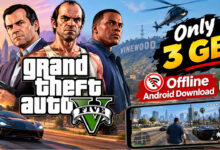

Whether players are looking for gta san andreas cheats ps5, classic gta san andreas cheats xbox 360, or modern grand theft auto san andreas cheat codes nintendo switch, the desire for infinite health, weapon packs, and flying cars remains universal. Even players on newer consoles seek out gta san andreas definitive edition cheats or grand theft auto san andreas cheat codes xbox one to bypass tough missions.
When playing on the PPSSPP emulator, typing standard PC or console codes isn’t possible directly on the touchscreen. Instead, you use the emulator’s built-in “Cheats” menu. By downloading a `cheat.db` file for PPSSPP, you can activate classic gta sa cheats like spawning a Rhino tank, gaining infinite ammo, or locking your wanted level directly from the emulator’s pause menu! It’s the easiest way to access grand theft auto san andreas cheats on mobile. 🚁💰
Advanced Modding: Expanding Your Game 🛠️
For PC and native Android players, modding is a huge part of the experience. You’ve likely heard of tools like cleo gta sa (which allows custom scripts to run without replacing the main game files), modloader gta sa (for easy texture and model swapping), and the asi loader gta sa (for injecting custom plugins). There are also legendary community patches like the silentpatch gta sa, which fixes hundreds of original engine bugs, crashes, and frame rate issues on PC.
And of course, gaming history wouldn’t be complete without mentioning the infamous hot coffee mod gta sa, an early modification that caused a massive legal controversy by unlocking hidden adult mini-games left in the game’s code by developers.
Game Modes and Content 🏆
The beauty of this sandbox is the sheer variety of content available offline.
- Story Mode: Follow CJ through over 100 missions involving gang warfare, government conspiracies, casino heists, and betrayals.
- Side Missions: Become a vigilante in a police car, a paramedic, a taxi driver, or even a pimp to earn extra cash and max health/armor upgrades.
- Mini-Games: Play pool in local bars, bet on horse racing, play retro arcade machines, or hit the dance clubs.
- Vehicle Challenges: Master the BMX park, dirt track stadium events, and flight school tests.
System Requirements for Android (PPSSPP) 📱
Because this is a PSP-based ISO running on an emulator, the requirements are very forgiving. Here is what you need to run the game smoothly on your Android device:
| Component | Requirement |
|---|---|
| Operating System | Android 6.0 or higher |
| Processor | Snapdragon 450 / MediaTek Helio G35 or better (Quad-Core minimum) |
| RAM | 2 GB minimum; 4 GB recommended for 2x resolution scaling |
| Storage | 1.5 GB to 3 GB free space (depending on the ISO compression) |
| Emulator | Latest version of PPSSPP (Standard or Gold) |
Graphics, Sound, and Performance Settings 🎵
To get the absolute best performance out of PPSSPP for this game, follow these quick settings adjustments inside the emulator:
- For Low-end devices | Set Rendering Resolution to 1x PSP. Turn ON “Auto Frameskip” (set to 1). Check the box for “Lazy texture caching (speedup)”.
- For Mid-range devices | Set Rendering Resolution to 2x PSP. Turn OFF Frameskip. Enable “Hardware Transform”.
- For High-end devices | Push Rendering Resolution to 3x or 4x PSP. Enable 16x Anisotropic Filtering to make the road textures and distant buildings look incredibly crisp.
Sound issues are common in emulators. If the radio stations or voice acting sound distorted, go to PPSSPP Audio Settings and change the “Audio Backend” or slightly increase the audio latency buffer to smooth out the stutters. 🎧
🤔 Why Choose This Game?
GTA SA on PPSSPP offers an incredible mobile sandbox experience, delivering:
- Absolute Freedom — Go anywhere, drive anything, and play exactly how you want in a massive living world.
- No Internet Required — A fully offline experience, perfect for long commutes or flights.
- Controller Support — Seamlessly map physical gamepads for a true console experience.
- Cheats at Your Fingertips — Easily trigger your favorite grand theft auto san andreas cheat codes using the emulator’s cheat database.
- Nostalgia Trip — Relive the magic of 2004 with optimized controls for modern mobile screens.
How to Download and Install GTA SA on PPSSPP ⬇️
Follow these simple steps from Eslam Gaming to get the game running on your Android device in just a few minutes.
- Download the Emulator: Go to the Google Play Store and download the free PPSSPP – PSP emulator app (or PPSSPP Gold).
- Download the Game File: Obtain the GTA SA PPSSPP modded ISO/CSO file from a trusted community source. The file will likely be in a `.zip` or `.7z` format.
- Extract the File: Download an extraction app like ZArchiver. Locate your downloaded file, tap it, and select “Extract Here”. You will get a file ending in `.iso` or `.cso`.
- Organize Your Files: Move the extracted ISO file to a folder you can easily find, such as `/sdcard/PSP/GAME/`.
- Launch and Play: Open the PPSSPP app, navigate to the “Games” tab, find the folder where you placed the ISO, tap the game icon, and enjoy!
Common Problems & Fixes 🛠️
Running community modded ISOs on emulators can sometimes lead to minor glitches. Here is how to fix the most common issues:
- Black Screen on Startup: This usually means the emulator’s rendering mode conflicts with your phone’s GPU. Go to settings and switch the Graphics Backend from Vulkan to OpenGL (or vice versa).
- Game Freezes During Missions: Sometimes ISOs are compressed too heavily (CSO format), causing read errors. If the game crashes, try downloading a full, uncompressed ISO version instead.
- Slow Framerate during Explosions: Smoke and fire are heavy on the emulator. Turn down the rendering resolution to 1x and enable “Disable slower effects (speedup)” in the graphics menu.
- Save State Corruptions: Don’t rely exclusively on PPSSPP’s quick “Save States”. Always use the in-game save floppy disks at CJ’s safehouses to prevent data loss!
Tips and Tricks for Better Gameplay 💎
- Level Up Your Stamina Early: Buy a bicycle or go to the gym right at the start of the game. High stamina lets you sprint longer, which is vital for escaping the police when you don’t have a car. 🏃♂️
- Upgrade Weapon Skills: Don’t just spray and pray. Firing weapons constantly improves your skill. Reaching “Hitman” level allows you to dual-wield certain weapons like the SMG and sawed-off shotguns! 🔫
- Complete Ambulance Missions: Steal an ambulance and complete level 12 of the paramedic side-mission. Your reward? Your maximum health bar is permanently increased to 150%. 🚑
- Find the Hidden Spray Tags: Spraying all 100 gang tags in Los Santos will permanently spawn powerful weapons (AK-47, Sawn-off Shotgun, Molotovs, and Tec-9) inside CJ’s kitchen at Grove Street. 🎨
- Use Save States Before Hard Missions: One of the best advantages of PPSSPP is the ability to save anywhere. Create a save state right before a difficult shootout so you don’t lose your weapons if you get wasted. 💾
Is This Game Worth Downloading? 🎯
Without a doubt, Grand Theft Auto: San Andreas remains one of the greatest video games ever made. The PPSSPP version offers a fantastic alternative for players who want to experience the game offline, use physical controllers, and avoid the heavy storage requirements of modern mobile ports.
Who should download this? Retro gamers, players with mid-range Android devices, and anyone who loves tweaking emulator settings or utilizing gta san andreas cheats easily via cheat menus.
Who should skip this? Players who want cutting-edge graphics, touch-optimized weapon wheels, and official cloud saves. If that sounds like you, the official Rockstar release on the mobile store or the newer Definitive Edition on consoles will be a better fit.
Get your weapons ready, grab a fast car, and we will see you in Los Santos! 🚗💨
Images from inside the game


Frequently Asked Questions (FAQ) ❓
Can I use real cheat codes like on PlayStation or Xbox?
You cannot type codes using the controller or touchscreen like you would with gta san andreas cheat codes ps5 or gta san andreas cheats xbox one. Instead, you use the PPSSPP emulator’s built-in Cheat Menu by adding a cheat database file, which allows you to toggle cheats on and off instantly.
Is this the full game?
Yes, the community-modded ISOs contain the full map, story missions, and audio tracks. However, some extremely highly compressed versions (under 500MB) might rip out radio stations or cutscenes to save space, so aim for standard size ISOs for the full experience.
Can I install PC mods like CLEO or SilentPatch on this emulator version?
No. PC and native Android tools like cleo gta sa, asi loader gta sa, and silentpatch gta sa are not compatible with PSP ISO files. For PPSSPP, you are limited to PSP-specific texture replacements and internal cheat scripts.
Does this game require internet to play?
Not at all! Once you download the ISO and load it into PPSSPP, the game is 100% offline. You can play anywhere without worrying about data usage or ads.
When did the original game actually come out?
The original grand theft auto san andreas release date was October 26, 2004, for the PlayStation 2. It later expanded to PC and Xbox, cementing its legacy as an all-time classic.