Best Arenas and Customization in WWE 2K26 – Unlock, Design, and Dominate

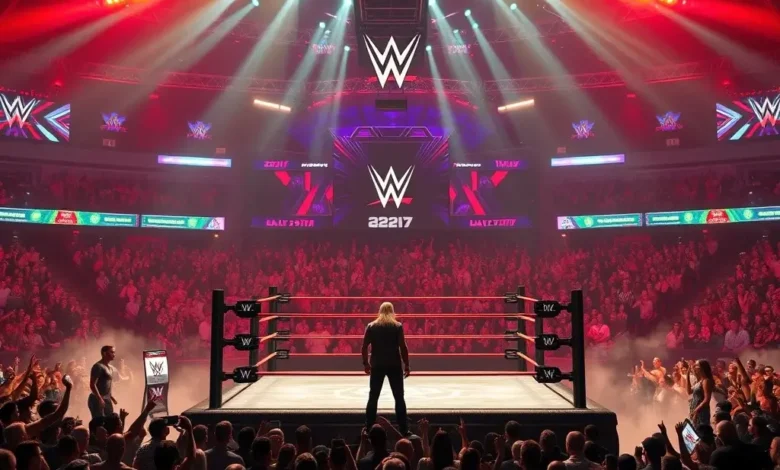
WWE 2K26 isn’t just another wrestling game—it’s a virtual coliseum where creativity meets competition. Whether you’re a die-hard wrestling fan or a casual player, the arenas and customization options in WWE 2K26 are what make this game truly special. From the thrill of stepping into WrestleMania’s grand stage to designing your own dream arena, this title offers unparalleled depth and immersion. But with so many options, how do you choose the best arenas, and how do you unlock their full potential?
In this guide, we’ll dive deep into the best arenas in WWE 2K26, how to unlock them, their unique features, and strategies to make them work for you in matches. We’ll also explore the customization tools that let you build your own wrestling sanctuary, whether it’s a replica of a classic venue or a futuristic battleground for your wildest ideas. By the end, you’ll know exactly how to maximize every match, whether you’re playing in a packed stadium or a custom-made arena of your own design.
🏟️ Introduction to WWE 2K26 Arenas and Customization
WWE 2K26 continues the legacy of its predecessors by offering a mix of iconic real-life arenas and endless creative possibilities through customization. The game features over 50 arenas, including legendary venues like Madison Square Garden, WrestleMania stages, and even fictional battlegrounds. But what sets WWE 2K26 apart is its custom arena builder, which lets players design their own wrestling environments from scratch.
The arenas in WWE 2K26 aren’t just backdrops—they’re characters in their own right. Each venue has its own atmosphere, lighting, and even sound effects that enhance the wrestling experience. For example, the ThunderDome feels electric with its neon lights and crowd noise, while WrestleMania delivers a cinematic, high-stakes vibe. Custom arenas, on the other hand, let you tailor every detail, from the ring size to the audience’s reactions, making every match feel unique.
But customization in WWE 2K26 isn’t just about aesthetics—it’s about strategy. The right arena can give you an edge in matches by boosting crowd morale or creating distractions. For instance, a heavy-metal arena might make your character’s entrance more intimidating, while a corporate-style arena could enhance your corporate villain persona. This guide will break down everything you need to know to master arenas and customization in WWE 2K26.
- ✅ Genre: Wrestling Simulation
- ✅ Release Date: March 2026
- ✅ Developer & Publisher: Visual Concepts (in collaboration with WWE)
- ✅ Why It Stands Out: Unmatched customization and iconic arenas
- ✅ Target Audience: Wrestling fans, customization enthusiasts, and competitive players
- ✅ Market Impact: Sets a new standard for wrestling game immersion
🔓 How to Unlock Arenas in WWE 2K26
Unlocking arenas in WWE 2K26 is a mix of in-game progression, achievements, and special events. Some arenas are available right from the start, while others require you to meet specific conditions. Here’s a breakdown of how to unlock them:
🔑 Default Arenas
These arenas are immediately available when you start the game:
- ✔️ Raw Arena – The classic Monday Night Raw set
- ✔️ SmackDown Arena – The blue-and-black SmackDown stage
- ✔️ NXT Arena – The NXT signature environment
- ✔️ WrestleMania (Main Show) – The grandest stage of them all
- ✔️ SummerSlam – The iconic annual event stage
- ✔️ Royal Rumble – The chaotic arena with the Elimination Chamber backdrop
- ✔️ Survivor Series – The Thanksgiving-themed event arena
- ✔️ TLC: Tables, Ladders & Chairs – The high-energy headline event stage
🏆 Unlockable Arenas via Achievements
WWE 2K26 features a robust achievement system that rewards players for completing specific tasks. Some arenas are tied to these achievements, so grinding for them is essential. Here are a few notable ones:
| Arena Name | Unlock Condition | Achievement Points |
|---|---|---|
| WWE Hall of Fame Stage | Win 10 matches with a Hall of Fame entrant | 50 XP |
| WWE Backstage Brawl Arena | Complete 5 Backstage Brawl matches | 75 XP |
| WWE Extreme Rules Arena | Win 3 Extreme Rules matches | 100 XP |
| WWE Money in the Bank Arena | Win 1 Money in the Bank ladder match | 125 XP |
| WWE Royal Rumble (Custom Entrance) | Win a Royal Rumble match with a custom superstar | 150 XP |
The XP earned from these achievements can be used to purchase additional arena slots or unlock exclusive customization items. If you’re aiming for a full roster of arenas, focus on completing these challenges early in your playthrough.
🎮 Unlockable Arenas via MyWWE Mode
MyWWE Mode offers a career progression system where you create and develop your own superstar. As you climb the ranks, you’ll unlock special arenas tied to your storylines. For example:
- Undisputed Era Arena – Unlocked after reaching the top of the NXT roster
- New Day Kingdom Arena – Unlocked after winning the WWE Tag Team Championships
- Undertaker’s Dark Arena – Unlocked after completing a specific storyline requirement
- Becky Lynch’s Ireland Arena – Unlocked after a series of Irish-themed matches
These arenas often come with unique mechanics, such as special lighting or crowd effects that match your character’s persona. For instance, the Undisputed Era Arena has a futuristic vibe with holographic projections, while Becky Lynch’s Ireland Arena features Celtic-themed decorations and festive crowd chants.
🎁 Unlockable Arenas via Special Events
WWE 2K26 occasionally hosts limited-time events that unlock exclusive arenas. These events are usually tied to real-world WWE happenings, such as:

- WrestleMania 40 Stage – Unlocked during a WrestleMania season event
- Royal Rumble 2026 Arena – Unlocked during the Royal Rumble season
- SummerSlam 2026 Stage – Unlocked during the SummerSlam season
To participate in these events, check the in-game calendar and complete the required challenges. These arenas often come with special animations, such as unique entrance sequences or crowd reactions tailored to the event.
🏟️ Top 10 Best Arenas in WWE 2K26
Not all arenas are created equal. Some are purely for aesthetics, while others offer unique advantages in matches. Here’s a ranked list of the best arenas in WWE 2K26, based on their immersion, mechanics, and strategic value:
| Rank | Arena Name | Best For | Unique Features |
|---|---|---|---|
| 1 | WrestleMania | High-stakes matches, special events | Cinematic lighting, massive crowd, special entrance animations |
| 2 | Madison Square Garden | Classic wrestling nostalgia | Historic atmosphere, intense crowd noise, no distractions |
| 3 | ThunderDome | Fast-paced, high-energy matches | Neon lights, holographic projections, dynamic crowd effects |
| 4 | Royal Rumble Arena | Battle royales, chaotic matches | Elimination Chamber backdrop, unpredictable crowd reactions |
| 5 | Undisputed Era Arena | Futuristic, high-tech matches | Holographic crowd, cyberpunk aesthetics, special entrance sequences |
| 6 | WWE Hall of Fame Stage | Legendary superstar matches | Golden trophies, classic WWE logos, nostalgic crowd chants |
| 7 | Becky Lynch’s Ireland Arena | Irish-themed matches, female superstars | Celtic decorations, festive crowd, special entrance choreography |
| 8 | Money in the Bank Arena | Ladder matches, high-flying action | Ladder storage room backdrop, intense crowd energy |
| 9 | New Day Kingdom Arena | Tag team matches, Kofi Kingston fans | Bright colors, upbeat crowd music, celebration animations |
| 10 | Undertaker’s Dark Arena | Villain superstars, horror-themed matches | Dark lighting, fog effects, eerie crowd chants |
Each of these arenas brings something unique to the table. For example, WrestleMania is the ultimate stage for a main event, while Madison Square Garden offers a raw, unfiltered wrestling experience. If you’re a fan of high-flying action, the Money in the Bank Arena is a must-use for ladder matches. Meanwhile, the Undisputed Era Arena is perfect for players who love a futuristic, tech-driven aesthetic.
🔥 Strategic Uses for Each Arena
Choosing the right arena can give you a competitive edge in matches. Here’s how to leverage each of the top 10 arenas:
- WrestleMania: Ideal for high-profile matches like championships or special events. The massive crowd can intimidate opponents, and the cinematic lighting makes your entrances more dramatic. Use this arena for high-stakes storylines or when you want to feel like a WWE legend.
- Madison Square Garden: This arena is all about raw, old-school wrestling. The crowd noise is intense, and there are no distractions, making it perfect for technical wrestlers. Use this arena when you want to feel like you’re in a classic WWE house show.
- ThunderDome: With its neon lights and holographic projections, the ThunderDome is perfect for showmen and high-flyers. The dynamic crowd effects can rattle opponents, and the futuristic vibe helps if you’re playing as a tech-savvy superstar like Finn Bálor or Kevin Owens.
- Royal Rumble Arena: This arena is chaotic by design, making it ideal for battle royales and unpredictable matches. The Elimination Chamber backdrop adds a layer of mental pressure, as opponents may hesitate to use weapons or high-risk moves near it.
- Undisputed Era Arena: If you’re playing as Adam Cole, Kyle O’Reilly, or another faction member, this arena enhances your futuristic persona. The holographic crowd can be used to distract opponents, and the cyberpunk aesthetics fit a heel faction perfectly.
- WWE Hall of Fame Stage: This arena is all about nostalgia and legacy. It’s perfect for matches involving Hall of Fame superstars or when you want to pay homage to WWE’s history. The golden trophies and classic logos add a regal atmosphere to your matches.
- Becky Lynch’s Ireland Arena: If you’re playing as Becky Lynch or a Celtic-themed superstar, this arena is a must-use. The festive crowd and special entrance choreography can rally support for your character, making it easier to mount a comeback.
- Money in the Bank Arena: This arena is designed for ladders and chaos. The ladder storage room backdrop adds a layer of environmental storytelling, and the intense crowd energy makes it perfect for high-flying wrestlers like Ricochet or A.J. Styles.
- New Day Kingdom Arena: Bright, colorful, and full of energy, this arena is perfect for fan favorites like Kofi Kingston or Xavier Woods. The upbeat crowd music can boost morale, and the celebration animations fit a heroic superstar perfectly.
- Undertaker’s Dark Arena: If you’re playing as a villain like Bray Wyatt or Andrade, this arena is your playground. The dark lighting and eerie crowd chants create an intimidating atmosphere, making it easier to psych out your opponents.
🎨 Customization in WWE 2K26 – Building Your Dream Arena
The real magic of WWE 2K26 lies in its custom arena builder. This tool lets you create your own wrestling environment from scratch, complete with unique ring designs, backdrops, lighting, and even crowd reactions. Whether you want to replicate your favorite wrestling promotion or design a futuristic battleground, the customization options are nearly limitless.
To access the custom arena builder, go to the Create Mode in the main menu. From there, you can choose between template-based designs or start from a blank canvas. The builder includes:
- Ring Design: Choose from classic WWE rings, hexagonal rings, or even custom-shaped rings.
- Backdrop Design: Select from pre-made templates or import your own images for a personalized touch.
- Lighting Effects: Adjust colors, brightness, and dynamic lighting to match your arena’s theme.
- Crowd Reactions: Customize how the crowd reacts to specific superstars or match events.
- Entrance Animations: Design unique entrance sequences for your custom superstars.
- Environmental Objects: Add barriers, props, or interactive elements like tables and ladders.
🛠️ Step-by-Step Guide to Building a Custom Arena
- Choose a Template or Start Fresh:
- If you’re new to customization, start with a template like “Neon Arena” or “Corporate Boardroom”.
- For advanced users, select “Blank Canvas” to start from scratch.
- Design Your Ring:
- Select a ring shape (e.g., octagonal, circular).
- Choose a ring mat color and texture (e.g., classic WWE, bloodstained, or metallic).
- Add optional features like barricades or turnbuckle pads.
- Customize the Backdrop:
- Upload your own image or choose from pre-made templates.
- Adjust the backdrop’s size, position, and transparency.
- Add elements like WWE logos, banners, or sponsor ads.
- Set the Lighting:
- Choose from preset lighting styles (e.g., strobe lights, neon glow, or fog).
- Adjust the color temperature to match your arena’s theme.
- Enable dynamic lighting for effects like spotlights or flickering lights.
- Design the Crowd:
- Select a crowd size (small, medium, or large).
- Choose their reactions (e.g., cheering, booing, or neutral).
- Add specific chants for your custom superstars.
- Add Entrance Animations:
- Design a unique entrance for your custom superstar.
- Choose from pre-made animations or create your own.
- Adjust the timing and effects (e.g., pyrotechnics or confetti).
- Include Environmental Objects:
- Add interactive elements like tables, ladders, or weapons.
- Place barriers or platforms to create a unique match environment.
- Test and Save:
- Playtest your arena in a match to see how it feels.
- Make adjustments as needed.
- Save your arena and share it with the community (if applicable).
🎭 Themed Arena Ideas for Inspiration
Not sure what kind of arena to build? Here are some themed ideas to spark your creativity:
- Retro WWE Arena: A 1980s-style arena with wooden benches, vintage posters, and classic lighting.
- Futuristic Cyber Arena: A neon-lit, high-tech arena with holographic crowds and cyberpunk aesthetics.
- Horror-Themed Arena: A dark, foggy arena with eerie decorations, flickering lights, and a creepy crowd.
- Sports Stadium: A football or basketball stadium repurposed for wrestling, with a huge crowd and field-level ring.
- Underground Fight Club: A gritty, raw arena with chain-link fences, graffiti, and a rebellious crowd.
- Royal Court Arena: A medieval-themed arena with stone walls, torches, and a royal audience.
- Space Arena: A zero-gravity arena with floating platforms and alien-themed decorations.
- Corporate Boardroom: A high-rise office with glass walls, a boardroom table, and a posh crowd.
- Beach Brawl Arena: A sandy ring with palm trees, beach chairs, and a laid-back crowd.
- Wrestling School Arena: A dojo-style arena with tatami mats, training equipment, and a disciplined crowd.
🎯 Advanced Customization – Beyond the Basics
Once you’ve mastered the basics of arena customization, it’s time to explore advanced techniques that can take your creations to the next level. These tips will help you design arenas that are not only visually stunning but also strategically valuable in matches.
🔄 Reusing Custom Assets
If you’ve spent hours designing a ring, backdrop, or lighting setup, don’t reinvent the wheel every time. WWE 2K26 allows you to save and reuse custom assets, such as:
- Ring Templates: Save your favorite ring designs and apply them to new arenas.
- Backdrop Presets: Store multiple backdrop designs for quick access.
- Lighting Profiles: Create different lighting setups (e.g., daytime, nighttime, or strobe lights) and switch between them.
- Crowd Reaction Packages: Save crowd reactions for specific superstars or match events.
This feature is a huge time-saver and ensures consistency across your custom arenas.
🎮 Match-Specific Customizations
Some arenas are designed for specific match types. For example:
- Hell in a Cell: Add a steel cage and adjust the lighting to create a dark, oppressive atmosphere.
- Tables, Ladders & Chairs: Customize the arena with tables, ladders, and weapons placed around the ring.
- Royal Rumble: Design a multi-floor arena to accommodate the chaos of a battle royale.
- Casket Match: Add a casket near the ring and adjust the backdrop to match a funeral theme.
- Iron Man Match: Use a timed arena with a digital clock to track the match duration.
By tailoring your arena to the match type, you can create a more immersive and strategic experience.
🌟 Community Sharing
WWE 2K26 encourages players to share their custom arenas with the community. Once you’ve created a masterpiece, you can:
- Upload to the Gallery: Share your arena in the in-game gallery for others to download.
- Download Community Creations: Browse and use arenas designed by other players.
- Rate and Comment: Give feedback on arenas you’ve tried and receive input on your own creations.
- Join Tournaments: Participate in custom arena tournaments hosted by the community.
🏆 Best Practices for Using Arenas in Matches
An arena isn’t just a backdrop—it’s a tool that can influence the outcome of a match. Here are some best practices to help you use arenas to your advantage:
🔥 Using Arenas to Intimidate Opponents
Certain arenas have psychological effects that can rattle your opponents. For example:
- Undertaker’s Dark Arena: The dark lighting and eerie crowd chants can psych out opponents, making them hesitant to take risks.
- ThunderDome: The neon lights and holographic projections create a chaotic, overwhelming atmosphere, perfect for showmen like Finn Bálor.
- WrestleMania: The massive crowd and cinematic lighting can intimidate opponents, especially if they’re used to smaller venues.
Use these arenas when you’re playing as a heel or a high-profile superstar to maximize their psychological impact.
🎭 Match-Specific Strategies
Different arenas lend themselves to different match strategies. Here’s how to use them to your advantage:
| Arena Type | Best Match Type | Strategy |
|---|---|---|
| Madison Square Garden | Technical Matches | Use submission holds and chain wrestling to wear down opponents. |
| ThunderDome | High-Flying Matches | Take advantage of the dynamic lighting to perform flashy aerial moves. |
| Royal Rumble Arena | Battle Royales | Use the Elimination Chamber backdrop to trap opponents or perform high-risk moves. |
| Money in the Bank Arena | Ladder Matches | Place ladders strategically near the ladder storage room for quick escapes. |
| Custom Horror Arena | Psychological Matches | Use the dark lighting and eerie crowd to unnerve your opponent. |
🎭 Crowd Interaction
The crowd in WWE 2K26 isn’t just for show—they can directly influence the match. Here’s how to use crowd reactions to your advantage:
- Cheering Crowds: If the crowd is on your side, they’ll interrupt near-falls or perform distractions to help you win.
- Booing Crowds: If the crowd is against you, they’ll interrupt your finishers or distract your opponent at the worst times.
- Neutral Crowds: In arenas like Madison Square Garden, the crowd is less likely to interfere, making it ideal for technical wrestlers.
- Dynamic Crowds: In arenas like ThunderDome, the crowd reacts dynamically to match events, adding an extra layer of unpredictability.
Use this to your advantage by playing to the crowd. If you’re a face, try to rally support. If you’re a heel, use the crowd’s negativity to fuel your aggression.
🔧 Troubleshooting Common Customization Issues
Even with the best tools, customization in WWE 2K26 can come with its fair share of frustrations. Here’s how to troubleshoot common issues:
🚫 Arena Not Saving Properly
If your custom arena isn’t saving, try these steps:
- ✔️ Check Storage Space: Ensure you have enough free space on your console or PC.
- ✔️ Restart the Game: Sometimes, a simple restart can fix saving issues.
- ✔️ Update the Game: Ensure you’re running the latest patch, as bugs are often fixed in updates.
- ✔️ Reinstall the Game: If the issue persists, try reinstalling WWE 2K26.
🎭 Backdrop Not Loading Correctly
If your backdrop isn’t displaying properly, try these fixes:
- ✔️ Check Image Format: Ensure your backdrop image is in a supported format (e.g., PNG, JPEG).
- ✔️ Resize the Image: Large images may not load properly. Aim for a resolution of 1920×1080 or lower.
- ✔️ Re-upload the Image: Delete the backdrop and re-upload it to reset any corruption.
🔥 Lighting Issues
If your lighting effects aren’t working, try these solutions:
- ✔️ Adjust Lighting Settings: Some lighting effects may not be compatible with certain graphics settings. Try lowering the shadow quality or post-processing effects.
- ✔️ Disable Dynamic Lighting: If the game is struggling, disable dynamic lighting for a performance boost.
- ✔️ Update GPU Drivers: Ensure your graphics card drivers are up to date.
🎮 Performance Lag in Custom Arenas
Custom arenas with high-resolution backdrops or complex lighting can cause performance lag. To fix this:
- ✔️ Lower Graphics Settings: Reduce shadow quality, anti-aliasing, or texture resolution.
- ✔️ Simplify the Backdrop: Use a lower-resolution image or a simpler design.
- ✔️ Disable Crowd Effects: Crowd reactions can be resource-intensive. Turn them off if you’re experiencing lag.
- ✔️ Close Background Apps: Ensure no other apps are running in the background.
🏁 Final Verdict – Are WWE 2K26’s Arenas and Customization Worth It?
WWE 2K26’s arenas and customization options are a game-changer for wrestling fans and creators alike. Whether you’re a casual player looking to relive the magic of WrestleMania or a hardcore customizer designing your own wrestling universe, this game delivers an unparalleled level of depth and creativity. The ability to unlock iconic arenas and build your own from scratch ensures that no two matches feel the same, adding a layer of replayability that keeps the game fresh.
For competitive players, the strategic use of arenas can be the difference between victory and defeat. Certain venues lend themselves to specific match types, and understanding how to leverage them is key to mastering WWE 2K26. Meanwhile, the customization tools open up a world of possibilities for players who want to express their creativity, whether it’s designing a retro wrestling school or a futuristic cyber arena.
If you’re on the fence about WWE 2K26, the arenas and customization alone are worth the investment. They transform the game from a simple wrestling simulator into a living, breathing wrestling experience where every match feels unique. Whether you’re a storyteller, a competitor, or just a fan of wrestling, WWE 2K26 offers something for everyone.
❓ Frequently Asked Questions
- Can I use custom arenas in online matches?
Yes! WWE 2K26 allows you to use custom arenas in online matches, provided they meet the game’s content guidelines. However, some community-created arenas may not be compatible with online play due to performance issues.
- How do I unlock all arenas in WWE 2K26?
To unlock all arenas, you’ll need to complete achievements, MyWWE Mode storylines, and special events. Some arenas are also available through downloadable content (DLC), so keep an eye out for updates.
- Can I import my own images for backdrops?
Yes! WWE 2K26 supports importing custom images for backdrops. Ensure the image is in a supported format (PNG, JPEG) and has a resolution of 1920×1080 or lower for optimal performance.
- Why is my custom arena lagging during matches?
Custom arenas with high-resolution images, complex lighting, or large crowds can cause performance lag. Try lowering your graphics settings or simplifying the arena design to improve performance.
- Can I share my custom arenas with friends?
Yes! You can share your custom arenas with friends via the in-game gallery or by exporting the arena file and sending it directly. However, ensure the arena meets the game’s content guidelines before sharing.
- What’s the best arena for high-flying wrestlers?
The Money in the Bank Arena and ThunderDome are ideal for high-flying wrestlers. The Money in the Bank Arena has a ladder storage room for quick escapes, while the ThunderDome’s dynamic lighting enhances aerial moves.
- How do I change the crowd reactions in my custom arena?
In the custom arena builder, you can adjust crowd reactions under the Crowd Settings menu. You can choose from preset reactions or design your own for specific superstars or match events.
- Are there any arenas that unlock automatically?
Yes, WWE 2K26 includes several arenas that are available from the start, such as Raw Arena, SmackDown Arena, and WrestleMania. These arenas are unlocked automatically and don’t require any additional steps.
- Can I use custom arenas in MyWWE Mode?
Yes! Custom arenas can be used in MyWWE Mode, adding a personal touch to your storylines and matches. This is a great way to immerse yourself in your own wrestling universe.
- What’s the most challenging arena to design?
The most challenging arenas to design are those with complex lighting and interactive elements, such as Hell in a Cell arenas or multi-floor battle royales. These designs require careful planning to ensure they function well in matches.
🎯 Conclusion – Step Into the Ring with WWE 2K26
WWE 2K26 isn’t just a wrestling game—it’s a canvas for your wrestling dreams. The arenas and customization options in this game provide an unmatched level of depth, whether you’re playing competitively, telling stories, or simply expressing your creativity. From unlocking iconic venues like WrestleMania and Madison Square Garden to designing your own futuristic cyber arena or horror-themed battleground, WWE 2K26 ensures that every match feels unique and immersive.
The strategic use of arenas can give you the upper hand in matches, while the customization tools let you craft an experience tailored to your playstyle. Whether you’re a technical wrestler, a high-flyer, or a heel superstar, there’s an arena that fits your needs. And with the ability to share your creations with the community, WWE 2K26 becomes more than just a game—it’s a shared experience where fans can connect and inspire each other.
So, what are you waiting for? Dive into WWE 2K26, explore its arenas, and start building your dream wrestling universe today. The ring is waiting—are you ready to step inside?