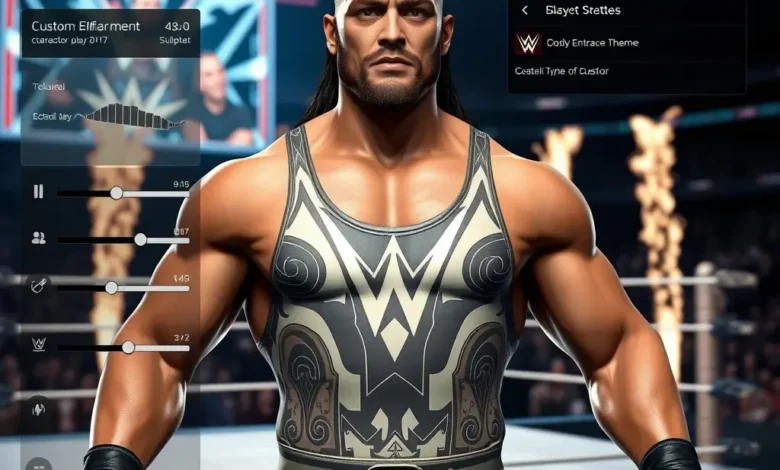
The world of WWE 2K26 is vast, and sometimes the superstars you see in the game aren’t quite the ones you dream of seeing. Whether you’re a fan of the Attitude Era, the New Era, or the modern-day roster, the ability to craft your own legend is one of the most exciting features in any sports entertainment game. WWE 2K26 takes customization to a whole new level, allowing players to create wrestlers that look, move, and fight exactly how they imagine. This guide will walk you through every step of the process, from sculpting your wrestler’s appearance to fine-tuning their in-ring style, signature moves, and even their entrance.
🎮 Getting Started with Custom Wrestler Creation in WWE 2K26
Creating a custom wrestler in WWE 2K26 is a multi-step process that allows for an incredible amount of creativity. The game’s Create-A-Wrestler (CAW) mode has been refined over the years, offering deeper customization options than ever before. Whether you’re playing on PC, PlayStation, or Xbox, the process is identical, ensuring consistency across platforms. To begin, navigate to the Create-A-Wrestler menu from the main screen. Here, you’ll find options to either start from scratch or import a wrestler from an existing save file. If you’re new to the game, starting fresh is the best way to familiarize yourself with the tools at your disposal.
The first step is choosing your wrestler’s gender. WWE 2K26 allows for both male and female superstars, so you can create anyone from a WWE Women’s Champion to a hard-hitting brawler. Once you’ve selected, you’ll enter the Character Creator, where the real magic begins. This is where you’ll sculpt your wrestler’s face, body, and attire. The level of detail is astounding, with sliders for everything from jawline structure to muscle definition. You can even adjust the skin tone, facial hair, and tattoos to match your vision.
One of the standout features in WWE 2K26 is the ability to import face scans. If you have a high-quality photo of someone you’d like to recreate, you can use it as a base to speed up the process. The game’s facial recognition technology does an impressive job of mapping features, though manual tweaks are often necessary for the best results. For those who prefer a more stylized approach, the game offers a range of pre-made templates that you can mix and match to create unique looks.
🔥 Appearance Customization: Crafting Your Superstar’s Look
The appearance of your custom wrestler is the first thing other players will notice, so it’s important to get it right. WWE 2K26 offers a comprehensive wardrobe system, allowing you to mix and match outfits, accessories, and even entrance gear. You can start with a blank slate or choose from a variety of base outfits, such as a singlet, tights, or a jacket. From there, you can add belts, gloves, boots, and even masks to give your wrestler a signature style.
Hair is another crucial element of customization. The game includes a vast library of hairstyles, from classic long locks to modern undercuts. You can adjust the color, length, and even add highlights or streaks for a unique touch. Facial features are equally detailed, with options to tweak everything from nose shape to eye color. If you’re creating a villainous character, you might opt for a more intimidating look, while a face superstar might lean toward a clean-cut appearance.
For those looking to add a personal touch, WWE 2K26 includes a tattoo editor. You can design custom tattoos and place them anywhere on your wrestler’s body, from the arms to the chest. The game also supports custom entrance gear, allowing you to upload your own images for entrance themes, pyro effects, and even the wrestler’s entrance music. This level of customization ensures that your superstar is truly one-of-a-kind.
⚔️ Body and Physique: Building Your Wrestler’s Frame
The body type of your wrestler plays a significant role in how they perform in the ring. WWE 2K26 offers a wide range of body sliders, allowing you to adjust everything from shoulder width to leg length. You can create a lean, agile wrestler or a bulky, powerhouse—the choice is yours. The game also includes pre-set body types, such as ectomorph, mesomorph, and endomorph, which can serve as a starting point for your customization.
Muscle definition is another key aspect of body customization. You can adjust the chest, arms, and legs to create a wrestler that looks like they’ve stepped out of a bodybuilding competition. Tattoos and scars can add realism, especially if you’re creating a veteran wrestler with years of in-ring experience. Don’t forget about the height and weight sliders, which will affect how your wrestler moves and reacts in the ring.
For those who want to go beyond the basics, WWE 2K26 allows you to adjust the wrestler’s proportions. You can make their arms longer for high-flying moves or bulk up their torso for power moves. The game’s physics engine takes these adjustments into account, ensuring that your wrestler’s movements feel natural and responsive. This level of detail is what sets WWE 2K26 apart from other wrestling games.


🌟 Moveset and In-Ring Style: Defining Your Wrestler’s Identity
Creating a wrestler isn’t just about how they look—it’s also about how they move, strike, and fight. WWE 2K26’s moveset editor is one of the most powerful tools in the game, allowing you to craft a unique fighting style for your superstar. You can assign signature moves, finishing moves, and even taunts to give your wrestler a distinct personality in the ring.
The first step is selecting a base moveset. WWE 2K26 includes a variety of archetypes, such as high-flyer, powerhouse, technical, and brawler. Each archetype comes with a predefined set of moves, but you can customize them to suit your preferences. For example, you can turn a high-flyer into a hybrid wrestler by adding power moves to their repertoire. The game also allows you to import movesets from other wrestlers, making it easy to replicate the style of your favorite superstars.
🏆 Signature and Finishing Moves: Making Your Wrestler Stand Out
Signature moves are the bread and butter of any wrestler’s moveset. In WWE 2K26, you can assign up to five signature moves to your custom wrestler. These moves can be anything from a dropkick to a suplex, and they play a crucial role in defining your wrestler’s style. You can also assign a finishing move, which is the move they’ll use to end matches. Whether it’s a running powerslam, a moonsault, or a chokeslam, the finishing move is what fans will remember most.
The game’s move editor is incredibly intuitive, allowing you to assign moves to specific buttons or create custom combos. You can also adjust the animation speed and damage output of each move to fine-tune your wrestler’s effectiveness in the ring. For example, you can make a high-flying move deal less damage but have a higher chance of connecting, or you can make a power move hit harder but leave your wrestler vulnerable if it misses.
Don’t forget about taunts and entrance moves. These are the little flourishes that make your wrestler feel like a true superstar. You can assign up to three taunts, which can be used during matches to hype up the crowd or taunt your opponent. You can also create a custom entrance animation, complete with pyro effects and camera angles, to make your wrestler’s debut unforgettable.
🎭 Personality and Mannerisms: Bringing Your Wrestler to Life
A great wrestler isn’t just defined by their moveset—it’s also about their personality and mannerisms. WWE 2K26 allows you to customize everything from your wrestler’s walking style to their reactions to damage. You can make them look confident and cocky or humble and determined, depending on the type of character you’re creating.
The game includes a variety of personality sliders, which control how your wrestler behaves in the ring. For example, you can adjust their arrogance, fearlessness, and aggressiveness to create a truly unique superstar. You can also assign a catchphrase that your wrestler will say during matches, adding an extra layer of personality to your creation.
Another fun feature is the ability to customize your wrestler’s reactions to victory and defeat. You can make them look humble after a win or arrogant after a loss. You can also add custom animations for when they enter the ring, celebrate a victory, or get back up after a big hit. These little details make your wrestler feel like a real superstar and add depth to their character.
🎶 Entrance Customization: Making a Spectacular Debut
The entrance is one of the most important aspects of a wrestler’s identity. It’s the first impression fans get of your superstar, and it sets the tone for their entire character. WWE 2K26 allows you to customize every aspect of your wrestler’s entrance, from the music to the pyro effects and even the camera angles.
🎵 Music and Entrance Themes: Setting the Mood
Music is a huge part of a wrestler’s entrance, and WWE 2K26 gives you full control over it. You can choose from the game’s library of pre-made entrance themes or upload your own custom music file. If you’re creating a villainous character, you might opt for a dark, heavy metal track, while a face superstar might have a more upbeat, energetic theme. The game also allows you to adjust the volume and pitch of the music to match your wrestler’s personality.
For those who want to go the extra mile, WWE 2K26 supports custom entrance animations. You can create a unique sequence of moves, such as a backflip or a dance, that your wrestler will perform before the match begins. You can also add custom pyro effects, such as fireworks or smoke, to make their entrance even more spectacular. The game’s animation editor is incredibly detailed, allowing you to choreograph every movement with precision.
🔥 Pyro and Lighting: Adding Drama to the Entrance
Pyro and lighting are essential for creating a memorable entrance. WWE 2K26 allows you to customize everything from the color of the pyro to the intensity of the lights. You can make your wrestler’s entrance feel like a rock concert or a hollywood blockbuster, depending on the vibe you’re going for.
The game includes a variety of pre-made pyro effects, such as fire, smoke, and sparks, but you can also upload your own custom effects if you’re feeling creative. You can adjust the timing and duration of each effect to create a perfectly synchronized entrance. Lighting is equally important, and you can use the game’s lighting editor to create dramatic spotlights, strobe effects, or even a blackout moment.
Don’t forget about the camera angles. WWE 2K26 allows you to customize the camera positions during your wrestler’s entrance, giving you full control over how the scene is framed. You can make it feel like a cinematic experience or a live arena show, depending on your preferences.
🏆 Advanced Customization: Taking Your Wrestler to the Next Level
Once you’ve mastered the basics of custom wrestler creation, WWE 2K26 offers a range of advanced customization options to take your superstar to the next level. Whether you want to create a real-life legend, a fantasy superstar, or a unique original character, these tools will help you bring your vision to life.
🤼♂️ Facial Animation and Expressions: Adding Realism to Your Wrestler
Facial animation is one of the most impressive features in WWE 2K26. The game uses advanced motion capture technology to create realistic facial expressions for your wrestlers. You can adjust everything from eye movement to mouth positioning to create a truly lifelike character. For example, you can make your wrestler look determined during a match or angry after taking a big hit.
The game also includes a lip-sync editor, which allows you to sync your wrestler’s mouth movements to their entrance music. This adds an extra layer of realism to their performance and makes their entrance feel even more authentic. You can also customize their reactions to damage, such as grimacing or shaking off pain, to make them feel more human.
🎨 Texture and Material Customization: Fine-Tuning the Details
WWE 2K26’s texture editor is a powerful tool that allows you to fine-tune every aspect of your wrestler’s appearance. You can adjust the shininess of their outfit, the roughness of their skin, and even the transparency of their accessories. This level of detail ensures that your wrestler looks as realistic as possible.
For example, you can make a wrestler’s leather jacket look worn and scuffed to give them a veteran vibe. Or you can make their singlet look bright and shiny for a more showman-like appearance. The game also includes a material library, which allows you to apply different textures to your wrestler’s outfit, such as denim, leather, or spandex.
Don’t forget about the accessories. WWE 2K26 allows you to customize everything from belts to gloves to boots. You can adjust the color, material, and design of each accessory to create a truly unique look. This level of customization ensures that your wrestler stands out from the crowd.
🌟 Special Effects and Easter Eggs: Adding a Personal Touch
WWE 2K26 is packed with special effects and Easter eggs that allow you to add a personal touch to your wrestler. For example, you can create a custom finisher animation that includes a unique effect, such as a lightning bolt or a fire explosion. You can also add custom taunts that trigger special animations, such as a dance or a signature pose.
Another fun feature is the ability to create custom entrance gear. You can design your own titantron graphics, poster art, and even merchandise designs for your wrestler. This level of customization ensures that your superstar feels like a true original and not just a copy of an existing character.
The game also includes a hidden Easter egg system, which allows you to unlock secret features and animations by completing specific tasks. For example, you might unlock a custom finisher animation by winning a certain number of matches or unlock a special entrance effect by creating a wrestler with a specific personality type.
📱 Sharing and Showcasing Your Custom Wrestlers
Creating a custom wrestler is only half the fun—sharing your creation with the world is the other half. WWE 2K26 makes it easy to share your superstars online, allowing you to showcase your creativity and compete with other players. Whether you’re playing on PC, PlayStation, or Xbox, the process is simple and straightforward.
🌐 Online Sharing: Connecting with the WWE 2K Community
WWE 2K26’s online sharing system allows you to upload your custom wrestlers to the game’s central servers. Once uploaded, other players can download and use your creations in their own games. This is a great way to share your work with the community and get feedback on your designs. You can also download custom wrestlers created by other players, giving you access to an endless variety of superstars.
The sharing process is simple: after creating your wrestler, select the “Upload to Online” option from the menu. You can add a description and tags to help other players find your wrestler. You can also choose whether to make your wrestler public or private. If you make it public, anyone can download it, but if you make it private, only players on your friends list can access it.
🎮 Showcasing Your Wrestlers: Social Media and Streaming
In addition to sharing your wrestlers online through WWE 2K26’s built-in system, you can also showcase your creations on social media platforms like YouTube, Twitch, and Twitter. Many players create videos or streams featuring their custom wrestlers, often with custom commentary and editing to make the content more engaging. This is a great way to build a following and share your creativity with a wider audience.
If you’re a content creator, WWE 2K26’s customization tools offer endless possibilities for creating unique and entertaining videos. You can create storylines, championship matches, and even fantasy booking scenarios featuring your custom wrestlers. The game’s create-a-story mode is particularly useful for this, as it allows you to craft entire narratives around your creations.
Don’t forget about Twitch and YouTube. Many streamers and YouTubers use WWE 2K26’s customization tools to create unique content, such as custom tournaments, fantasy bookings, and roleplaying storylines. If you’re looking to grow your audience, showcasing your custom wrestlers is a great way to stand out.
🔧 Troubleshooting and Tips for a Smooth Customization Experience
While WWE 2K26’s customization tools are incredibly powerful, they can sometimes be overwhelming for new players. Here are a few tips and tricks to help you avoid common pitfalls and get the most out of the game’s features.
🛠️ Common Pitfalls and How to Avoid Them
One of the most common issues players encounter is graphical glitches, such as missing textures or facial distortions. These issues are usually caused by corrupted save files or incompatible custom content. To avoid this, make sure to back up your saves regularly and only download custom content from trusted sources.
Another issue is performance lag, which can occur when creating overly complex wrestlers or using high-resolution textures. If you’re experiencing lag, try reducing the texture quality or simplifying your wrestler’s appearance. You can also try closing other applications to free up system resources.
💡 Expert Recommendations for Advanced Users
For players who want to take their customization to the next level, WWE 2K26 offers a range of advanced tips and tricks. For example, you can use the game’s modding tools to create even more complex custom content, such as custom arenas or custom storylines. You can also experiment with the game’s physics settings to create unique wrestling styles, such as a high-flying daredevil or a brutal powerhouse.
Another advanced technique is to combine multiple custom wrestlers to create a stable or faction. For example, you could create a tag team duo with complementary movesets or a stable of villains with matching personalities. This adds depth to your custom content and makes your creations feel more authentic.
Finally, don’t be afraid to experiment. WWE 2K26’s customization tools are incredibly flexible, and there’s no wrong way to create a wrestler. Whether you’re going for a realistic legend or a fantasy superstar, the key is to have fun and let your creativity shine.
🏁 Final Verdict: Is WWE 2K26’s Custom Wrestler Creation Worth It?
WWE 2K26’s custom wrestler creation tools are some of the most impressive in the series, offering an unparalleled level of detail and creativity. Whether you’re a casual player looking to create a wrestler that looks like your favorite superstar or a hardcore fan who wants to craft a unique original character, the game’s tools have something for everyone. The ability to customize every aspect of your wrestler, from their appearance to their moveset and entrance, ensures that your creations feel truly one-of-a-kind.
The online sharing system is a fantastic addition, allowing you to share your wrestlers with the world and download creations from other players. This adds a whole new layer of replayability to the game, as you can constantly discover new superstars and storylines. Whether you’re playing solo or with friends, WWE 2K26’s customization tools offer endless possibilities for creativity and fun.
For those who love wrestling games, WWE 2K26’s custom wrestler creation is a must-try. It’s a feature that sets the game apart from its competitors and ensures that no two players will ever have the same experience. If you’ve ever wanted to see your dream wrestler in the game, WWE 2K26 gives you the tools to make it happen.
❓ Frequently Asked Questions
-
Can I create both male and female wrestlers in WWE 2K26?
Yes, WWE 2K26 allows you to create both male and female superstars. The customization options for each gender are equally detailed, so you can craft any type of wrestler you imagine.
-
Can I upload my own face scans to WWE 2K26?
Yes, WWE 2K26 supports importing face scans, allowing you to recreate someone’s likeness with impressive accuracy. You’ll need a high-quality photo for the best results.
-
How many signature moves can I assign to my custom wrestler?
You can assign up to five signature moves to your custom wrestler, along with one finishing move. This gives you plenty of options to create a unique moveset.
-
Can I share my custom wrestlers online with other players?
Yes, WWE 2K26 allows you to upload your custom wrestlers to the game’s central servers. Other players can then download and use your creations in their own games.
-
What file formats are supported for custom entrance music?
WWE 2K26 supports MP3 and WAV files for custom entrance music. Make sure the file size is under 50MB to avoid compatibility issues.
-
Can I create custom entrance animations for my wrestler?
Yes, WWE 2K26 includes an animation editor that allows you to create custom entrance animations. You can choreograph every movement and add special effects like pyro.
-
How do I avoid graphical glitches when creating custom wrestlers?
To avoid graphical glitches, make sure to back up your saves regularly and only download custom content from trusted sources. You can also reduce the texture quality if you’re experiencing lag.
-
Can I create a stable or faction with multiple custom wrestlers?
Yes, you can combine multiple custom wrestlers to create a stable or faction. This adds depth to your custom content and allows for more complex storylines.
-
What are some advanced customization tips for experienced players?
Advanced users can experiment with the game’s modding tools to create custom arenas or storylines. You can also tweak the physics settings to create unique wrestling styles.
-
Is WWE 2K26’s custom wrestler creation worth the time investment?
Absolutely! If you love wrestling games, WWE 2K26’s customization tools are a must-try. They offer endless possibilities for creativity and replayability, making the game feel fresh every time you play.